
TUNE: Offers and tracking
All the information you need about our offers and your tracked link.
Finding Offers
Click "All Offers" from the Offers section to see all offers available to you. You can also use the search function to find specific offers if you don't see them on the main Offers page. Click "Preview Landing Page" to view the landing page the user will see when they click on an offer. To view an offer's details, click on the offer's name.
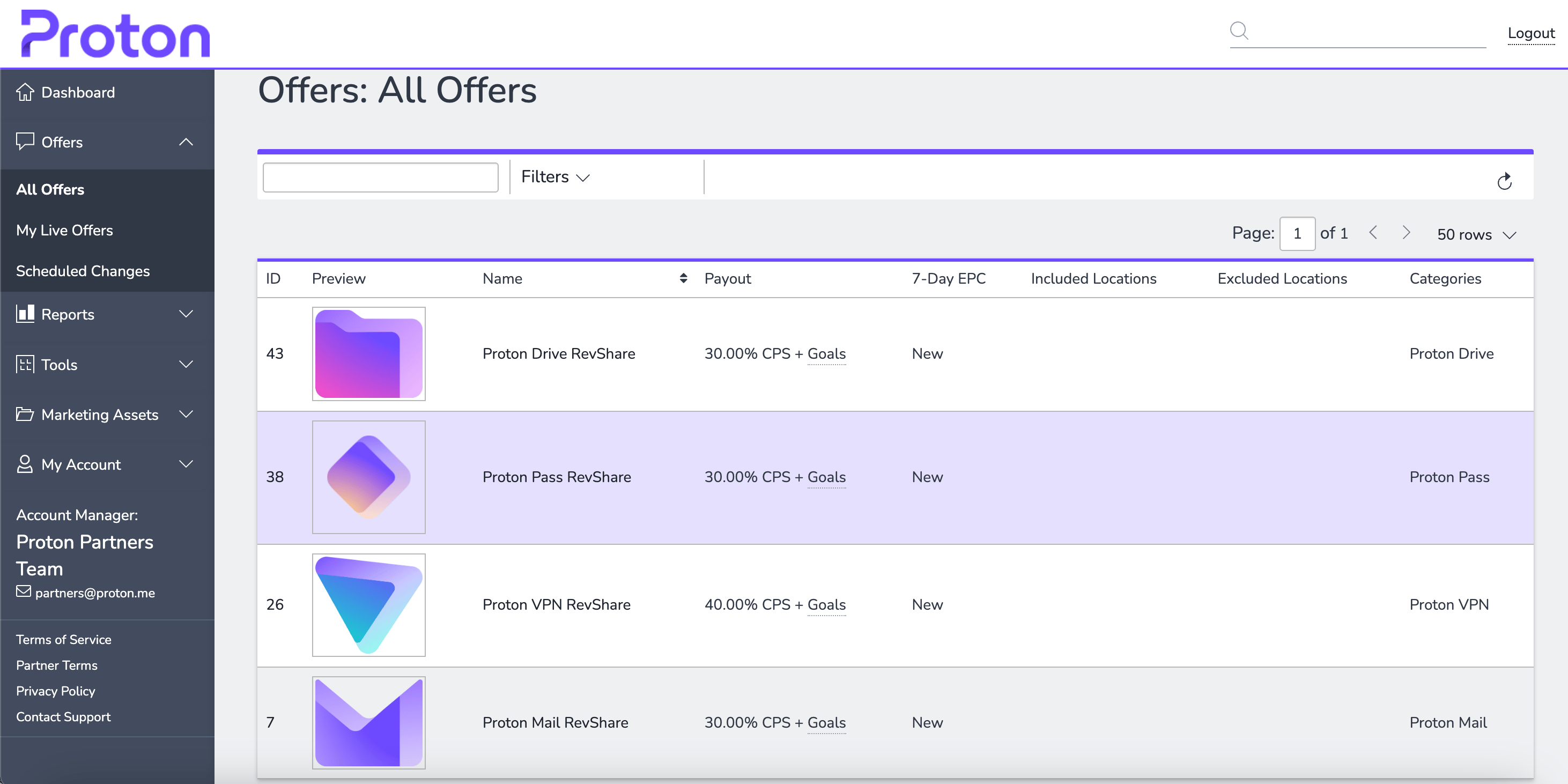
Viewing Offer Details
Click on the name of an offer to view offer details such as targeted countries, budget caps, and more. The offer details screen also contains the tracking link for promoting offers. From here, you can customize the tracking link to include additional information as desired.
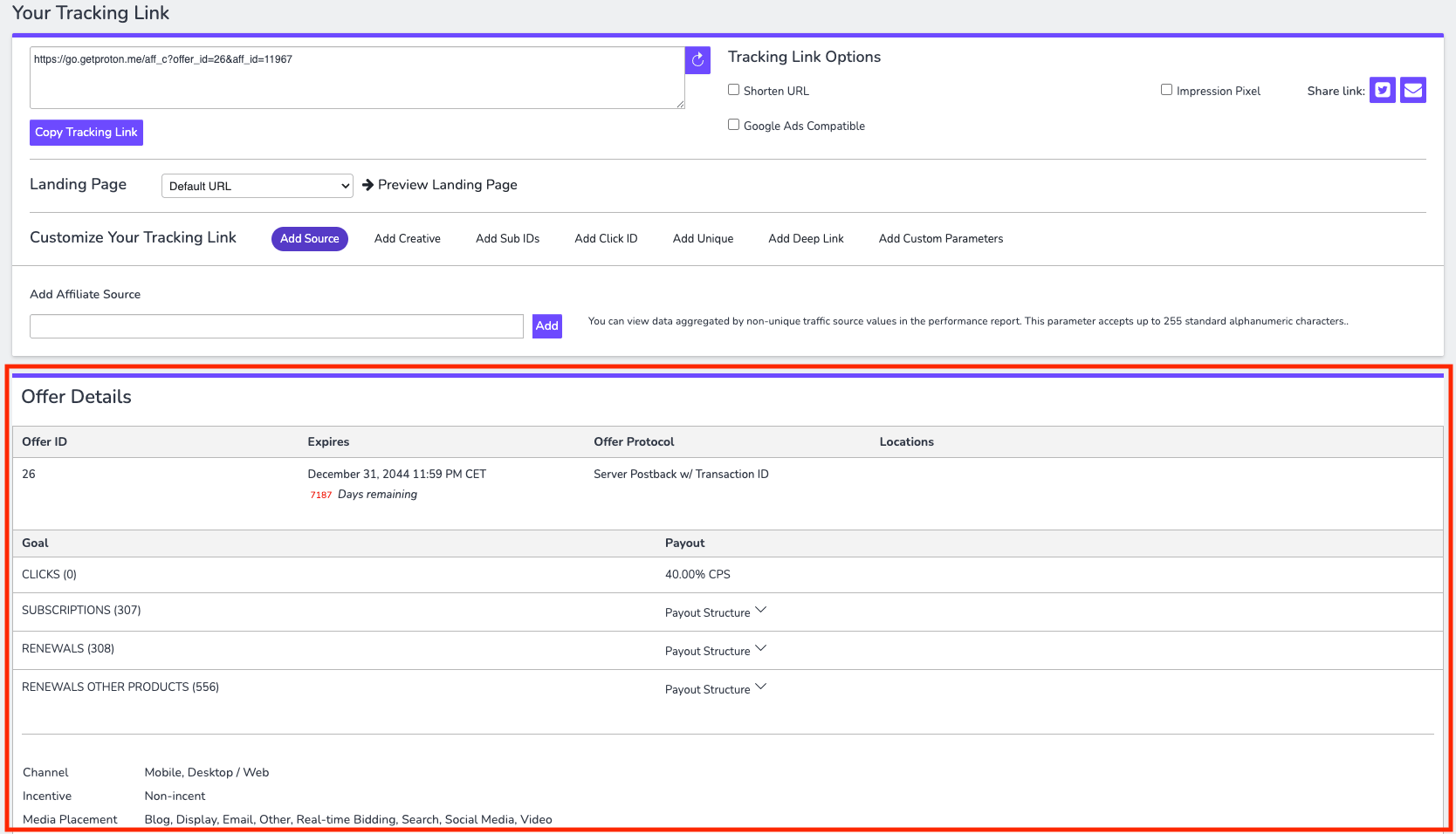
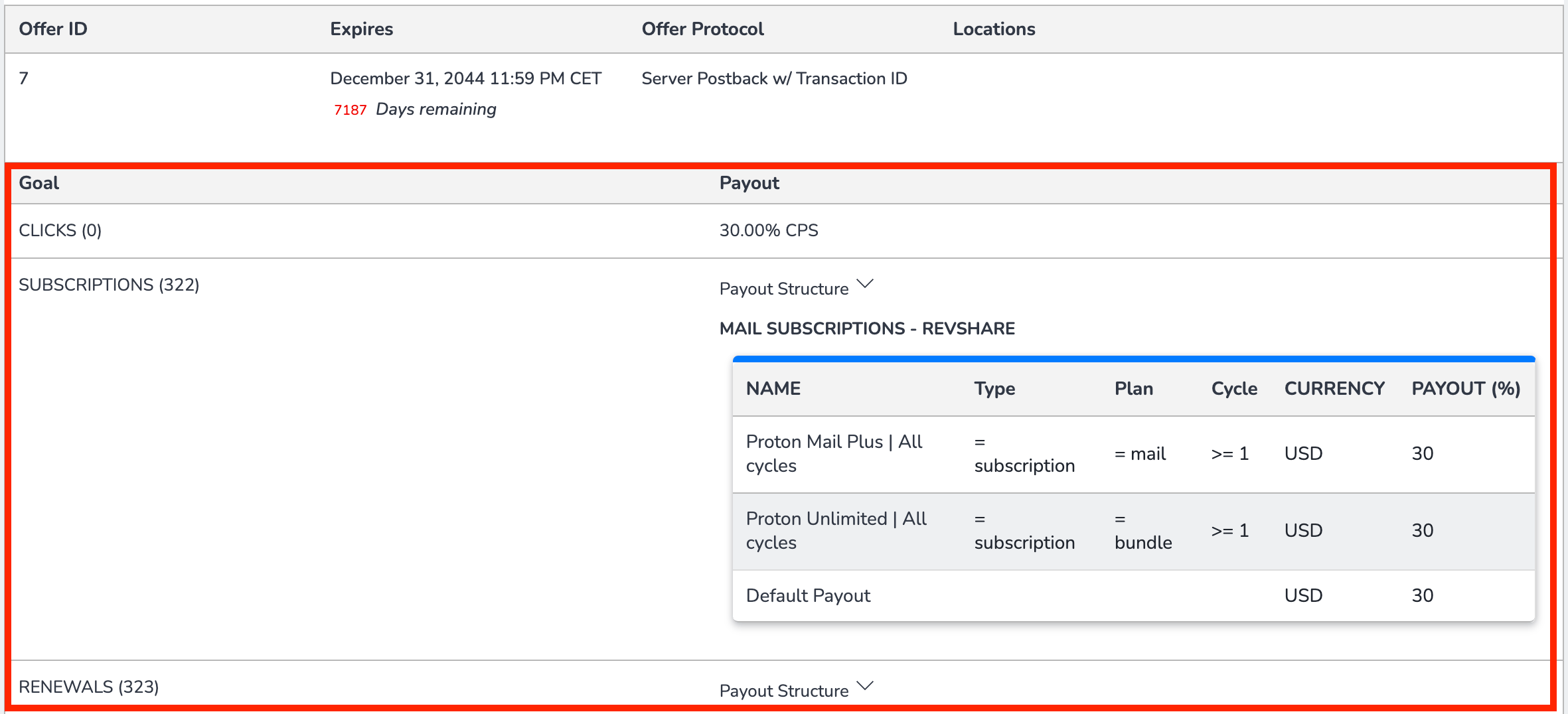
Offer Goals
There may be additional conversion points for an offer that the advertiser wishes to track, which may result in higher payout amounts. Sometimes these goals do not have any additional payout, or sometimes the payout is higher than the initial offer. Note that the payout method may also differ. Understanding the goals and payouts per goal is important when running an offer.
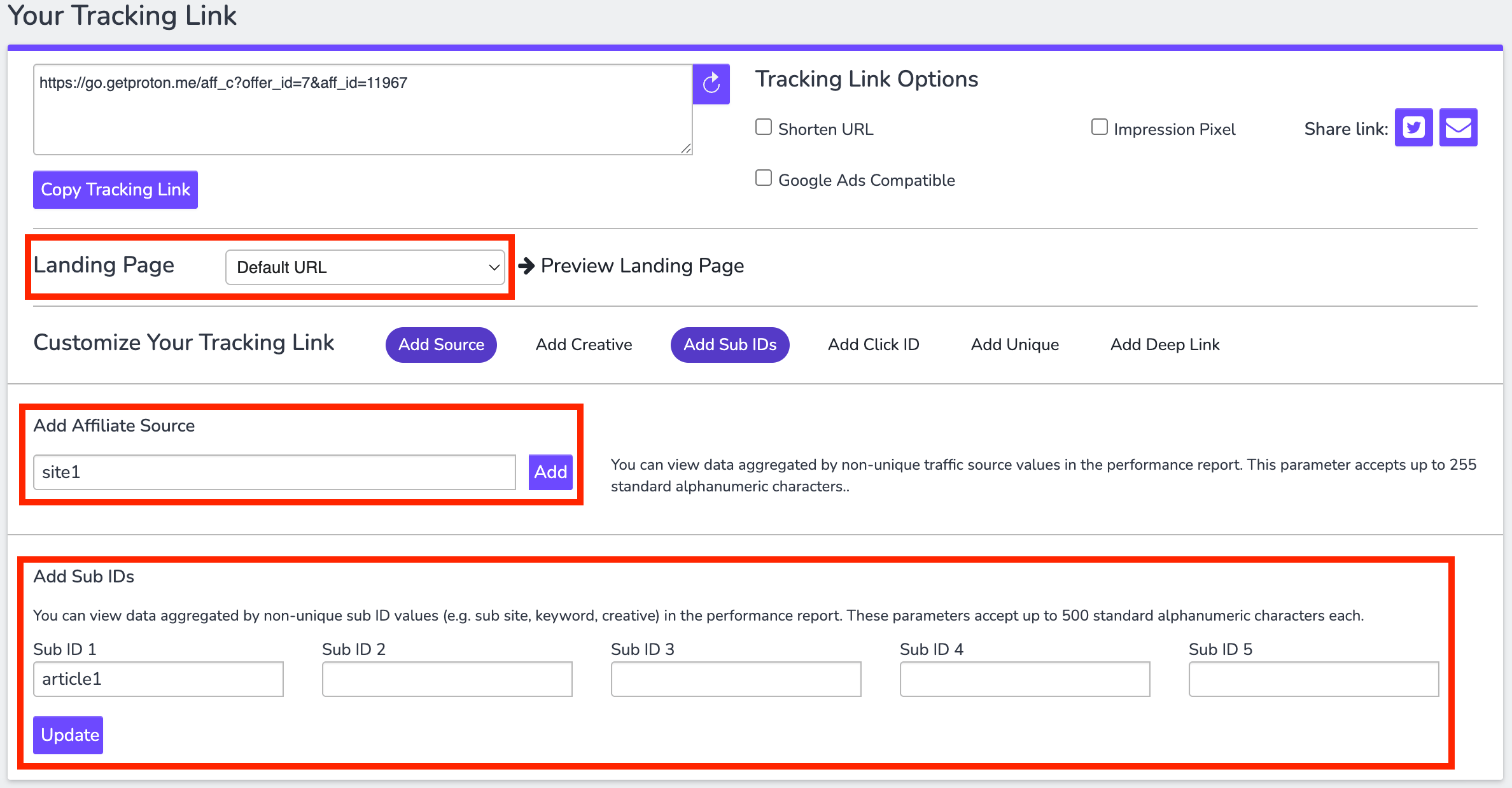
Tracking Links
Copy the URL from the "Your Tracking Link" dialog box to run an offer after selecting the landing page you want to use from the dropdown menu. Note that your link can be customized by adding parameters such as Source and Sub IDs. We recommend doing this to enhance the granularity of your reports. This will help you analyze your results more effectively and maximize their value.
Set a Postback
If you'd like to track conversions in a third-party system, please contact us at partners@proton.me and provide your affiliate ID and postback URL. The optional macros that can be used are listed in this document(new window).