
Get 23% off Lumo AI
Start from
Build and based in Europe
Doesn’t keep any record of the data you share
Never uses your data to train AI
Does not log your chat
Open source code to the public
30-days money back guarantee


Compare Lumo with other leading AI assistants
 Lumo AI |  Gemini |  Copilot |  OpenAI |  Deepseek | |
|---|---|---|---|---|---|
Never uses your data to train AI | Yes | No | No | No | No |
Does not log your chats | Yes | No | No | No | No |
Can’t share your data with anyone | Yes | No | No | No | No |
Has an ad-free business model | Yes | No | No | Yes | No |
Based in a high-privacy jurisdiction | Yes | No | No | No | No |
Opens source code to the public | Yes | No | No | No | Yes |
Productivity features designed for privacy
Lumo gives you the benefits of AI without compromising your personal data. We’ve added unique features to Lumo that are designed to keep you in control of what happens to your data.

Ghost mode
If you’re logged in while using Lumo, your conversations are saved with end-to-end encryption in your chat history. But you can enable ghost mode and ensure your current chat disappears forever as soon as you close it.

Web search
If you ask it to, Lumo can search the web for new or recent information to complement its existing knowledge.

File uploads
Lumo can understand and analyze files you upload. But unlike other AI assistants, Lumo doesn’t keep any record of the data you share. So you can work on sensitive documents with peace of mind.

Proton Drive integration
You can easily add end-to-end encrypted files from your Proton Drive to your chats with Lumo.
Choose your plan
Recommended
Plus
High-speed chats and advanced AI features
30-day money-back guarantee
Unlimited chats
Extended chat history
Unlimited chat favorites
Unlimited Projects
Upload multiple and large files
Free
Sign in for more questions and chat histories
No credit card required
Limited usage
Basic chat history
Limited chat favorites
Limited Projects
Upload individual small files
How to get started with Lumo

If you have a Proton Account and are logged in, you’ll be able to save your chat history, which is stored with zero-access encryption and accessible on any of your devices — but only on your devices. Your chat history can only be read by you.
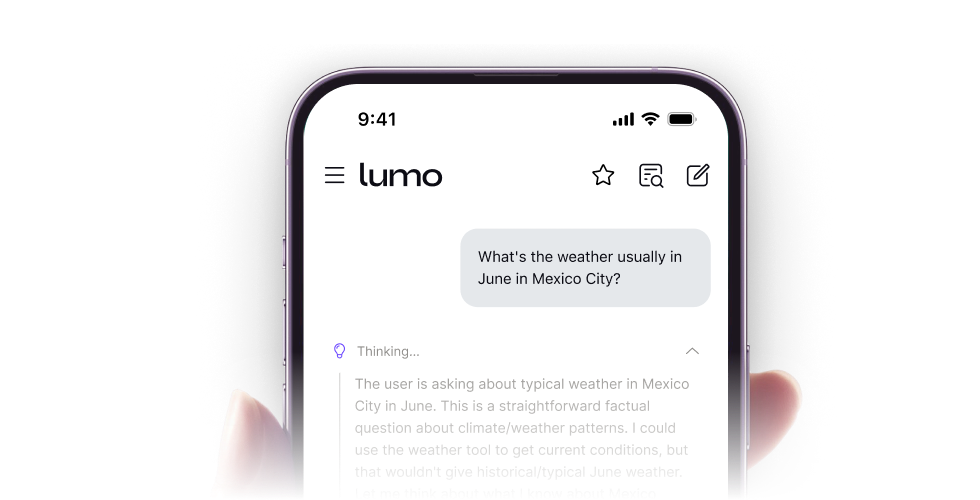
Lumo is also available for Android (new window)and iOS (new window)devices to make it easy to quickly chat on the go. Just download the app to your phone or tablet and start chatting. If you log in, your secure chat history will be available to you in the app.
If you need more usage, you can upgrade to Lumo Plus and get access to premium features and have unlimited queries.
Get to know us
- What is the best chat assistant for privacy?
- Can I use Lumo as an AI chat without logging in or signing up?
- How does Lumo compare with other AI tools like ChatGPT?
- Is Lumo a safe and secure AI chat assistant?
- Which languages does Lumo understand?