
Enhanced email tracker protection
- Čtení
- 4 minut
- Kategorie
- Receive and read emails
Proton Mail’s Block email tracking feature protects you from spy pixels on web, iOS, iPadOS, and Android. On the web app, it also removes known trackers from links in your emails.
- What is email tracking?
- How Proton Mail’s tracking protection works
- Manage email tracker protection settings
- How do I know that tracker protection is working?
- Questions and troubleshooting
What is email tracking?
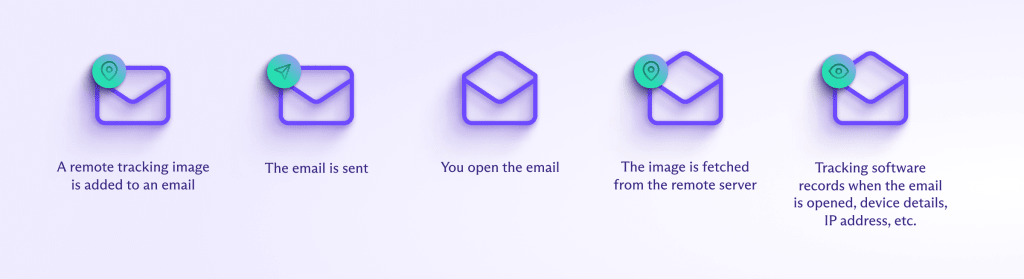
Companies often include email trackers (or spy pixels) in newsletters and other marketing emails. Email trackers are designed to collect information about you, and might include:
- Tracking pixels: Invisible images that notify the sender when you open the email.
- Tracking links: URLs that record when and where you click on a link in the email.
These trackers can reveal details like your IP address and device type — often without your consent.
How Proton Mail’s tracking protection works
Spy pixel protection
We remove known email trackers whenever you receive an email that isn’t end-to-end encrypted. This hides your personal IP address(nové okno), device information, and the exact time you opened the email.
We also pre-load other remote images on your behalf using a proxy with a generic IP address and geolocation.
Tracking link protection (Proton Mail for web)
We remove any known Urchin Tracking Module (UTM) or other tracking parameters from URLs in your emails. This means the sender can’t track you when you click the link.
Here’s an example of a tracking link before and after cleaning:

Manage email tracker protection settings
Tracking protection is enabled by default. This setting doesn’t sync across your apps — so if you want to disable or re-enable it, you’ll have to do it on all of your devices.
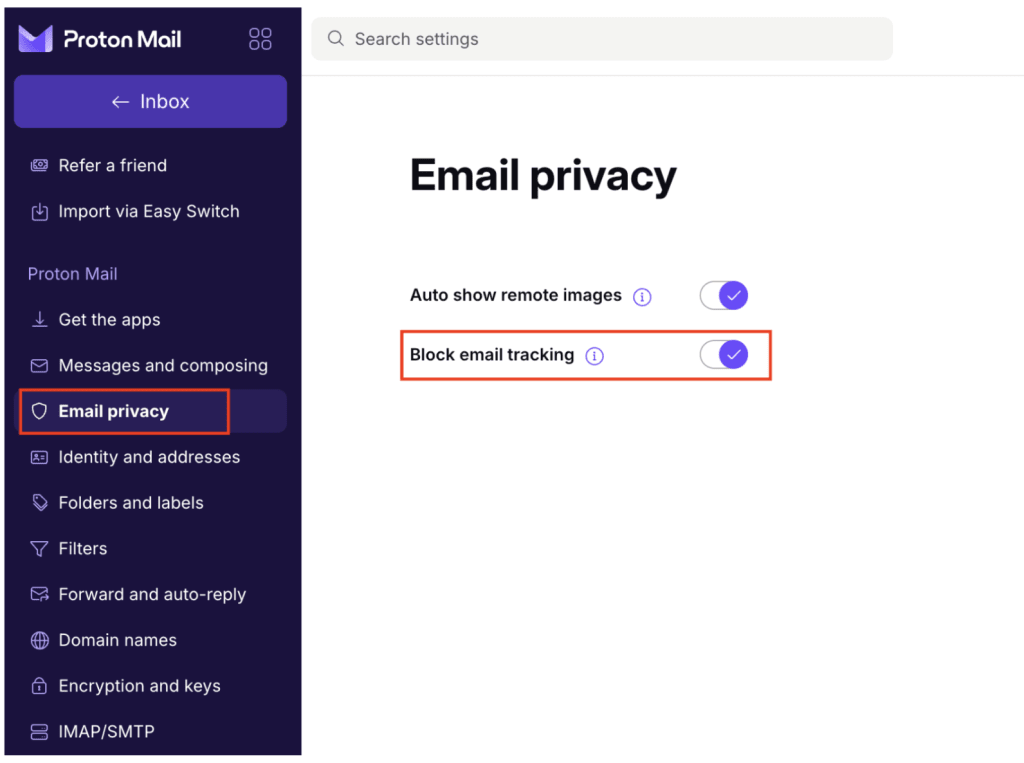
Web and desktop apps
- Open your account settings. Select Email privacy from the sidebar.
- Toggle Block email tracking.
Mobile apps (Android, iOS)
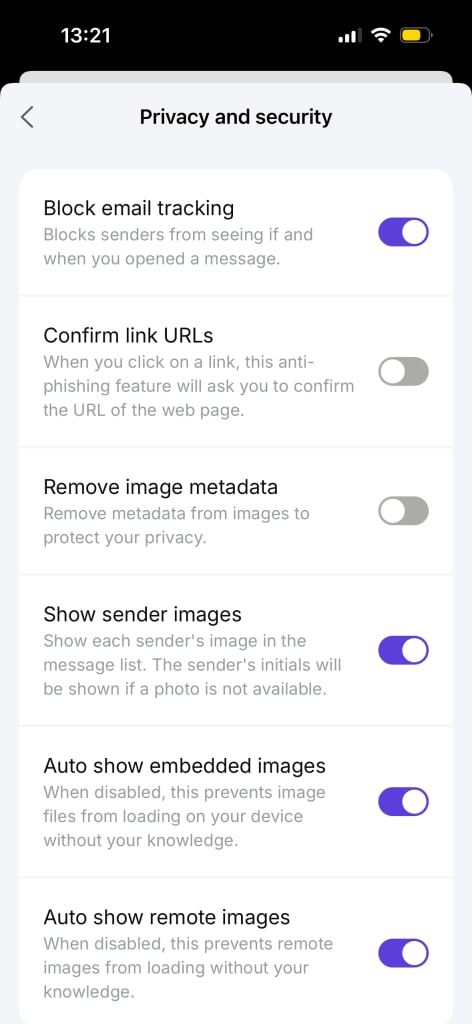
- Open Settings.
- Go to Privacy and security.
- Toggle Block email tracking.
How do I know that tracker protection is working?
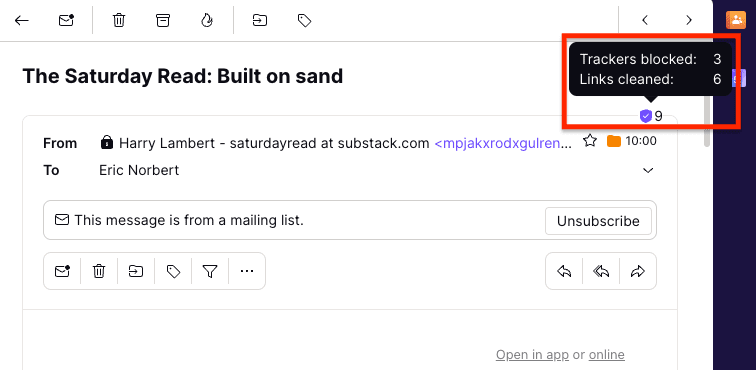
Web and desktop apps
When Proton Mail detects trackers in an email, you’ll see a tracker protection badge at the top of the message. The badge tells you how many trackers were blocked and how many links were cleaned.
Mobile (Android, iOS)
You can check if spy pixels were found and blocked on an email by expanding the details section. To expand, tap the down arrow next to the To: field.
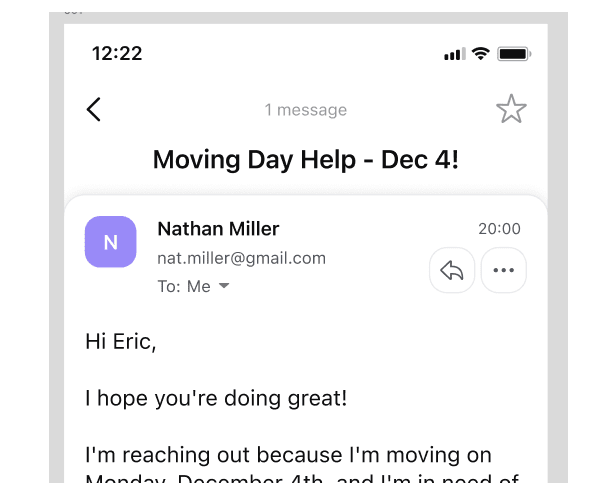
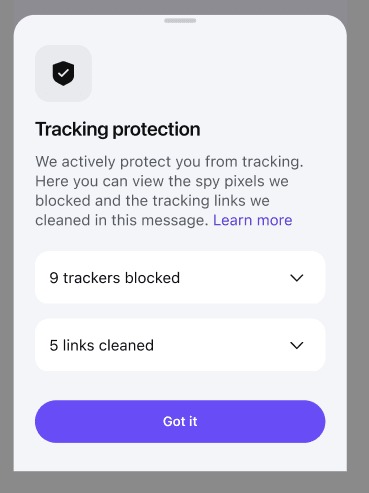
You’ll be able to see how many trackers were blocked or links were cleaned.

Tap Learn more to view more details about what was blocked.
Questions and troubleshooting
Why does it say No links cleaned when I can see links with tracking parameters in my email?
Proton Mail maintains a link detection list and also uses open-source block lists that are continuously updated. However, many companies use their own tracking parameters, which can make it hard for us to detect them.
Also, removing tracking parameters from a link sometimes means it no longer works. If you believe we missed some tracking parameters, please report this to our team.
Should I prevent remote images from loading automatically?
When email tracking protection is on, it’s safe to automatically load remote images. This feature was designed to allow you to view image content while avoiding trackers.
If you’d still like to stop images loading automatically, disable Auto show remote images in your Email privacy settings.
Learn more about loading images in Proton Mail
How we intercept trackers in images without reading your emails
To protect you, we now load remote images in your emails using our servers as we receive them rather than when you open them.
This applies to emails that aren’t end-to-end encrypted when you receive them (this includes most newsletters and promotional emails).
Non-encrypted emails are already checked for spam, phishing, and malware when we receive them, so we’ve simply added tracking protection to these existing automated filters.
Emails are then stored in your inbox with zero-access encryption.