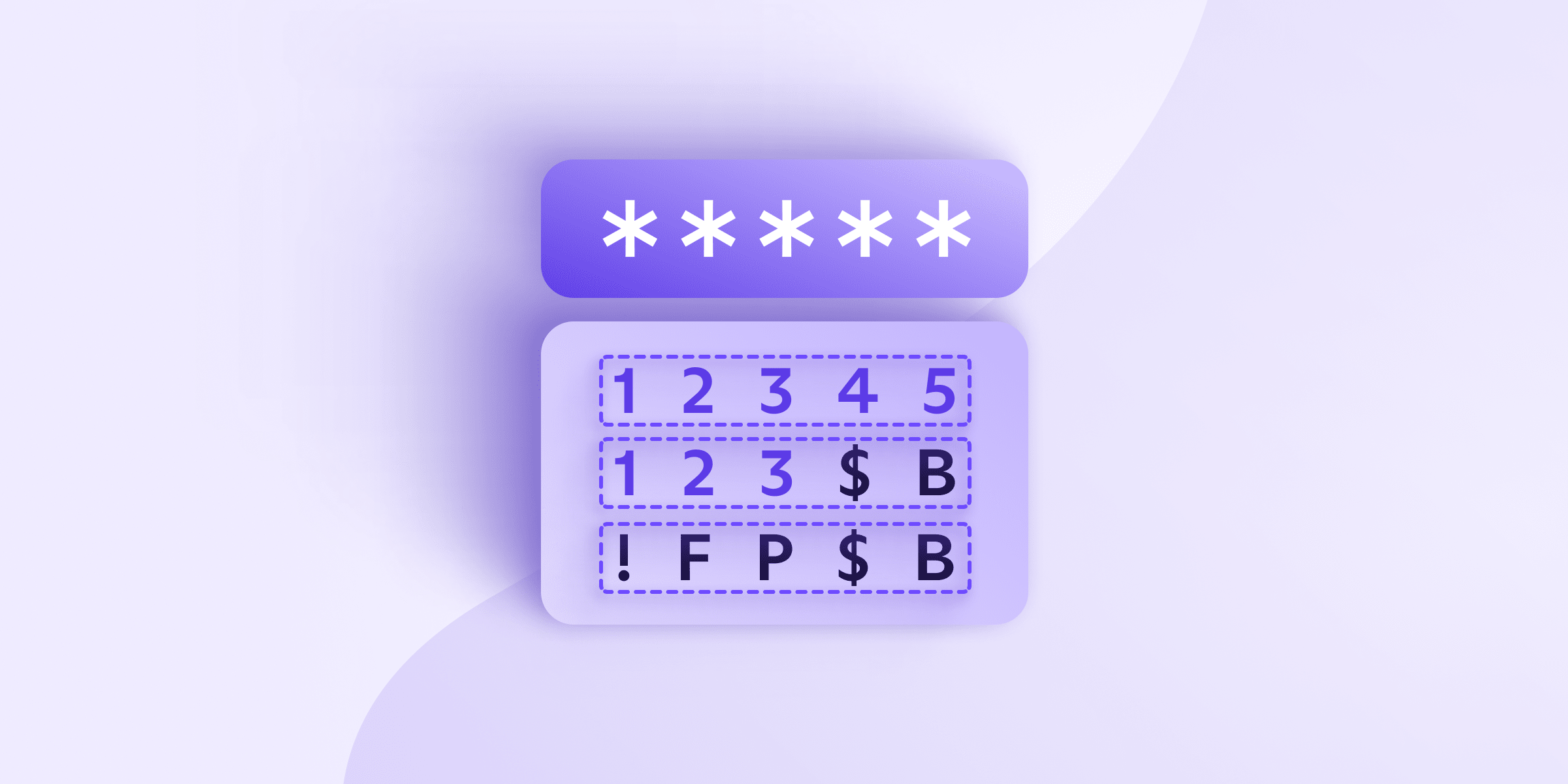
We moeten allemaal waakzaam zijn bij het aanmaken van wiskundig ondoordringbare wachtwoorden. En als u een van de honderdduizenden mensen bent die namen en geboortedata in hun wachtwoorden gebruiken(nieuw venster), dan is het absoluut tijd om uw inlogbeveiliging aan te scherpen.
In dit artikel leggen we uit hoe u wachtwoordentropie kunt inschatten en verbeteren, wat uitstekend is voor uw online beveiliging. Maar er is een nadeel: het maximaliseren van de entropie van een wachtwoord betekent in feite dat het onmogelijk voor u wordt om het te onthouden. Zoals altijd is er een XKCD-cartoon(nieuw venster) die het probleem samenvat.
Gezien het aantal onlinediensten waar we ons allemaal voor inschrijven (minstens tientallen), is het voor de gemiddelde persoon bijna onmogelijk om voor elk daarvan een sterk wachtwoord te onthouden.
Daarom adviseren wij het gebruik van een wachtwoordbeheerder zoals Proton Pass, die wachtwoorden met een extreem hoge entropie kan genereren. Deze onthoudt ze en kan ze voor u automatisch aanvullen.
Hieronder leggen we uit wat wachtwoordentropie betekent, hoe u dit kunt berekenen en hoe dit de sterkte van uw wachtwoord beïnvloedt. Dit kan u helpen de meest veilige instellingen in uw wachtwoordbeheerder te selecteren (of inloggen te vermijden voor diensten die wachtwoorden met een zeer lage entropie vereisen).
Wat betekent “wachtwoordentropie”?
Wachtwoordentropie verwijst naar hoe onvoorspelbaar uw wachtwoord of wachtwoordzin is, gemeten in bits. Hoe meer bits aan entropie er doorgaans zijn, hoe complexer een wachtwoord is en hoe moeilijker het is om te kraken met brute-force-aanvallen.
Brute-force-aanvallers gebruiken ‘trial-and-error’ om combinaties van tekens in inloggegevens, wachtwoorden en versleutelingsgegevens te raden.
Veel hackers gebruiken bijvoorbeeld complexe scripts en machines om duizenden wachtwoordgissingen binnen enkele minuten te automatiseren. In een van de meest onthullende gevallen verwerkten onderzoekers tot wel 350 miljard wachtwoordgissingen(nieuw venster) per seconde.
Aanvallers gebruiken brute-force-aanvallen om zwakke wachtwoorden snel bloot te leggen. Door de entropie van uw wachtwoorden te meten en prioriteit te geven, helpt u voorkomen dat deze gegevens in verkeerde handen vallen.
Hoe beïnvloedt wachtwoordentropie de wachtwoordsterkte?
Verschillende factoren beïnvloeden de entropie van een wachtwoord en daarmee de sterkte ervan. U dient rekening te houden met het volgende voor uw wachtwoord:
- Lengte (in tekens)
- Gebruik van hoofdletters en kleine letters
- Gebruik van numerieke tekens
- Gebruik van speciale symbolen
Van alle elementen die hier worden vermeld, is de wachtwoordlengte het belangrijkst. Een voldoende lange wachtwoordzin verslaat bijna elke brute-force-aanval. U kunt de entropie verder verhogen door willekeurige hoofdletters, speciale symbolen en cijfers te gebruiken.
Entropie gaat echter niet alleen over hoe lang of complex uw wachtwoord er uitziet. Het kan ook afhangen van hoe het is gemaakt. Een werkelijk willekeurige reeks heeft een veel hogere entropie dan een veelvoorkomend woord of zin, zelfs als beide dezelfde lengte hebben.
Hackers kunnen woordenboekaanvallen gebruiken om uw inloggegevens te raden als u een herkenbaar woord of een veelgebruikte zin in uw wachtwoord gebruikt.
Een woordenboekaanvaller automatiseert brute-force-gissingen van elk woord in een woordenboek dat in een wachtwoord gebruikt zou kunnen worden.
Ongeacht de entropie van uw wachtwoord loopt u daarom nog steeds het risico te worden gehackt als u in uw inloggegevens huisdiernamen, sportteams of andere veelvoorkomende wachtwoorden (gebruik bijvoorbeeld nooit “wachtwoord”) gebruikt.
Hoe berekent u wachtwoordentropie
We leggen uit hoe u wachtwoordentropie berekent, maar het is belangrijk op te merken dat dit enkel een demonstratie is. U kunt de entropie van een wachtwoord niet veilig inschatten op basis van hoe het eruitziet. Door mensen gegenereerde wachtwoorden — zelfs lange — zijn vaak zeer voorspelbaar. Tenzij het met een willekeurige generator is gemaakt, moet u ervan uitgaan dat de entropie lager is dan u denkt.
Ervan uitgaande dat u een willekeurige reeks tekens gebruikt, wordt wachtwoordentropie gemeten in bits en is deze afhankelijk van twee hoofdfactoren:
- Het aantal beschikbare tekens in het tekenbereik dat voor het wachtwoord is gekozen
- Het aantal tekens in het wachtwoord
Wachtwoordentropie neemt daarom toe naarmate uw wachtwoord langer is en het mogelijke tekenbereik breder is. Een lang wachtwoord dat hoofdletters, kleine letters, symbolen en cijfers gebruikt, zoals kmXz2=zs[m%7?y4A, zal een zeer hoge entropie hebben.
Een wachtwoord dat alleen kleine letters of cijfers gebruikt, zoals dzormybs of 119022833, zal een zeer lage entropie hebben.
Wachtwoordzinnen zijn makkelijker te onthouden, maar wees voorzichtig. Ze moeten langer zijn om vergelijkbare entropieniveaus te creëren. Een wachtwoordzin als HelpFidoSaveChocolate33! ziet er bijvoorbeeld complex uit, maar omdat het vier veelvoorkomende Engelse woorden en een voorspelbare combinatie van cijfers en symbolen aan het einde gebruikt, ligt de werkelijke entropie wellicht dichter bij 50 bits. Dit is veel minder dan de entropie van kmXz2=zs[m%7?y4A, ook al is het acht tekens korter.
Wat zijn bits aan entropie?
Bits aan entropie meten hoe moeilijk een wachtwoord te kraken is. Een wachtwoord dat u al kent, heeft bijvoorbeeld nul bits.
Met behulp van een formule kunnen we berekenen hoeveel entropiebits er in een wachtwoord zitten, en daarmee hoeveel gissingen een script of machine van een aanvaller nodig zou hebben om toegang te krijgen.
Voordat we de wachtwoordentropie kunnen berekenen, moeten we echter alle verschillende mogelijke tekenbereiken meten.
Tekenbereiken meten
De volgende tabel laat zien hoe uw tekenopties toenemen wanneer u verschillende tekens toevoegt aan uw wachtwoord, mits u in het Engels schrijft. Het aantal letters en symbolen kan variëren afhankelijk van de taal die u gebruikt.
| Tekentype | Voorbeeld(en) | Grootte van het bereik |
| Cijfers | 0, 1, 2, 3 | 10 |
| Latijnse letters (kleine letters) | a, b, c, d | 26 |
| Latijnse letters (hoofdletters) | A, B, C, D | 26 |
| Speciale symbolen | !, @, %, $ | 32 |
Hoe meer keuze in potentiële tekens u aan potentiële hackers biedt, hoe hoger uw wachtwoordentropie wordt. Geef daarom prioriteit aan een zo breed mogelijk tekenbereik en gebruik een mengeling van alle vier de typen.
Hier zijn een paar voorbeeldwachtwoorden en hun totale tekenbereiken:
| Voorbeeld | Totaal tekenbereik |
| 112233 | 10 |
| abcde | 26 |
| a1b2c3d4 | 36 |
| a1B2c3D4 | 62 |
| a1!B2%c3^D4 | 94 |
Denk eraan: bovenstaande gegevens tonen u de potentiële grootte van tekenbereiken, niet de bits aan entropie. We moeten een specifieke formule gebruiken om de exacte entropie van wachtwoorden in bits te berekenen.
Formule voor wachtwoordentropie
U kunt de entropie van een wachtwoord in bits meten aan de hand van de volgende formule:
E = L × log2(R)
In deze formule:
- E is uw wachtwoordentropie
- R is het mogelijke bereik van tekentypes in uw wachtwoord (zie de bovenstaande tabellen)
- L is het aantal tekens in uw wachtwoord (de lengte)
- Log2 beantwoordt de vraag “tot welke macht moet 2 worden verheven om dit getal te bereiken”
Aan de hand van deze formule ziet u hier hoe een paar voorbeeldwachtwoorden in bits worden gemeten:
| Voorbeeld | Tekenbereik | Wachtwoordlengte | Berekening | Bits aan entropie |
| fygwcbjnhsbh | 26 | 12 tekens | E = 12 x 4,7 | 56,4 |
| HzgNhHkY1WQ8AM | 62 | 14 tekens | E = 14 x 5,95 | 83,3 |
| kmXz2=zs[m%7?y4A | 94 | 16 tekens | E = 16 x 6,55 | 104,8 |
De wiskunde laat zien dat hoe langer en complexer een wachtwoord is, hoe meer bits aan entropie het bevat.
Denk eraan: deze berekeningen zijn alleen van toepassing op willekeurig gegenereerde wachtwoorden. Wachtwoordzinnen die veelvoorkomende woorden gebruiken, moeten langer zijn en ongebruikelijke, niet-gerelateerde woorden bevatten (en idealiter ook cijfers en symbolen) om een vergelijkbaar veiligheidsniveau te bereiken.
En denk eraan: deze berekeningen zijn meer bedoeld ter demonstratie dan voor praktisch gebruik. U moet vertrouwen op wachtwoordgenerators in plaats van zelf te proberen de sterkte van een wachtwoord te berekenen.
U kunt onze gratis wachtwoordgenerator gebruiken om te experimenteren en te zien hoe sterk verschillende wachtwoorden zijn.
Nogmaals, entropie is slechts één maatstaf voor sterkte. Vermijd veelgebruikte wachtwoorden of zinnen om woordenboekaanvallen te voorkomen. U moet ook vermijden om persoonlijke informatie te gebruiken, zoals uw geboortedatum, de naam van uw huisdier of uw straatnaam, aangezien aanvallers deze informatie kunnen achterhalen.
Wanneer wordt een wachtwoord als sterk beschouwd?
Over het algemeen scoort een sterk wachtwoord met een hoge entropie minstens 75 bits. Alles met minder dan 72 bits is voor een machine redelijk eenvoudig te kraken.
We berekenen het maximale aantal potentiële gissingen met de berekening 2 ^ (aantal bits). Dat is hoe vaak het getal 2 verdubbelt om het totaal aantal bits te bereiken.
Een wachtwoord met 10 bits aan entropie, met 2 ^ 10, zou bijvoorbeeld maximaal 1024 gissingen nodig hebben om te worden gekraakt. Dat is doorgaans een numeriek wachtwoord van drie tekens, zoals 456.
Streef naar een entropie van meer dan 100 bits om een sterk wachtwoord te maken, en probeer zo hoog mogelijk te scoren. Hoe hoger de entropie, hoe meer tijd het machines kost om met brute force een correct wachtwoord te raden.
De regels voor het maken van een wachtwoord met een hoge entropie verschillen sterk per beveiligingsexpert, maar er zijn een paar algemene regels waar iedereen het over eens is:
- Uw wachtwoord moet minstens 14 tekens lang zijn en een mix van tekens bevatten (niet alleen kleine letters uit het standaard Latijnse alfabet)
- U moet vermijden om zinnen of termen te gebruiken die voor u betekenisvol zijn (en dus gemakkelijk te raden zijn)
- Een sterk wachtwoord heeft geen verbinding met de gebruikersnaam (behandel ze altijd als aparte entiteiten)
- Er is een mix van minstens één kleine letter, één hoofdletter, één cijfer en één speciaal teken (bijvoorbeeld %, ^, *, &, @, ~, enz.)
We raden u ook aan om een wachtwoordblokkeerlijst te gebruiken om te voorkomen dat u woorden of zinnen gebruikt die populair zijn op het web. NIST’s Bad Passwords-project(nieuw venster) is bijvoorbeeld een populaire open-source tool voor het maken van zinnen met een hoge entropie.
Als u een veilig beheerderswachtwoord wilt maken voor uw wachtwoordbeheerder, overweeg dan de volgende richtlijnen
Kortom, een echt veilig wachtwoord bevat bijvoorbeeld:
- Ten minste één hoofdletter
- Ten minste één kleine letter
- Ten minste één symbool
- Ten minste één cijfer
- Ten minste 14 tekens (of ten minste 30 voor wachtwoordzinnen, ervan uitgaande dat de woorden ongebruikelijk en niet aan elkaar gerelateerd zijn)
Het bovenstaande voorbeeld, kmXz2=zs[m%7?y4A, voldoet aan al deze eisen en creëert een wachtwoord met ongeveer 105 bits aan entropie, wat onmogelijk lang zou duren om te kraken met een brute force-aanval.
Genereer sterke wachtwoorden met Proton Pass
De enige manier om voldoende sterke wachtwoorden te genereren en te onthouden voor al uw online accounts is door een wachtwoordbeheerder te gebruiken. Proton Pass genereert met één klik veilige zinnen voor u. U kunt het gebruiken om wachtwoordzinnen van 10 woorden of willekeurige wachtwoorden van 64 tekens te maken, en u hebt de controle over of elk wachtwoord cijfers, hoofdletters en symbolen bevat, voor het geval u de entropie van uw wachtwoorden wilt maximaliseren.
Met Proton Pass zijn uw wachtwoorden niet alleen moeilijk te kraken — ze worden opgeslagen met end-to-end versleuteling en ondersteund door een veilige tweestapsverificatie via ‘s werelds meest veilige gratis wachtwoordbeheerder. Lees het beveiligingsmodel van Proton Pass voor meer informatie.
Als wachtwoordentropie u duizelt, registreer u dan en schrijf u in voor Proton Pass. Wij helpen u wachtwoorden te genereren, op te slaan en te beveiligen tegen kwaadwillende aanvallen.
Update 18 november 2025: Dit artikel is bijgewerkt om de problemen met het berekenen van de entropie van wachtwoordzinnen en wachtwoorden in het algemeen duidelijker uit te leggen. De complexiteit van wachtwoorden is gemakkelijk te overschatten tenzij ze echt willekeurig gegenereerd zijn.
Veelgestelde vragen
Wachtwoordcomplexiteit verwijst doorgaans naar het potentiële bereik aan tekens, terwijl wachtwoordentropie verwijst naar de wiskunde achter hoe moeilijk het is om het te raden. Entropie wordt gemeten in bits, wat op zijn beurt aangeeft hoeveel brute force-pogingen nodig zijn om een wachtwoord te kraken.
Dit hangt af van hoe de woorden zijn geselecteerd. Als ze willekeurig zijn gekozen (bijvoorbeeld met een Diceware-lijst), voegt elk woord ongeveer 12–13 bits aan entropie toe. Een willekeurige wachtwoordzin van vier woorden zou dus ongeveer 50–52 bits aan entropie hebben. Maar als de woorden door een mens zijn gekozen, kan de entropie veel lager zijn.
128 bits aan entropie betekent dat uw wachtwoord 2¹²⁸ pogingen zou vereisen om via brute force gekraakt te worden — dat is meer dan het aantal atomen in het universum. Voor praktische doeleinden is alles boven de 100 bits veilig. Zelfs wachtwoorden met 75–80 bits worden tegenwoordig als resistent beschouwd tegen alle bekende brute force-aanvallen.