
E-postadresser med kort domene (@pm.me)
- Lesetid
- 2 min
- Kategori
- Adresser og identiteter
E-postadresser med kort domene gjør det enklere å skrive inn Proton Mail-e-postadressen din og dele den med andre.
Alle med et betalt Proton Mail-abonnement kan aktivere en @pm.me(nytt vindu)-e-postadresse, med unntak av brukere i en Proton-organisasjon.
I denne artikkelen
- Slik fungerer det
- Aktivering av @pm.me-adressen din
- Sende en e-post fra @pm.me-adressen din
- Korte domener og Proton Free
Slik fungerer det
Når du aktiverer det korte domenet ditt:
- Begge adressene kan brukes til å sende og motta e-porter. For eksempel kan brukeren Eric Norbert bruke både eric.norbert@protonmail.com og eric.norbert@pm.me.
- Når den er aktivert, kan ikke en e-postadresse med kort domene (@pm.me) deaktiveres eller slettes.
E-postadressen din med kort domene teller ikke mot grensen for e-postadresser på kontoen din. Derimot vil flere adresser opprettet med @pm.me-domenet telle mot grensen din.
Aktivering av @pm.me-adressen din
1. Logg inn på Proton-kontoen din på mail.proton.me(nytt vindu).
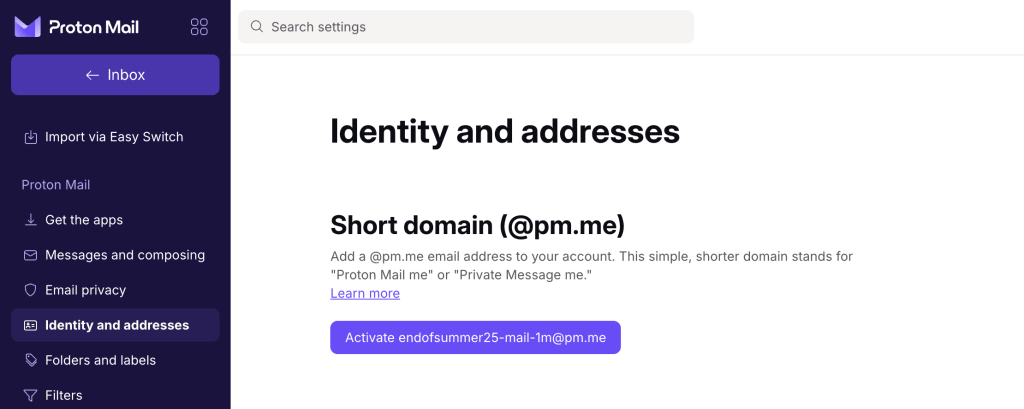
2. Gå til Innstillinger → Alle innstillinger → Identitet og adresser. Under Kort domene klikker du på Aktiver brukernavn@pm.me.
Sende en e-post fra @pm.me-e-postadressen din
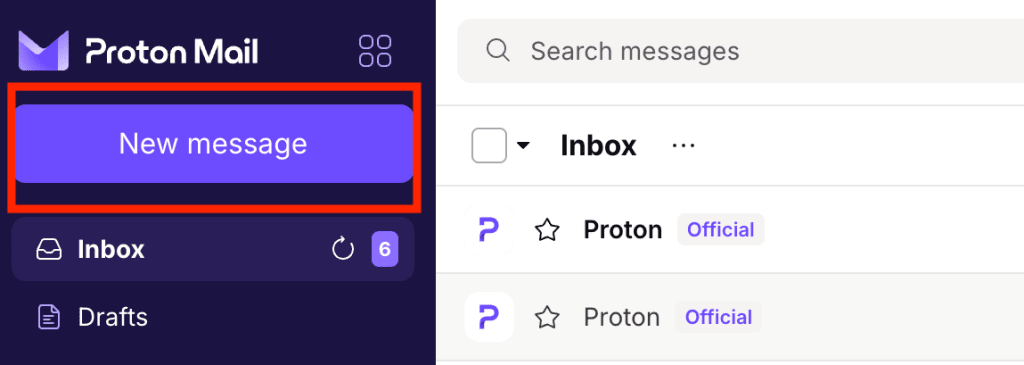
1. Gå til Proton Mail-innboksen din og klikk på Ny melding for å åpne skrivevinduet.
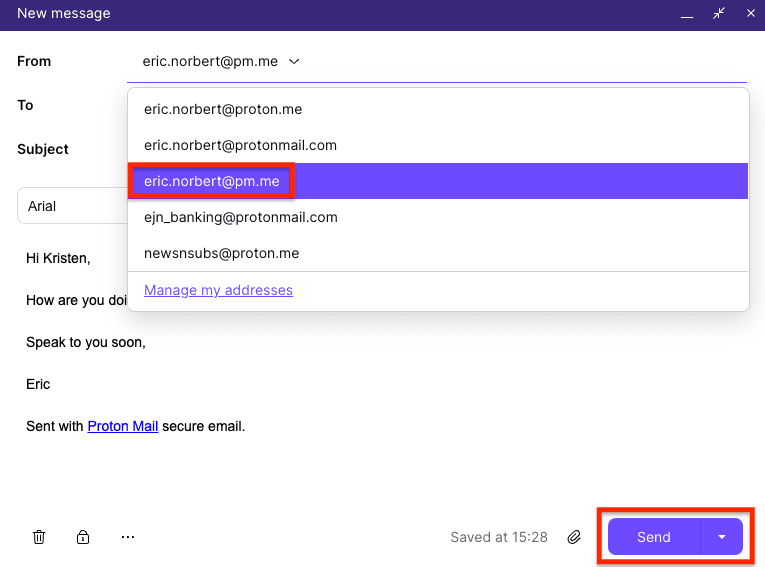
2. Velg @pm.me-adressen din fra rullegardinmenyen i Fra-feltet, skriv meldingen din og klikk på Send.
E-postadresser med kort domene er ikke tilgjengelige med Proton Free
For å aktivere @pm.me-adressen din må du oppgradere til et betalt abonnement.
Hvis du nedgraderer fra et betalt abonnement til Proton Free, vil adressen din med kort domene bli endret til kun for mottak. Du kan fremdeles motta meldinger som sendes til @pm.me-adressen din, men du vil ikke kunne sende e-poster fra den.
Merk: Tidligere kunne alle med Proton Free aktivere en @pm.me(nytt vindu)-adresse som kun var for mottak, men dette er ikke lenger tilfelle.