
Så här lägger du till användarlicenser till din organisation
- Lästid
- 1 min
- Kategori
- Proton VPN for Business
Om du är administratör för ett Proton VPN for Business-paket kan du lägga till användarlicenser till din organisation. Antalet användare du kan lägga till i din organisation begränsas av hur många licenser du har.
Om du försöker lägga till fler användare än du har licenser för får du följande felmeddelande:

För att lägga till användarlicenser:
1. Logga in på account.proton.me och välj VPN-appen.
2. Klicka på Användare i menyn till vänster → Skaffa fler licenser.
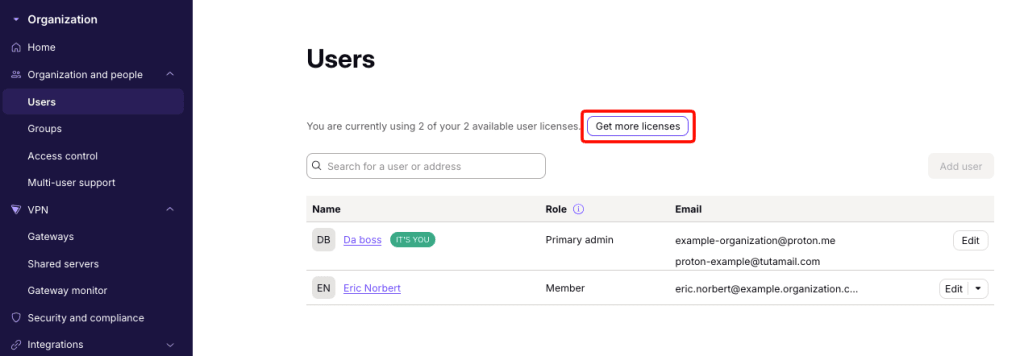
3. Under Organisationsstorlek → Användare, använd knappen + för att lägga till användare.

Du kommer att se den tillkommande avgiften för de nya licenserna. Vi kommer automatiskt att tillämpa eventuella krediter eller proportionella betalningar som ditt företag har på det totala beloppet. För att fortsätta klickar du på Bekräfta. Detta kommer att debitera din betalningsmetod.
Du är klar. Du kan nu använda dina nya licenser för att lägga till nya användare till din organisation.
Lär dig hur du lägger till nya användare till din organisation(nytt fönster)