Proton Pass es una herramienta esencial para gestionar credenciales y proteger su identidad, pero se ha convertido en mucho más que eso. Ahora puede utilizarla incluso para fines especializados, ya sea para segmentar el acceso a la información entre equipos o para gestionar flujos de trabajo de desarrolladores.
Este año seguimos ampliando las formas en que usted puede utilizar Proton Pass, tanto para equipos como para particulares y familias.
Nuestras últimas actualizaciones y las próximas funciones se centran en mejorar la usabilidad, añadir más control y flexibilidad al compartir, perfeccionar la experiencia de completado automático y proporcionar nuevas herramientas para los desarrolladores. Proton Pass es cada vez más capaz y cómodo, todo ello sin aumentar los precios ni comprometer nuestros valores de privacidad y transparencia.
Lo que lanzamos en otoño e invierno de 2025
Sabemos que cada persona utiliza Proton Pass de forma diferente. Para que sea lo más útil posible para el mayor número de personas, el año pasado nos centramos en algunas áreas fundamentales.
Usabilidad mejorada y mayor comodidad
Cuando usted utiliza Proton Pass, la aplicación debe ayudarle con su gestión administrativa y facilitarle las tareas. Por eso nos centramos en mejorar la usabilidad y la comodidad.
Introdujimos mejoras en el completado automático, incluido el completado automático de tarjetas de crédito(nueva ventana), escritura automática y HTTP Basic Auth(nueva ventana) para gestionar cuadros de diálogo de inicio de sesión no estándar. El menú contextual(nueva ventana) y el modo sin conexión también le ofrecieron más opciones para adaptar Proton Pass a sus necesidades específicas.
Seguridad mejorada para su extensión de navegador
Como empresa que prioriza la privacidad, nuestras herramientas deben ofrecer a nuestros usuarios la mejor protección posible para sus datos sensibles. Hicimos que Pass Monitor fuera accesible a través de su extensión de navegador de Proton Pass para que sea más fácil detectar y cambiar sus contraseñas débiles y reutilizadas, y recibir notificaciones si se ve afectado por una vulneración de datos.
Otras actualizaciones de privacidad incluyeron la posibilidad de elegir un periodo de tiempo determinado tras el cual las contraseñas copiadas se borran del portapapeles(nueva ventana), así como la posibilidad de crear y utilizar claves de acceso en Safari(nueva ventana) con la extensión de Proton Pass.
Gestión segura de secretos para desarrolladores
Para convertirla en una solución más capaz para los desarrolladores que gestionan el desarrollo de software, presentamos Proton Pass CLI, que permite a los ingenieros acceder a los secretos a través de la terminal.
Los Tokens de acceso personal (PAT)(nueva ventana) ya son compatibles con Proton Pass CLI. Los PAT proporcionan un control preciso sobre los secretos a los que tienen acceso los scripts o agentes de IA dentro de la CLI. Usted puede gestionar el acceso más fácilmente otorgando acceso restringido a bóvedas específicas a aplicaciones o scripts de terceros, lo que convierte a Proton Pass en una opción natural para gestionar secretos en su automatización y herramientas.
Mayor control de acceso para equipos
Las organizaciones confían en Proton Pass para mucho más que la gestión de contraseñas, incluida la gestión de acceso y la aplicación de políticas de seguridad para decenas, cientos o incluso miles de usuarios. Nos centramos en hacer que la gestión del acceso sea más fácil y rápida para los administradores, a la vez que proporcionamos un control más detallado sobre las políticas de seguridad.
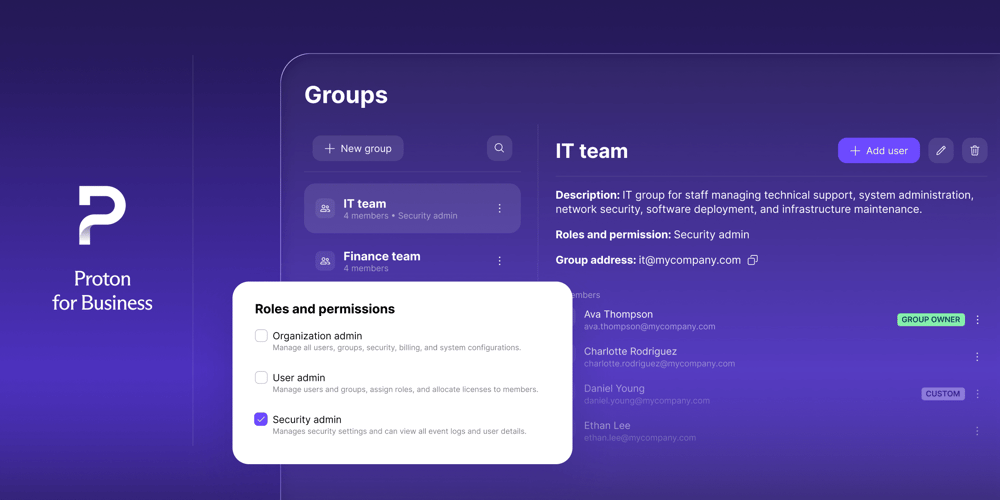
Ahora los grupos facilitan la organización de los miembros del equipo o de los proyectos, definiendo controles de acceso a gran escala. Usted puede compartir el acceso a bóvedas y elementos a nivel de grupo en lugar de a nivel individual para compartir de forma más rápida y sencilla sin comprometer la seguridad. Esto simplifica el uso compartido y la gestión del acceso para los administradores, que también pueden elegir propietarios de grupo dentro de su organización. Los administradores también pueden crear políticas para garantizar que los alias de correo y los enlaces seguros se utilicen de forma responsable y en consonancia con las políticas de seguridad de su empresa.
Novedades para esta primavera y verano
Nuestro objetivo para la primera mitad de 2026 es realizar mejoras continuas en nuestras ofertas principales, aumentando la flexibilidad y la comodidad que Proton Pass puede ofrecerle. También nos comprometemos a introducir nuevas funciones:
Organice sus datos a su manera con carpetas
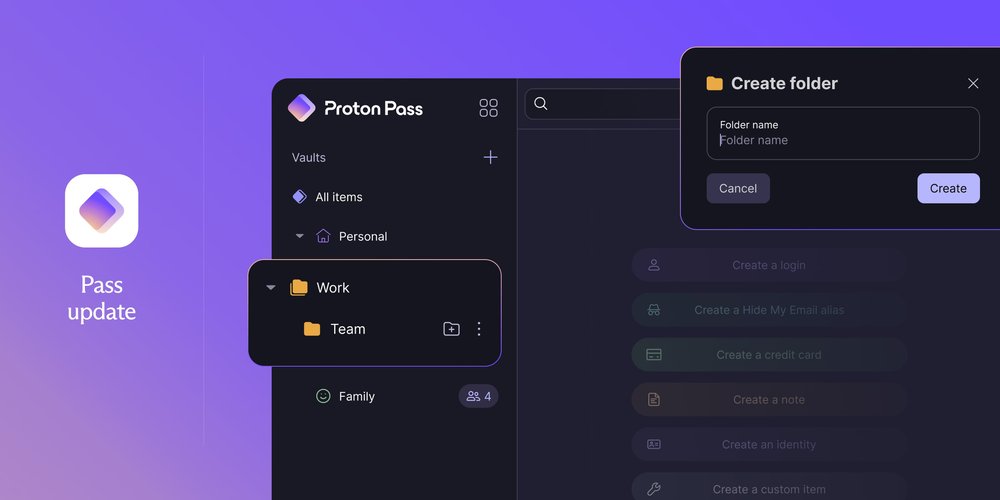
Las carpetas serán un componente fundamental para Proton Pass que irá más allá de ayudarle a organizar sus elementos. La introducción de las carpetas requerirá replantear nuestro modelo de criptografía, en el que estamos trabajando actualmente. Con el tiempo, usted también podrá compartir carpetas y subcarpetas al igual que sus bóvedas y elementos individuales, lo que le proporcionará otra forma flexible de compartir el acceso.
Las carpetas estarán disponibles en los próximos meses. Además de crear bóvedas, usted podrá crear carpetas y subcarpetas dedicadas para organizar la información crucial y recuperarla rápidamente: puede organizar por proyecto, por equipo, por año o por cualquier otra necesidad.
Simplifique los flujos de trabajo de SSH con el agente SSH
El agente SSH por defecto integrado en su SO no está diseñado para la comodidad y la flexibilidad, por lo que vamos a lanzar un agente SSH que le permitirá trabajar con las claves SSH almacenadas en sus bóvedas manteniéndolas sincronizadas automáticamente dondequiera que trabaje. Ya puede guardar sus claves SSH en Proton Pass y, con el agente SSH, podrá utilizarlas para sus flujos de trabajo de Git y SSH, lo que simplificará la autenticación y facilitará el trabajo en varias computadoras.
Guardar sus claves SSH en Proton Pass le permite utilizarlas en varios dispositivos sin necesidad de sincronizarlas manualmente, lo que ahorra tiempo y esfuerzo mientras trabaja. Los flujos de trabajo de Git son mucho más sencillos cuando puede utilizar simplemente el desbloqueo biométrico para confirmar cambios (commit) o firmar, lo que añade una capa extra de seguridad y comodidad a la autenticación basada en terminal.
Saque más partido a su extensión de navegador de Proton Pass
Seguiremos centrándonos en hacer de Proton Pass un potente asistente para usted en su navegador web.
Para agilizar su navegación, el desbloqueo biométrico llegará a la extensión de Proton Pass. Estará disponible primero para macOS y Chromium, y se lanzará gradualmente para otros navegadores y SO. Usted podrá utilizar su huella digital o Face ID para desbloquear su cuenta en lugar de usar su contraseña maestra o código PIN para mayor comodidad. Su cuenta seguirá estando igual de segura a la vez que ahorra tiempo al iniciar sesión.
También estamos realizando mejoras en el completado automático de su extensión del navegador de Proton Pass. El completado automático de iFrame detectará oportunidades de completado automático en sitios web y aplicaciones con diseños más complicados, como las aplicaciones bancarias. El ajuste de URL le permitirá configurar el completado automático exactamente como usted desee, lo que permitirá que Proton Pass sugiera información para el sitio web exacto que esté visitando, una actualización muy solicitada.
Dado que usted siempre necesita acceder a sus bóvedas, el modo sin conexión para extensiones de navegador también llegará pronto. El modo sin conexión ya está disponible para sus aplicaciones de Proton Pass web, de escritorio y móviles, por lo que esto mantendrá sus bóvedas accesibles cuando no esté conectado a internet, sin importar qué aplicación esté utilizando. Si está de viaje o si simplemente ha perdido la conexión, no se quedará sin la valiosa información que necesita.
Mucho más que un gestor de contraseñas
Todo lo que desarrollamos para Proton Pass hace que sea más fácil y cómodo para usted proteger sus cuentas en línea y organizar su vida digital. La ampliación de las funciones principales y las capacidades disponibles nos ayuda a convertir a Proton Pass en una herramienta valiosa para todos, ya sea en casa o en el trabajo.
No podríamos realizar estas actualizaciones sin la valiosa guía de nuestra comunidad, y queremos conocer su opinión: ¿Qué le gustaría ver lanzado para Proton Pass? Cuéntenos qué le funciona y qué necesita en Reddit(nueva ventana) o UserVoice(nueva ventana).
Juntos construiremos una internet donde su identidad esté segura y su privacidad esté protegida por defecto.