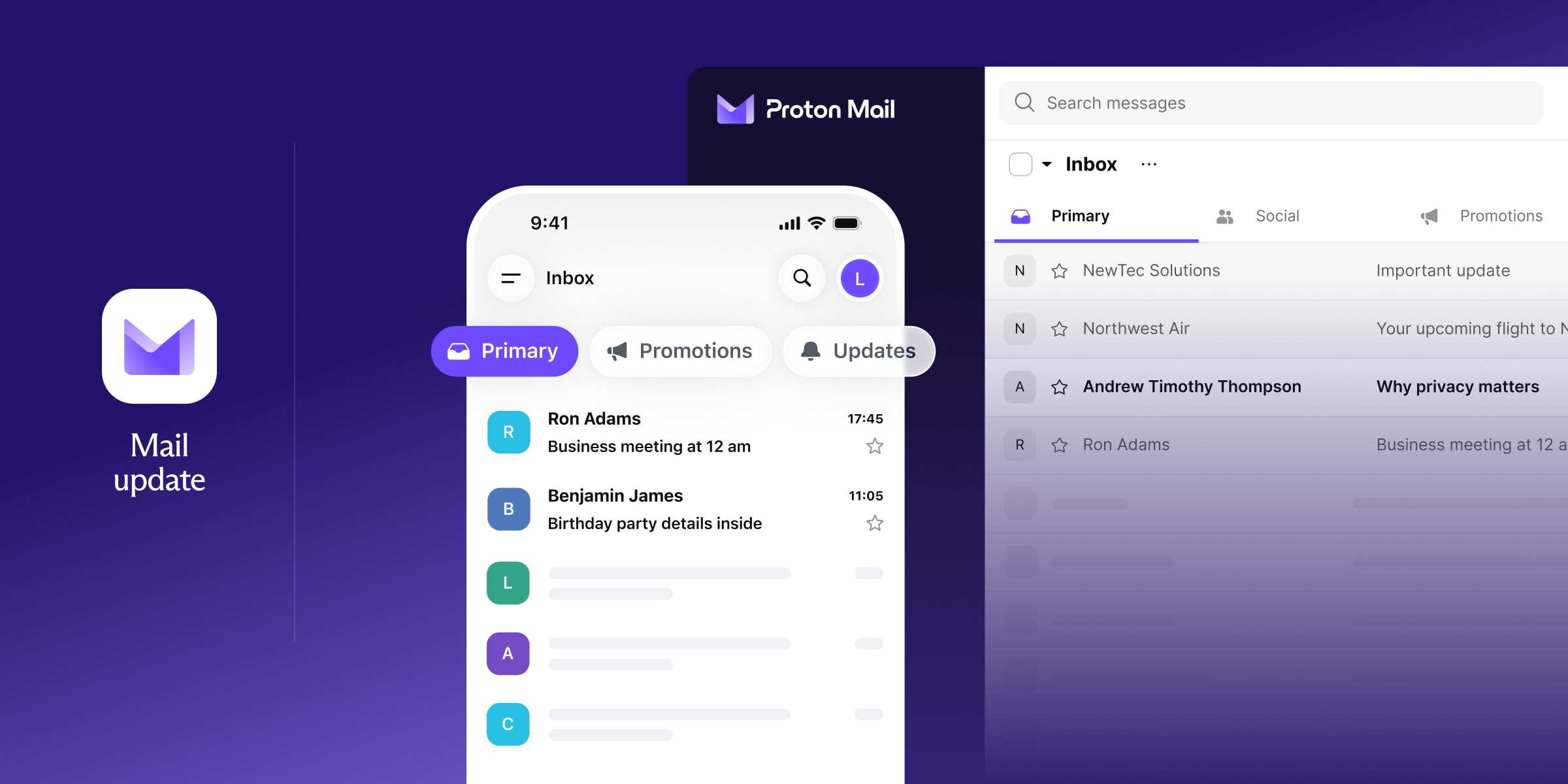
È più facile gestire la tua posta in arrivo quando le email sono pre-smistate in categorie come principale, social, promozioni o newsletter. Ora puoi eliminare il superfluo e proteggere la tua privacy con le Categorie di Proton Mail.
Questa nuova funzionalità opzionale ti offre un altro modo per organizzarti in Proton Mail: puoi già aggiungere cartelle ed etichette, annullare l’iscrizione dalle newsletter con un solo clic e configurare filtri automatici. Con le Categorie, i tuoi messaggi vengono smistati automaticamente prima che il disordine prenda il sopravvento.
Non usi ancora Proton Mail? Crea un account gratuito.
Cosa sono le Categorie in Proton Mail?
Le Categorie sono una nuova visualizzazione nella tua posta in arrivo di Proton Mail pensata per darti una migliore visibilità sui messaggi che richiedono la tua attenzione. Ogni email in arrivo finisce in una di queste categorie:
- Principale: per messaggi personali e di lavoro, oltre ad aggiornamenti e notifiche importanti
- Social: aggiornamenti da piattaforme di social media e attività
- Promozioni: offerte, codici sconto e saldi stagionali
- Newsletter: contenuti non promozionali e notizie a cui ti sei iscritto
- Transazioni: prenotazioni, fatturazione e ordini
- Aggiornamenti: conferme automatiche e avvisi
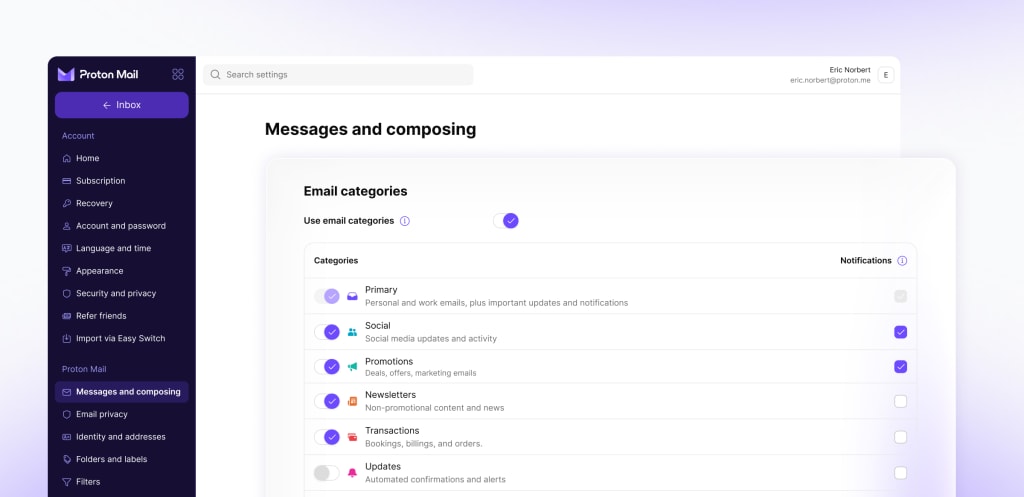
Per i nuovi utenti, le Categorie sono attive per impostazione predefinita, ma puoi disattivarle nelle tue impostazioni. Se hai già un account Proton Mail, ti chiederemo se vuoi attivare le Categorie. Puoi personalizzare la tua esperienza scegliendo le categorie che desideri vedere.
Se un’email finisce nella categoria sbagliata, spostala semplicemente in quella corretta. Questo aggiorna automaticamente il filtro per le volte successive.
Rimani organizzato, senza la sorveglianza
I provider di posta Big Tech come Gmail e Outlook offrono anch’essi le categorie, ma con un costo in termini di privacy.
Per aziende come Google e Microsoft, l’obiettivo non è garantirti sicurezza e riservatezza, ma monetizzare la tua attenzione con gli annunci pubblicitari o addestrare i loro modelli di IA. Google mostra persino annunci nella tua posta in arrivo, trasformando le tue schede Promozioni e Social in un cartellone pubblicitario per i professionisti del marketing. Anche se paghi per Google One, il modello di business non cambia. Google è una macchina per la sorveglianza pubblicitaria.
Il modello di business di Proton allinea i nostri interessi ai tuoi, perché siamo finanziati al 100% dalla nostra community, non dagli inserzionisti. Attivare le Categorie non cambia nulla di tutto ciò. La tua posta in arrivo rimane protetta da crittografia ad accesso zero e le email che invii ad altri utenti Proton (o utilizzando la protezione tramite password) sono crittografate end-to-end.
Scopri la sensazione di una posta in arrivo ordinata
Pronto a usare le Categorie? Vai alla tua posta in arrivo e apri le tue email dalle schede Principale, Social, Promozioni o Newsletter. Puoi spostare facilmente le email se ritieni che un’altra categoria sia più appropriata.
Per la personalizzazione, vai in Impostazioni → Messaggi e composizione per scegliere quali categorie mostrare, attivare o disattivare le notifiche o mostrare il conteggio dei messaggi non letti. Se preferisci la vecchia visualizzazione di Proton Mail, puoi disattivare le categorie in qualsiasi momento. Scopri di più sull’utilizzo delle Categorie.
Non usi ancora Proton Mail? Crea un account gratuito.