
Kuinka pimeän verkon valvontaa käytetään
- Luetaan
- 4 min
- Kategoriat
- Suojaus ja yksityisyys
- Proton Mail
- Proton Pass
- Proton-tili
Jos henkilötietojasi vuotaa pimeään verkkoon, Protonin Pimeän verkon valvonta -ominaisuus ilmoittaa siitä teille, jotta voitte ryhtyä toimenpiteisiin. Se ilmoittaa myös henkilötietoihinne kohdistuvista mahdollisista riskeistä ja kertoo, mitä voitte tehdä näiden riskien lieventämiseksi.
Pimeän verkon vuotoja tapahtuu yleensä silloin, kun käyttämänne ulkopuolisen tahon palvelu vaarantuu. Tämä voi johtua heidän huolimattomuudestaan tai verkkorikollisen tahallisesta hyökkäyksestä. Lue lisää siitä, miten Pimeän verkon valvonta suojaa teitä.
Kuka tahansa, jolla on maksullinen Proton-tilaus, voi käyttää Pimeän verkon valvonta -ominaisuutta. Se on erityisen hyödyllinen Proton Passissa ja Proton Mailissa, joissa voitte varmistaa, ettei mihinkään sähköpostialiaksistanne ole murtauduttu.
- Ota Pimeän verkon valvonta käyttöön Proton Mailissa
- Ota Pimeän verkon valvonta käyttöön Proton Passissa
- Ota Pimeän verkon valvonta käyttöön kaikissa Proton-sovelluksissa
- Tarkista Pimeän verkon valvonta
- Pimeän verkon valvonnan tietomurtoilmoitukset
- Miten Pimeän verkon valvonta toimii
- Mitä tietoja Pimeän verkon valvonta tarkistaa?
- Parhaat käytännöt tietovuotojen välttämiseksi
Ota Pimeän verkon valvonta käyttöön Proton Mailissa
- Siirtykää Proton Mailiin ja avatkaa tilinne asetukset (Asetukset ⚙ > Kaikki asetukset).

- Valitkaa Suojaus ja yksityisyys sivupalkista.
- Vierittäkää kohtaan Pimeän verkon valvonta. Kytkekää päälle Ota Pimeän verkon valvonta käyttöön ja Ota sähköposti-ilmoitukset käyttöön.

Pimeän verkon valvonta on otettu käyttöön. Jos tietojanne vuotaa pimeään verkkoon, ilmoitamme siitä teille.
Ota Pimeän verkon valvonta käyttöön Proton Passissa
- Siirtykää Proton Passiin ja avatkaa tilinne asetukset (Asetukset ⚙ > Tili).

- Valitkaa Suojaus ja yksityisyys sivupalkista.
- Vierittäkää kohtaan Pimeän verkon valvonta. Kytkekää päälle Ota Pimeän verkon valvonta käyttöön ja Ota sähköposti-ilmoitukset käyttöön.

Pimeän verkon valvonta on otettu käyttöön. Jos tietojanne vuotaa pimeään verkkoon, ilmoitamme siitä teille.
Ota Pimeän verkon valvonta käyttöön kaikissa Proton-sovelluksissa
Voitte ottaa Pimeän verkon valvonnan käyttöön Suojauskeskuksessa tai Asetukset-sivullanne kohdassa Suojaus ja yksityisyys.
Tarkista Pimeän verkon valvonta
Jos teillä on maksullinen Proton-tili, löydätte Pimeän verkon valvonnan Suojauskeskuksesta tai Asetukset-sivultanne kohdasta Suojaus ja yksityisyys.
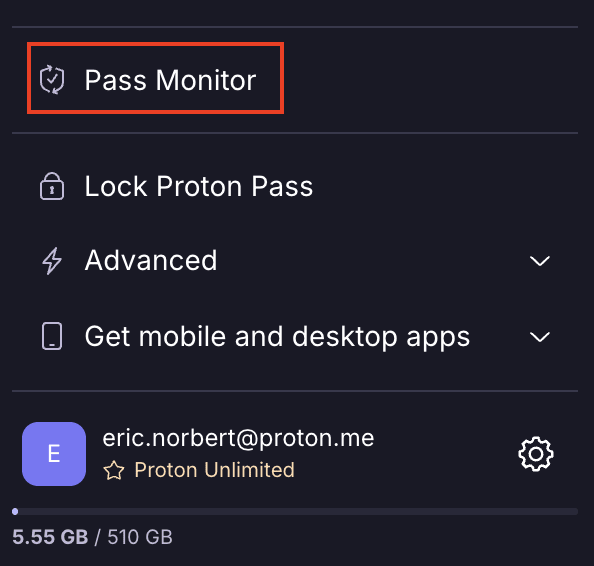
Jos teillä on maksullinen Proton Pass -tili, löydätte Pimeän verkon valvonnan myös Proton Passin sivupaneelin kohdasta Pass Monitor. Täällä voitte tarkistaa Proton-osoitteisiinne, sähköpostialiaksiinne ja mukautettuihin sähköposteihinne kohdistuneet tietomurrot.
Näette kaikki Proton-tiliinne liitetyt sähköpostiosoitteet Pimeän verkon valvonnan hallintapaneelista — mukaan lukien kaikki luomanne hide-my-email-aliakset(uusi ikkuna) sekä enintään 10 mukautettua sähköpostiosoitetta, jotka voitte valtuuttaa valvottaviksi. Jos nämä osoitteet ovat paljastuneet ulkopuolisen tahon palvelun tietomurrossa, näette ilmoituksen Tila-sarakkeessa. Ilmoitus ehdottaa myös toimenpiteitä, joihin voitte ryhtyä tilinne suojaamiseksi ja riskien lieventämiseksi.

Luettelon alaosasta löydätte myös ehdotettuja omia sähköpostiosoitteita, joita saatatte haluta valvoa. Voitte lisätä enintään 10 vahvistettua omaa sähköpostiosoitetta. Nämä ovat muita kuin Proton-osoitteita, ja siksi ne jaetaan kolmansien osapuolten palveluntarjoajien kanssa, jos otatte ne käyttöön valvontaa varten. Klikatkaa lisää lisätäksenne ne luetteloon ja aloittaaksenne niiden valvonnan.
Pimeän verkon valvonnan tietomurtoilmoitukset
Pimeän verkon valvonta näyttää kaikki tunnetut tietomurrot, jotka ovat vaikuttaneet tileihinne viimeisen kahden vuoden aikana. Tietomurrot on jaettu kahteen luokkaan:
- Punaiset tietomurrot: Nämä tietomurrot vaativat välitöntä huomiota, tyypillisesti selkokielisinä tai heikosti hajautettuina (esimerkiksi MD5:tä käyttäen) paljastuneiden salasanojen vaihtamista.
- Liilat tietomurrot: Tietomurrot, jotka vaikuttivat tileihinne, mutta joissa salasananne oli salattu tai vahvasti hajautettu (esimerkiksi SHA256:lla tai bcryptillä). Nämä tietomurrot voivat silti paljastaa arkaluonteisia henkilötietoja, joten muistakaa ryhtyä toimenpiteisiin.
Lisätietoja siitä, mitä tehdä, jos tietojanne vuotaa verkkoon, löydätte blogijulkaisustamme aiheesta suositukset tietomurtojen varalta.
Miten Pimeän verkon valvonta toimii
Käytämme erilaisia tietolähteitä tietomurtojen havaitsemiseen, mukaan lukien omia uhkatietojoukkojamme, joita on täydennetty Constella Intelligencelta saaduilla tiedoilla. Constellalla on pääsy pimeässä verkossa myytäviin tietoihin.
Lähteemme hälyttävät meille aina, kun ne löytävät vuotaneita tietoja tai tietomurrossa varastettuja tietoja ulkopuolisen tahon verkkopalvelusta, joka on liitetty Proton Mail -sähköpostiosoitteeseen tai Proton Pass -aliakseen.
Mitä tietoja Pimeän verkon valvonta tarkistaa?
Pimeän verkon valvonta ilmoittaa Teille, jos seuraavia tietoja on paljastunut:
- Sähköpostiosoite
- Käyttäjätunnus
- Nimi
- Syntymäaika
- Salasanat
- Puhelinnumero
- Katuosoitteet (mukaan lukien kaupunki ja postinumerot)
- Viranomaisen myöntämät henkilökortit:
- Henkilötunnus (SSN)
- Sosiaalivakuutusnumero (SIN)
- Kansallinen henkilökortti (NID)
- Verotunniste
- Viisumin numero
- Passin tiedot
- Ajokortin tiedot
- Lääketieteelliset tiedot
- Taloudelliset tiedot
- Maksukortin tiedot
- Pankin IBAN-numero
Parhaat käytännöt tietovuotojen välttämiseksi
Luokaa sähköpostialiaksia
Sähköpostialiakset suojaavat todellista sähköpostiosoitettanne ja henkilöllisyyttänne rajoittaen tietomurron vaikutusaletta. Luokaa yksilöllisiä aliaksia rekisteröityäksenne verkkopalveluihin ja tileille Proton Mailin ja Proton Passin avulla.
Luokaa vahvoja salasanoja
Jokainen tilinne tarvitsee yksilöllisen ja vahvan salasanan. Proton Pass voi auttaa teitä luomaan vahvoja salasanoja, välttämään salasanojen uudelleenkäyttöä ja täyttämään salasanat automaattisesti seuraavalla kerralla, kun kirjaudutte sisään.
Piilottakaa IP-osoitteenne
IP-osoitteenne piilottaminen estää sijaintinne ja internet-liikenteenne vuotamisen. Käyttäkää Proton VPN -palvelua, jossa NetShield(uusi ikkuna) on käytössä, piilottaaksenne IP-osoitteenne ja suojautuaksenne tietojenkalastelulta ja haittaohjelmilta.