
Aktivitetsovervåking
- Lesetid
- 1 min
- Kategori
- Administrer organisasjon
Aktivitetsovervåking gir innsikt i bruker- og administratoraktivitet på tvers av en organisasjon. Administratorer kan revidere og gjennomgå viktige hendelser via et sentralt kontrollpanel.
Det er for øyeblikket fire overvåkingsverktøy tilgjengelige:
- Kontoovervåking: Viser hendelser for autentisering, pålogging og kontoadministrasjon.
- Organisasjonsovervåking: Viser organisasjonsnivå-endringer gjort av administratorer.
- Gateway-overvåking(nytt vindu): Viser tilkoblingsdata i sanntid fra organisasjonens dedikerte VPN-tjenere.
- Pass-brukslogger: Viser aktivitet fra Proton Pass-kontoer i organisasjonen din (som endringer gjort på passord og hvelv).
Aktivitetsovervåking er tilgjengelig med Proton Workspace Standard- og Proton Workspace-abonnement.
I denne artikkelen
Hvordan bruke aktivitetsovervåking
- Logg på account.proton.me ved å bruke din administrator-konto.
- Velg Innstillinger → Alle innstillinger.
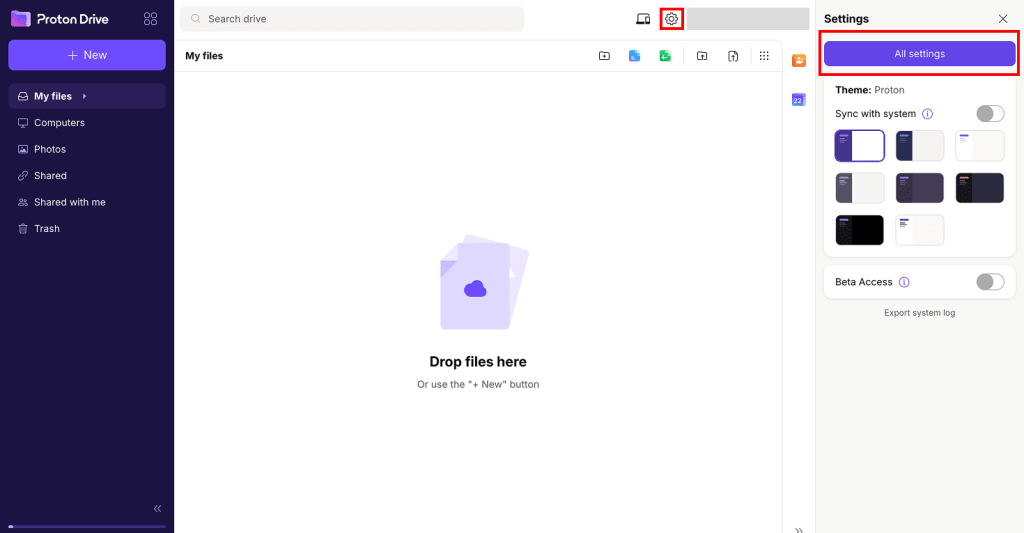
- Velg Aktivitetsovervåking fra sidefeltet.
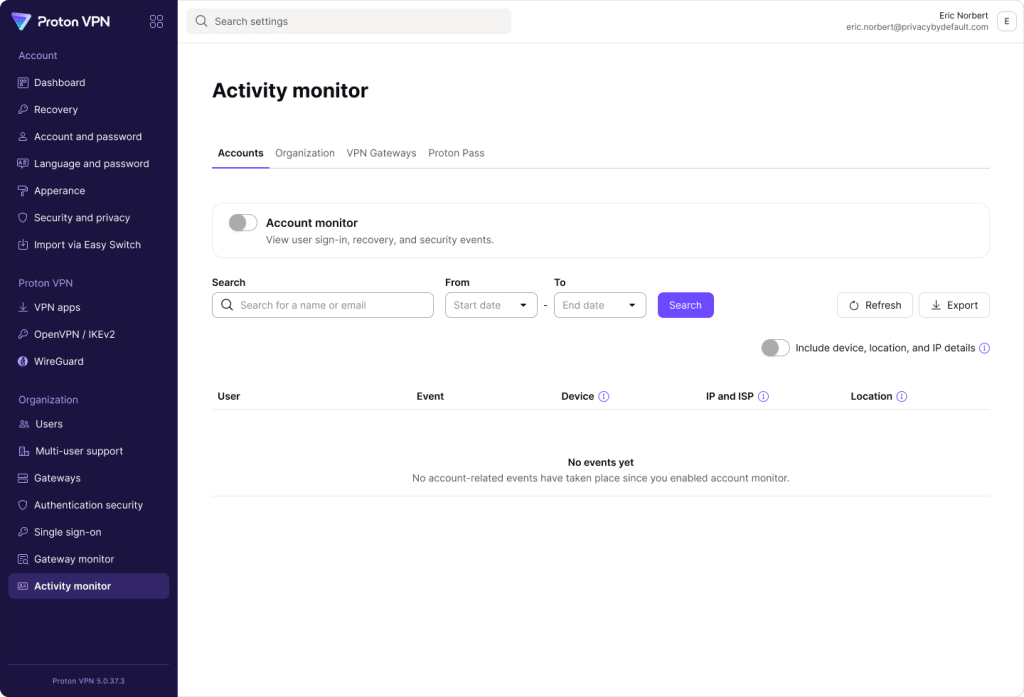
4. Hver overvåking har sin egen side. Bruk fanene for å velge en side, og aktiver deretter overvåkingen for å begynne å samle inn hendelser.

Vis detaljerte veiledninger for aktivitetsovervåking
Hvorfor bruke aktivitetsovervåking?
Det er viktig for IT- og sikkerhetsteam å vite hva som skjer i deres organisasjon. De trenger en måte å spore brukeraktivitet på, sikre samsvar med sikkerhetsretningslinjer og oppdage potensielle cybertrusler.
Aktivitetsovervåking gir administratorer i Proton for Business den oversikten de trenger for å undersøke sikkerhetshendelser, feilsøke brukerproblemer og oppfylle samsvarskrav.