Schematy prób wyłudzenia informacji ewoluowały w wyrafinowane operacje, które sieją spustoszenie w firmach. W niektórych przypadkach przestępcy podszywają się pod CEO. W innych wysyłają fałszywe prośby o opłacenie faktur. Według raportu IBM z 2025 r. próba wyłudzenia informacji kosztuje firmy średnio 4,4 miliona dolarów za atak(nowe okno).
Istnieje jednak sposób, aby zapobiec tego rodzaju kosztownym atakom, a zaczyna się on od Twoich pracowników. Niedawne dochodzenie Verizon wykazało, że 8% pracowników jest odpowiedzialnych za aż 80% prób wyłudzenia informacji(nowe okno). Ponieważ technologia rozwija się szybciej niż kiedykolwiek, cyberprzestępcy wykorzystują nowe sposoby na eksploatację ludzkich zachowań, a nie zabezpieczeń, aby naruszyć systemy danych.
W tym artykule przedstawiliśmy ostrzeżenia dotyczące prób wyłudzenia informacji, przykłady ataków, na które należy uważać, oraz 10 najlepszych praktyk biznesowych, które można wdrożyć, aby zapobiec szkodom wyrządzonym Twojej firmie przez próbę wyłudzenia informacji.
Czym jest próba wyłudzenia informacji?
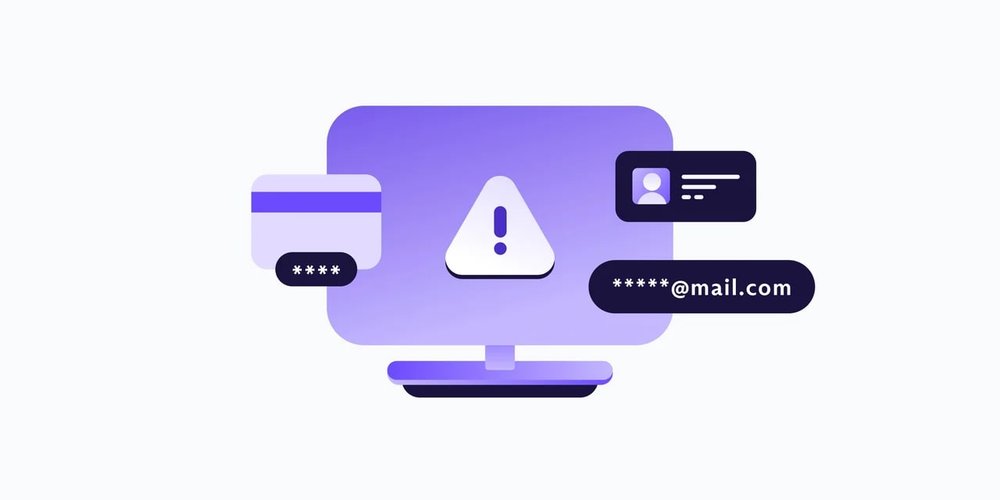
Próba wyłudzenia informacji to forma cyberprzestępczości zaprojektowana w celu oszukania ludzi, często pracowników, aby ujawnili dane osobowe lub wrażliwe, podszywając się pod zaufany podmiot. Ale próba wyłudzenia informacji nie zdarza się już tylko w wiadomościach i na fałszywych stronach internetowych. Zamiast hakować oprogramowanie organizacji, co wymaga wyższego poziomu umiejętności technicznych, przestępcy wykorzystują ludzką psychologię i błędy, używając emocjonalnie manipulacyjnych narzędzi, takich jak perswazja, pilność i autorytet, aby skłonić ofiary do łatwego przekazania wrażliwych materiałów.
Na przykład pracownik może otrzymać wiadomość, która wygląda na wysłaną przez jego CEO, dostawcę lub znanego usługodawcę. Wiadomość prawdopodobnie ostrzegałaby o naruszeniu bezpieczeństwa, nieopłaconej fakturze lub podejrzanej próbie logowania i ponaglała odbiorcę do podjęcia natychmiastowych działań. Gdy odbiorca kliknie osadzony link lub odpowie na wiadomość, podając swoje wrażliwe informacje (takie jak dane logowania lub poufne informacje o koncie), atakujący może uzyskać dostęp do całej sieci systemów wewnętrznych firmy.
Typowe rodzaje prób wyłudzenia informacji
Istnieje wiele rodzajów prób wyłudzenia informacji, które mogą skutkować oszustwem lub naruszeniem danych. Poniżej przedstawiono najczęstsze typy:
- Próba wyłudzenia informacji przez wiadomość: Fałszywa wiadomość od dyrektora firmy lub dostawcy B2B, która żąda danych logowania pracownika, co następnie umożliwia atakującemu dostęp do systemów danych firmy.
- Smishing: Próba wyłudzenia informacji za pośrednictwem wiadomości SMS lub aplikacji tekstowych, takich jak WhatsApp.
- Vishing: Oszustwa wideo lub audio udające osobę z autorytetem, taką jak CEO lub przedstawiciel banku.
- Quishing: Próba wyłudzenia informacji za pomocą fałszywych kodów QR, które prowadzą ofiarę do fałszywego linku.
Oznaki próby wyłudzenia informacji, na które należy uważać
Nie jesteś pewien, jak odróżnić prawdziwą wiadomość od oszustwa? Poniżej przedstawiono kluczowe sposoby, dzięki którym możesz stwierdzić, że masz do czynienia z próbą wyłudzenia informacji przez wiadomość, a nie z prawdziwą rzeczą:
- Podejrzane lub niezgodne adresy nadawcy wiadomości.
- Język naglący lub wywołujący strach.
- Prośby o wrażliwe dane.
- Błędy ortograficzne, błędy gramatyczne, nietypowy ton lub w przypadku AI brak błędów w ogóle i „dziwny” lub sztywny ton.
- Linki prowadzące do strony internetowej, która nie pasuje do oficjalnej domeny strony internetowej.
- Prośby o dane logowania lub osobiste informacje finansowe.
Strategie zapobiegania próbom wyłudzenia informacji i najlepsze praktyki
Możesz upewnić się, że Twoja firma i Twoi pracownicy są o krok przed oszustami, podejmując działania. Poniżej znajdują się najlepsze praktyki do naśladowania:
- Szkol pracowników w zakresie identyfikowania prób wyłudzenia informacji i zachęcaj swój zespół do zgłaszania wszystkich możliwych prób wyłudzenia informacji, nawet jeśli nie są pewni, że wiadomość jest fałszywa.
- Wdróż silne filtrowanie wiadomości i narzędzia antyphishingowe. Możesz zacząć od przejścia na dostawcę poczty e-mail stawiającego na prywatność, takiego jak Proton Mail, który ma inteligentne filtrowanie spamu i wbudowany PhishGuard do oznaczania potencjalnych prób wyłudzenia informacji.
- Włącz uwierzytelnianie dwustopniowe (2FA) za pomocą Proton Authenticator, aby zapewnić dodatkową warstwę ochrony dla kont online Twoich i Twoich pracowników.
- Regularnie aktualizuj systemy operacyjne i przeglądarki, aby hakerzy i oszuści nie mogli uzyskać dostępu do Twoich danych przez błędy w oprogramowaniu.
- Weryfikuj wszystkie prośby o transakcje finansowe lub zmiany danych.
- Przeprowadzaj symulowane ćwiczenia z prób wyłudzenia informacji, takie jak te, które zebraliśmy w tym blogu.
- Wymuszaj silne zasady zarządzania hasłami i używaj menadżera haseł dla dodatkowego bezpieczeństwa.
- Monitoruj internet regularnie, aby wypatrywać spoofingu domen lub oszustów podszywających się pod Twoją markę.
- Wdróż szyfrowanie danych end-to-end i używaj VPN.
- Miej jasny plan reagowania na incydenty w przypadku prób wyłudzenia informacji i upewnij się, że pracownicy wiedzą, jak prawidłowo zgłaszać ataki.
Przykłady prób wyłudzenia informacji z prawdziwego świata
Próba wyłudzenia informacji nadal kwitnie, ponieważ wykorzystuje najsłabsze ogniwo cyberbezpieczeństwa: ludzi. Poniżej przedstawiono kilka głośnych, prawdziwych przykładów:
- Przykład 1: Próba wyłudzenia informacji wymierzona w (nowe okno)pracowników Uniwersytetu Kalifornijskiego(nowe okno) poprzez wysyłanie fałszywych wiadomości w celu kradzieży danych logowania i nielegalnej zmiany informacji o wpłatach bezpośrednich. Atakujący również ukradli nazwy użytkowników i hasła(nowe okno) za pośrednictwem wiarygodnie wyglądających fałszywych stron internetowych i podszywali się pod help desk przez rozmowy telefoniczne i wiadomości tekstowe.
- Przykład 2: Próba wyłudzenia informacji wymierzona w pracowników Numotion(nowe okno), dostawcy wózków inwalidzkich, ujawniła dane prawie 500 000 osób. Naruszenie ujawniło nazwiska, daty urodzenia, dokumentację medyczną, informacje finansowe, a w niektórych przypadkach numery ubezpieczenia społecznego. Numotion stoi w obliczu kilku pozwów sądowych za brak zabezpieczenia wrażliwych informacji.
- Przykład 3: W Japonii masowe oszustwo(nowe okno) polegające na próbie wyłudzenia informacji wysłało ponad 580 milionów fałszywych wiadomości podszywających się pod Amazon, PayPal, Apple i inne zaufane marki w celu kradzieży danych płatniczych(nowe okno).
Dbaj o bezpieczeństwo swoich danych z Proton
Podczas gdy firmy inwestują ogromne środki w systemy bezpieczeństwa, jedno kliknięcie pracownika, który stał się celem oszustwa polegającego na próbie wyłudzenia informacji, może sprawić, że zabezpieczenia staną się bezużyteczne w ciągu kilku sekund.
Wynik? Gigantyczne straty finansowe i naruszenia danych, po których odzyskanie równowagi może zająć miesiące. W sektorze B2B próba wyłudzenia informacji może również podważyć zaufanie między partnerami i klientami, zagrażając długoterminowym relacjom.
Dzięki pakietowi aplikacji Proton stawiających na prywatność, Twoja firma i Twoi pracownicy mogą zawsze być o krok przed oszustami i hakerami.
Gotowy, aby dać swoim pracownikom narzędzia potrzebne do osiągnięcia sukcesu? Poznaj zaszyfrowane rozwiązania Proton, abyś mógł zacząć chronić swoją firmę już dziś.