
Ağ Geçidi sunucuları nasıl düzenlenir
- Okuma süresi
- 1 dakikalık
- Kategori
- Proton VPN for Business
Bir Ağ Geçidine hangi sunucuların atandığını düzenlemek için:
1. account.protonvpn.com adresinde oturum açın.
2. VPN → Ağ Geçitleri → düzenlemek istediğiniz Ağ Geçidi → ⋮ → Sunucuları düzenle bölümüne gidin.
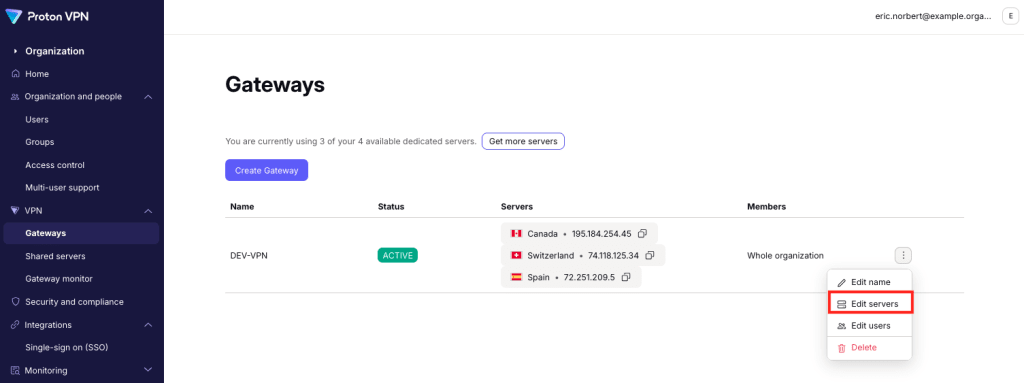
Ağ Geçidinizden sunucu silmek için ilgili sunucunun yanındaki çöp kutusu simgesine tıklayın. İşleminiz bittiğinde Kaydet seçeneğini seçin.

Ağ Geçidinize sunucu eklemek için Sunucu ekle seçeneğine tıklayın. Kullanılabilir sunucunuz yoksa daha fazla satın alabilirsiniz(yeni pencere).

Artık Ağ Geçidinize VPN sunucuları atayabilirsiniz(yeni pencere).

İşleminiz bittiğinde İlerle seçeneğine tıklayın. Yaptığınız düzenlemelerin ilgili Ağ Geçidi için kullanılabilir sunuculara yansıdığını göreceksiniz.