Proton 主页

How to edit Gateway servers

阅读
0 分钟
类别
Proton VPN for Business

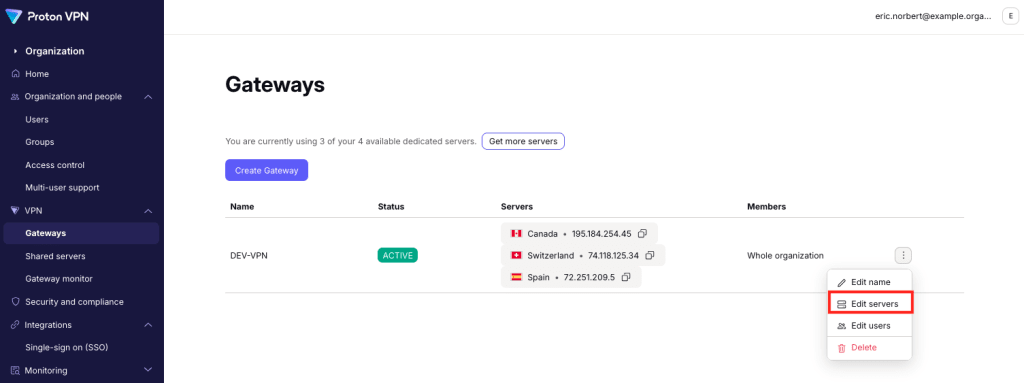
To edit which servers are assigned to a Gateway:

1. Sign in to account.protonvpn.com.

2. Go to VPNGateways → the Gateway you’d like to edit → Edit servers.

Edit servers 1

To delete servers from your Gateway, click the trash icon next to that server. Select Save when you’re done.

Edit servers 2

To add servers to your Gateway, click Add server. If you don’t have any available servers, you can purchase more(新窗口).

Edit servers 3

You can now assign VPN servers to your Gateway(新窗口).

Select the servers you'd like to add

Click Continue when your done. You’ll see your edits reflected in the servers available for that Gateway.