
Как изменить серверы шлюза
- Чтение
- 0 мин.
- Категория
- Proton VPN for Business
Чтобы изменить, какие серверы назначены шлюзу:
1. Войдите в account.protonvpn.com.
2. Перейдите в VPN → Шлюзы → шлюз, который вы хотите изменить → ⋮ → Изменить серверы.
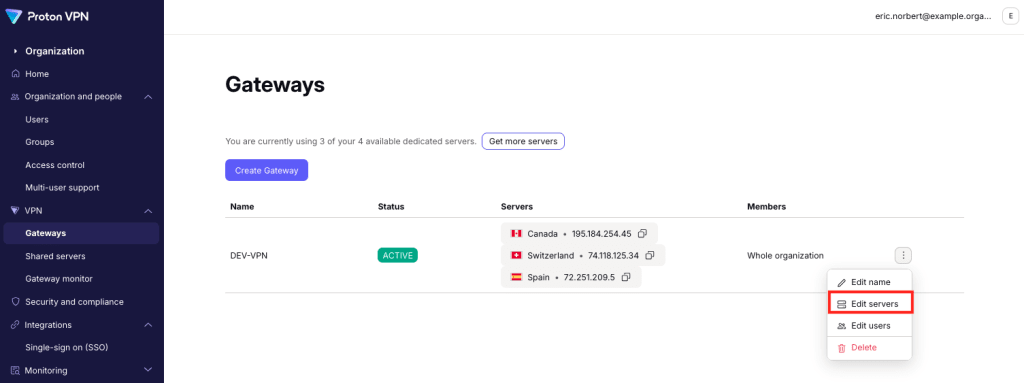
Чтобы удалить серверы из своего шлюза, нажмите на значок корзины рядом с этим сервером. Выберите Сохранить, когда закончите.

Чтобы добавить серверы в свой шлюз, нажмите Добавить сервер. Если у вас нет доступных серверов, вы можете приобрести дополнительные(новое окно).

Теперь вы можете назначить VPN-серверы своему шлюзу(новое окно).

Нажмите Продолжить, когда закончите. Вы увидите изменения в списке серверов, доступных для этого шлюза.