Cómo verificar un certificado TLS/SSL
- Lectura
- 1 minuto
- Categoría
- Navegadores y cookies
Para Proton Mail, la privacidad lo es todo, y queremos hacer nuestro mejor esfuerzo para proteger los datos y las comunicaciones de todos. Al acceder a proton.me, la transmisión de información entre su navegador y nuestros servidores siempre está cifrada y protegida por HTTPS(nueva ventana).
Aunque esto no es lo mismo que el concepto de cifrado de extremo a extremo de PGP, de todos modos es importante para protegerlo de ataques de tipo intermediario (man-in-the-middle) y otras formas de interceptación de comunicaciones.
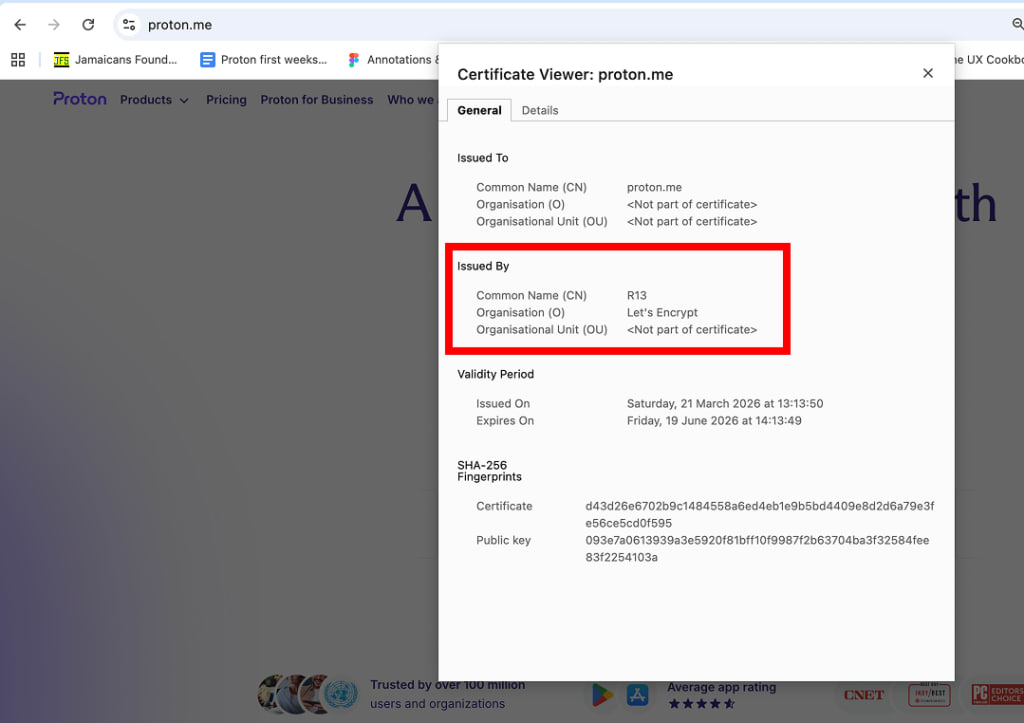
Para que HTTPS funcione, cada sitio web debe tener un certificado TLS verificado por una autoridad de certificación de confianza. La autoridad de certificación que respalda a proton.me es Let’s Encrypt(nueva ventana). Un navegador moderno debería verificar automáticamente la validez del certificado de un sitio web protegido por HTTPS y alertarlo si detecta algo que no sea de confianza.
Cómo verificar el emisor de su certificado
Chrome
- Haga clic en el ícono de controles (ver información del sitio) situado delante de la URL. Luego, haga clic en La conexión es segura.

2. Haga clic en El certificado es válido.
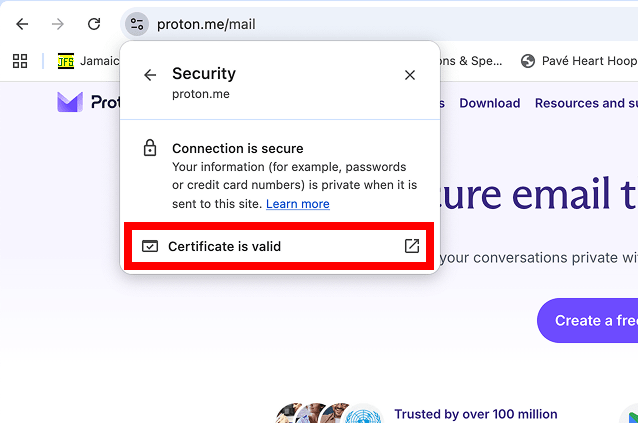
El certificado TLS aparecerá en un elemento emergente.
Firefox
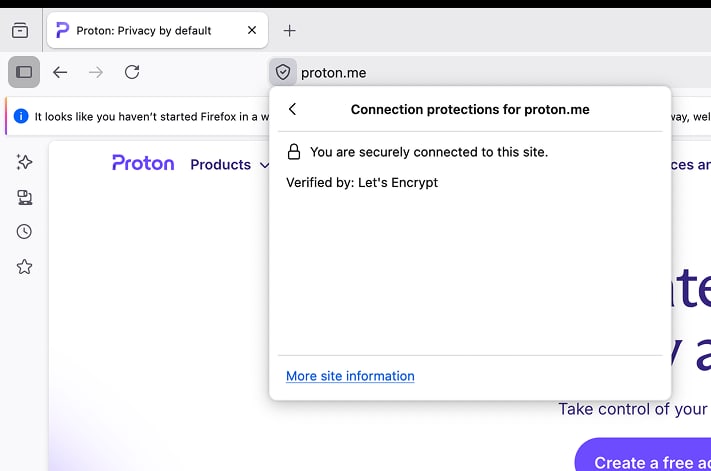
- Pase el cursor sobre el ícono del escudo situado delante de la URL. Aparecerá una descripción emergente que mostrará el emisor del certificado.
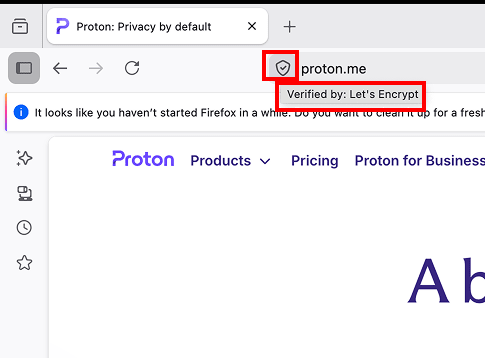
2. Para abrir el certificado completo, haga clic en el escudo y luego seleccione Conexión segura.

3. Haga clic en Más información del sitio > Ver certificado.
Safari
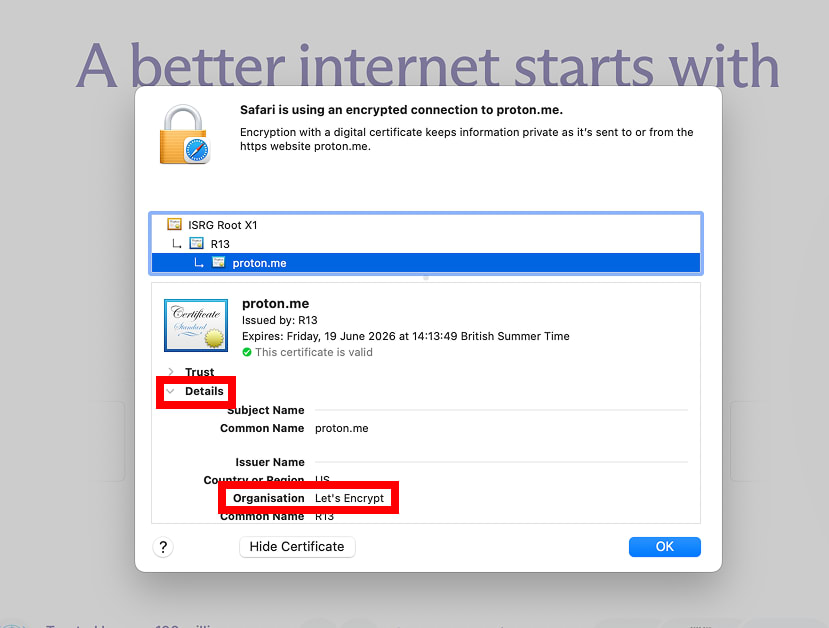
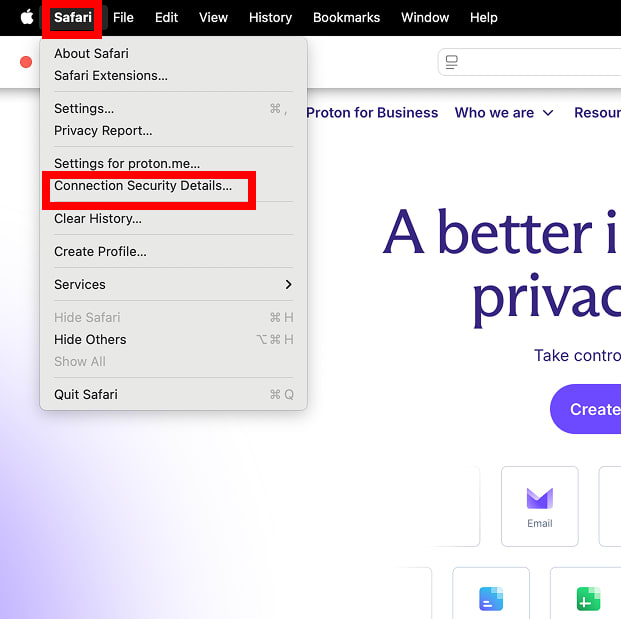
- En la barra de navegación, haga clic en Safari y luego seleccione Detalles de seguridad de la conexión… en el menú.
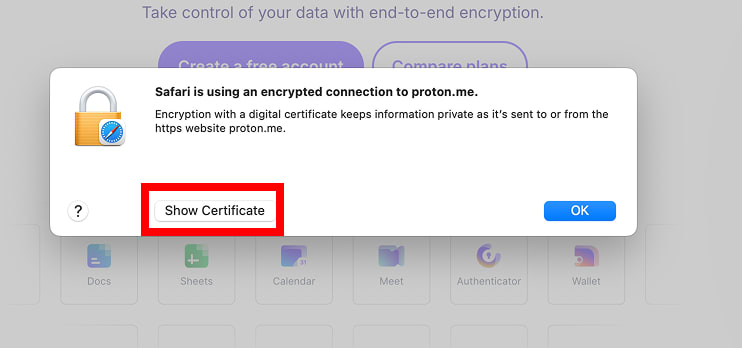
2. Haga clic en Mostrar certificado.
3. Haga clic en Detalles para mostrar el nombre del emisor.