
在移动设备上使用 Proton Contacts
- 阅读
- 0 分钟
- 类别
- iOS 应用
- Android 应用
- 联系人
Proton Contacts 让您可以直接在 Proton Mail 移动应用中查看、搜索和使用已保存的联系人。敏感的联系人详情受 零访问加密 和 端到端加密 保护。
打开 Proton Contacts
- 在 Android(新窗口) 或 iOS(新窗口) 上打开 Proton Mail 应用。
- 如果您尚未登录,请使用您的 Proton 帐户登入。
- 轻点菜单 ☰ 按钮并打开联系人。
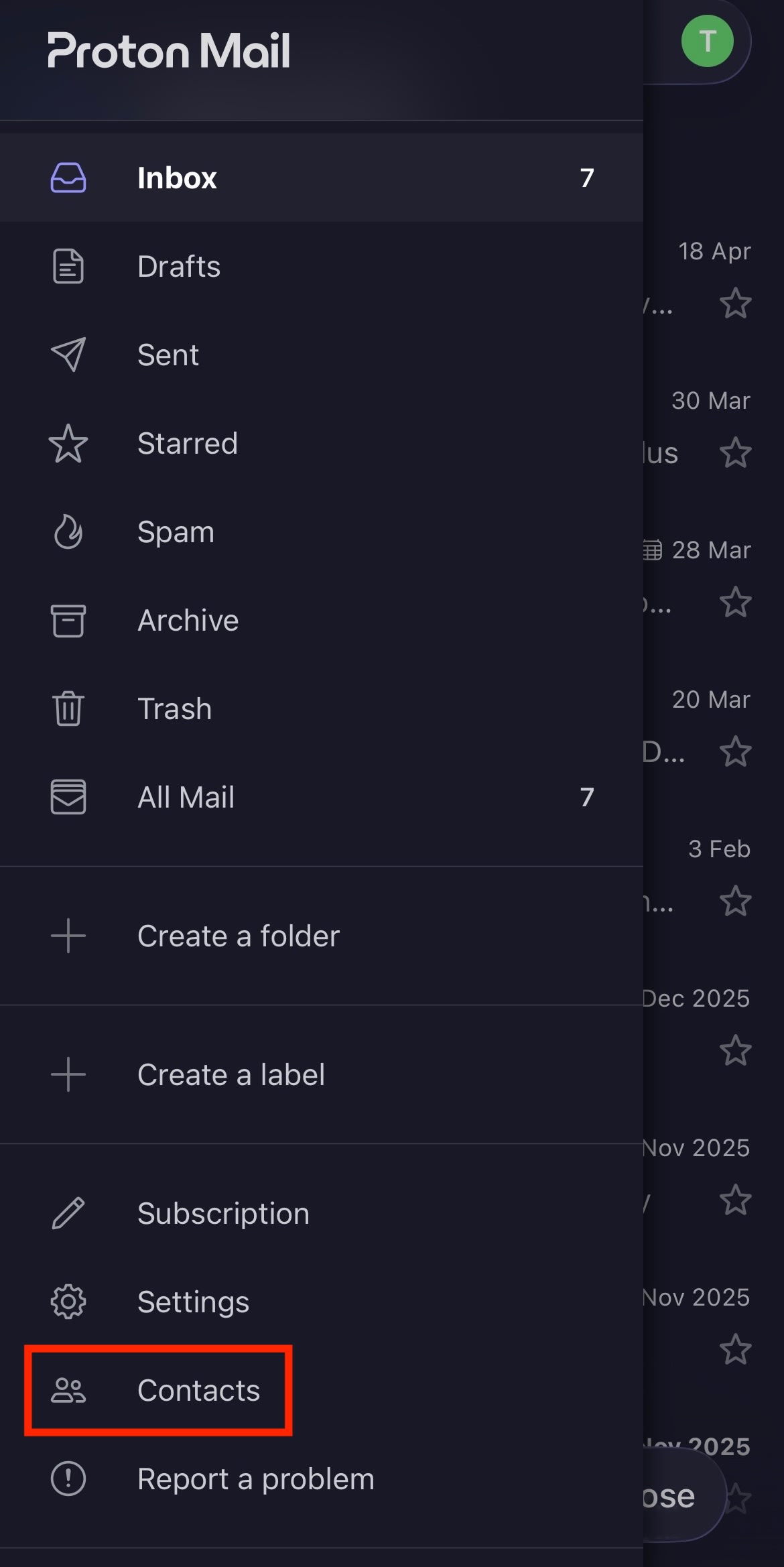
您可以在此查看保存的 Proton 联系人。

使用 Proton Contacts
您可以:
- 查看联系人详情,例如电话号码、地址、生日和备注。
- 使用联系人中的搜索栏快速查找某人。
- 轻点消息即可直接从联系人撰写 Proton Mail 邮件。
- 轻点通话即可从您的手机致电联系人。

未来功能
- 编辑、删除、分享和导入联系人。
- 将 Proton Mail 应用中的联系人同步到您移动设备上的默认联系人应用。
- 将 Proton Contacts 设为您的默认联系人应用。