Inboxes are often overwhelmed with spam and unwanted email, making it easy to miss the messages that truly matter. Whitelisting an email address is a simple way to ensure important emails always reach you, and avoid filters that might redirect them to the junk folder.
This article explains what email whitelisting is, how to whitelist an email on different platforms, and how Proton Mail can simplify the process.
What is email whitelisting?
Email whitelisting (also known as allowlisting) is a way to ensure emails from specific email addresses always appear in your inbox, instead of your spam folders. In contrast, blacklisting (also referred to as blocklisting or deny listing) blocks all emails that match custom conditions, preventing them from reaching your inbox.
An email whitelist helps both individuals and organizations guarantee that important messages are received. By allowing emails only from trusted sources, you can also reduce the amount of spam received, which in turn reduces the chance of malware or phishing attempts.
If important emails from banks, employers, or contacts keep landing in your spam folder, adding them to your allow list ensures they reach your inbox every time. This simple step can prevent missed messages without compromising security.
How email whitelisting works
Here’s what it means to set up an email whitelist or custom filter:
- Creating an email whitelist: You manually add specific email addresses to a whitelist that can usually be managed from the settings or filter options of the email service.
- Bypassing filters: Emails from whitelisted addresses or domains bypass spam detection and any custom filters you’ve set up, so they’ll safely land in your inbox.
- Domain-based whitelisting: Whitelisting an entire email domain means that all emails from any address at that domain are trusted. It’s helpful for ensuring that you receive all emails from a specific organization or business.
- Custom action and rules: Many email platforms allow you to set additional rules for whitelisted senders, such as automatically assigning them to specific folders.
- Whitelisting in organizations: In business or enterprise environments, IT administrators manage and regularly update email whitelists at the network or server level to include trusted clients, partners, and service providers, so important messages aren’t mistakenly filtered out.
How to whitelist an email address
The instructions for whitelisting an email address depend on the email platform you use. Here’s how you can do it on Gmail, Outlook, and Proton Mail:
How to whitelist an email address in Gmail
To create a Gmail whitelist, you’ll need to create a filter through the web client.
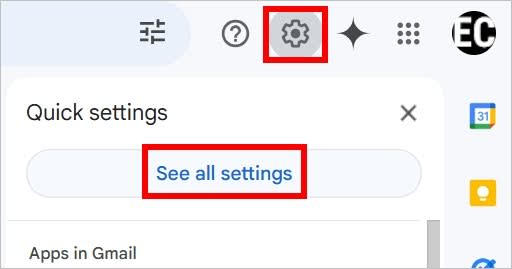
- Click the gear icon and select See all settings.
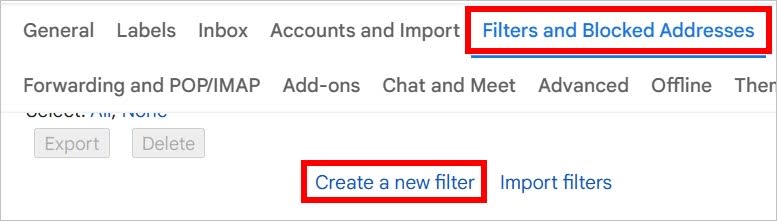
- Go to Filters and Blocked Addresses and click Create a new filter.
- Enter the email address at From and click Create filter.
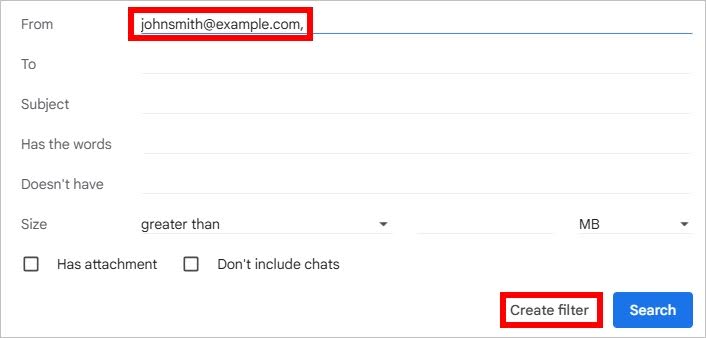
- Select what happens when receiving the whitelisting email, such as Never send it to Spam, and click Create filter again.
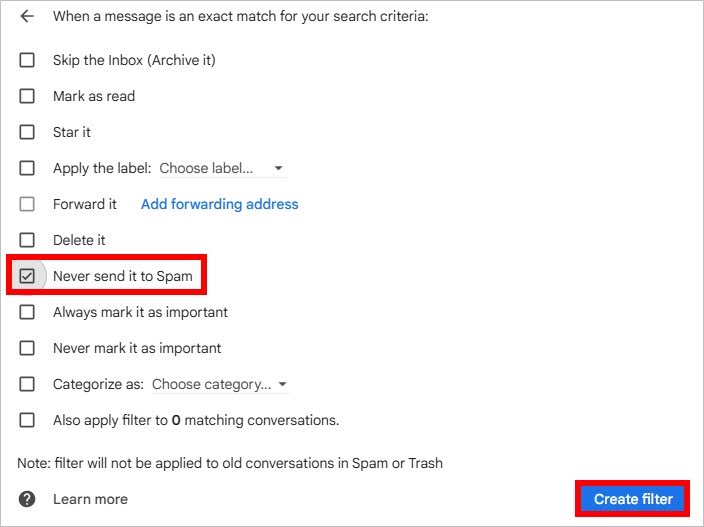
Can you whitelist an email in the Gmail mobile app?
You can’t create filters in the mobile app, but you can whitelist specific senders from your spam folder.
- Open your Gmail app
- Tap on the three lines to open the menu

- Go to the Spam folder
- Open the message you want to review
- Tap Report as not spam

You will now receive messages from this sender to your inbox, however, further customizations or filters will need to be done in the Gmail web client.
How to whitelist an email address in Outlook
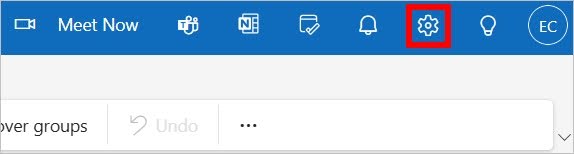
- Click the gear icon.
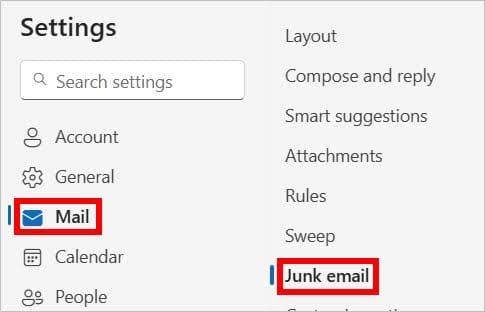
- Go to Mail > Junk email.
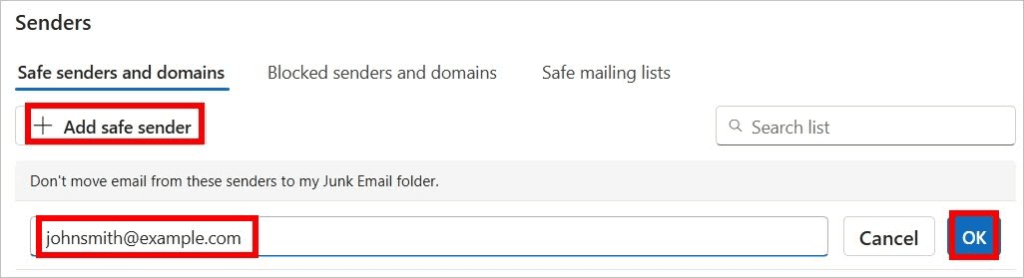
- At Safe Senders and domains, click Add safe sender.
- Enter the email address and click OK.
- Click Save.
How to whitelist an email address in Proton Mail
- Click the gear icon.

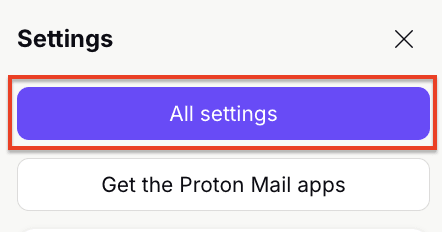
- Select All settings.
- Go to Filters.
- Click Add address or domain and select Allow.

- Enter the email and click Add address.

After adding senders to your allow list, you can easily manage them in the Proton Mail settings.
How Proton Mail protects your privacy
Unlike free email providers that scan your messages for advertising or data collection, Proton Mail’s filters run server-side without compromising your privacy. Your allow list rules stay encrypted and protected, meaning only you control which senders bypass spam filters, not third-party algorithms.
You can set advanced custom filters to whitelist emails based on various criteria, such as sender, subject, recipient, or attachments. If your Proton plan has multiple addresses, your filter rules can apply across all connected accounts, giving you centralized control without sacrificing end-to-end encryption.
Our mission is to build an internet where privacy is the default. Proton Mail is just part of a fully encrypted ecosystem for all your data, including email, passwords, internet connections(nyt vindue), cloud storage, calendar, and digital assets.
See all Proton Mail privacy features.
Frequently asked questions about whitelisting emails
What is whitelisting an email?
Whitelisting an email address or domain tells your email provider to always deliver messages from that sender to your inbox, bypassing spam filters.
How do I check if an email is whitelisted?
Go to your email settings or filters section and look for any “Allow” or “Safe Senders” list (or something similar), where you can view approved addresses or domains. If the email in question is listed there, it’s whitelisted. You may also want to check that the email wasn’t accidentally added to the blacklist or blocklist section. In that case, you should delete the rule.
Should I whitelist email addresses?
Whitelisting email addresses can help if you’ve noticed important emails getting marked as spam or if you frequently receive messages from specific senders, like colleagues, clients, or services you rely on.
Will adding someone to my whitelist stop all their emails from going to spam?
In most cases, adding an email address to your whitelist will stop those emails from going to spam. Once added, emails from that address should land directly in your inbox. However, if the message contains suspicious links, attachments, or content that triggers advanced security rules, it might still be filtered.
Can I whitelist an entire email domain instead of just one address?
Yes, most email providers let you allowlist an entire domain. This is useful if you want to receive all emails from a trusted organization without adding each contact individually.
Does Proton Mail support domain allowlisting?
Yes, in Proton Mail, you can create a filter rule to automatically move messages from specific domains to your inbox and mark them as not spam.
Why are important emails still landing in spam even after I whitelisted them?
If whitelisted emails are still going to your spam folder, there are some common troubleshooting steps you can take:
- Check the spelling of the email address in your whitelist.
- Check the email for links or attachments that might have been flagged as dangerous.
- Review your settings on the web version of your email client in case the changes haven’t synced across your devices.