
Importuj pliki z Microsoft OneDrive do Proton Drive
- Odczytywanie
- 1 min
- Kategorie
- Używanie Proton Drive
- Proton Drive
Jeśli szukasz prywatnej, szyfrowanej end-to-end alternatywy dla OneDrive, która w przejrzysty sposób przetwarza Twoje dane i nie udostępnia ich stronom trzecim, rozważ przejście na Proton Drive — naszą bezpieczną przestrzeń dyskową w chmurze. Pozwala ona bezpiecznie przechowywać i udostępniać pliki, dając Ci pewność, że tylko Ty i wybrane przez Ciebie osoby macie dostęp do Twoich treści.
- Wejdź na stronę onedrive.live.com/login(nowe okno) i zaloguj się na swoje konto Microsoft Outlook.
- Wybierz pliki, które chcesz wyeksportować, i kliknij Pobierz.
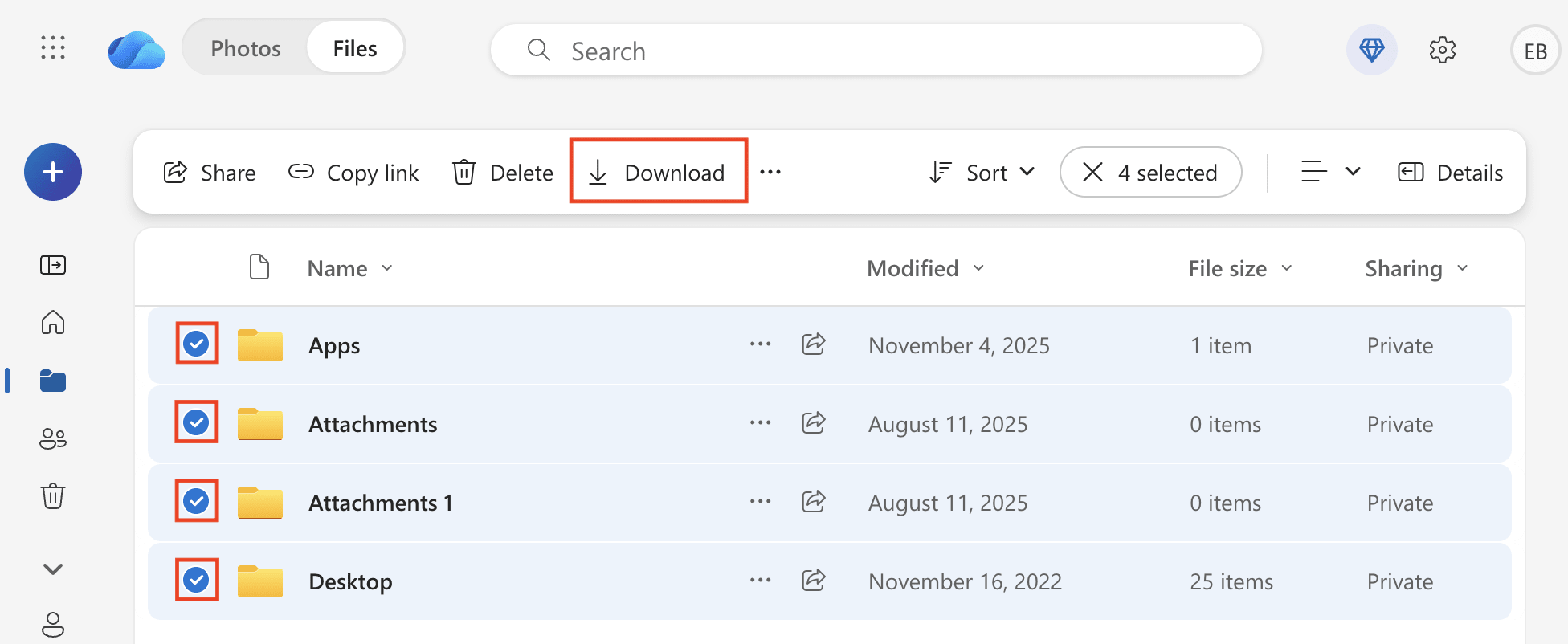
- Jeśli wybierzesz wiele plików, zostaną one pobrane jako plik ZIP. Rozpakuj pliki na systemie Mac(nowe okno) lub Windows(nowe okno).
Uwaga: Jednorazowo możesz pobrać tylko 250 GB lub 10 000 nieskompresowanych plików. Pliki w zagnieżdżonych folderach wliczają się do limitu 10 000 plików. Jeśli eksportowane pliki przekraczają te limity, pobrana zawartość będzie składać się z wielu plików .zip.
- Pobierz i zainstaluj aplikację Proton Drive na komputer z systemem Windows lub Mac.
- Otwórz aplikację Proton Drive i zaloguj się na swoje konto Proton.
- Otwórz program Finder (Mac) lub Eksplorator plików (Windows) i przeciągnij rozpakowane pliki do folderu Proton Drive.
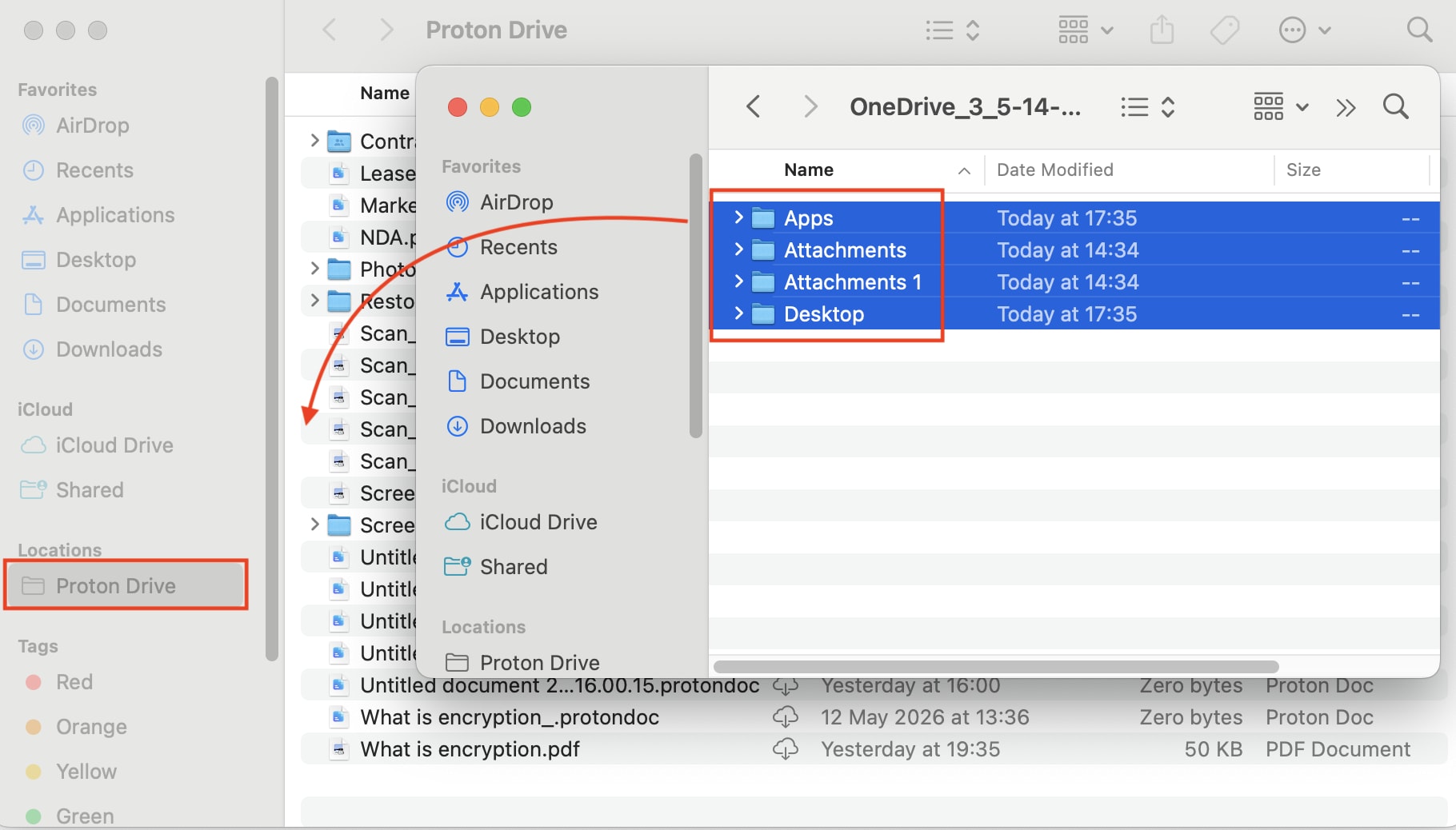
Kopiowanie wszystkich plików może chwilę potrwać. Po zakończeniu możesz usunąć te pliki z komputera (ale nie z folderu Proton Drive).