
Как отменить доступ к общему хранилищу
- Чтение
- 0 мин.
- Категории
- Using Proton Pass
- Тариф Pass Family Plan
Если вам нужно отозвать доступ члена семьи к общему хранилищу, выполните следующие действия:
- Войдите на pass.proton.me(новое окно), выберите хранилище, доступ к которому нужно отозвать, → выберите Управление доступом.

- Нажмите на значок из трех точек рядом с пользователем, которого вы хотите удалить из хранилища → выберите Отменить доступ.
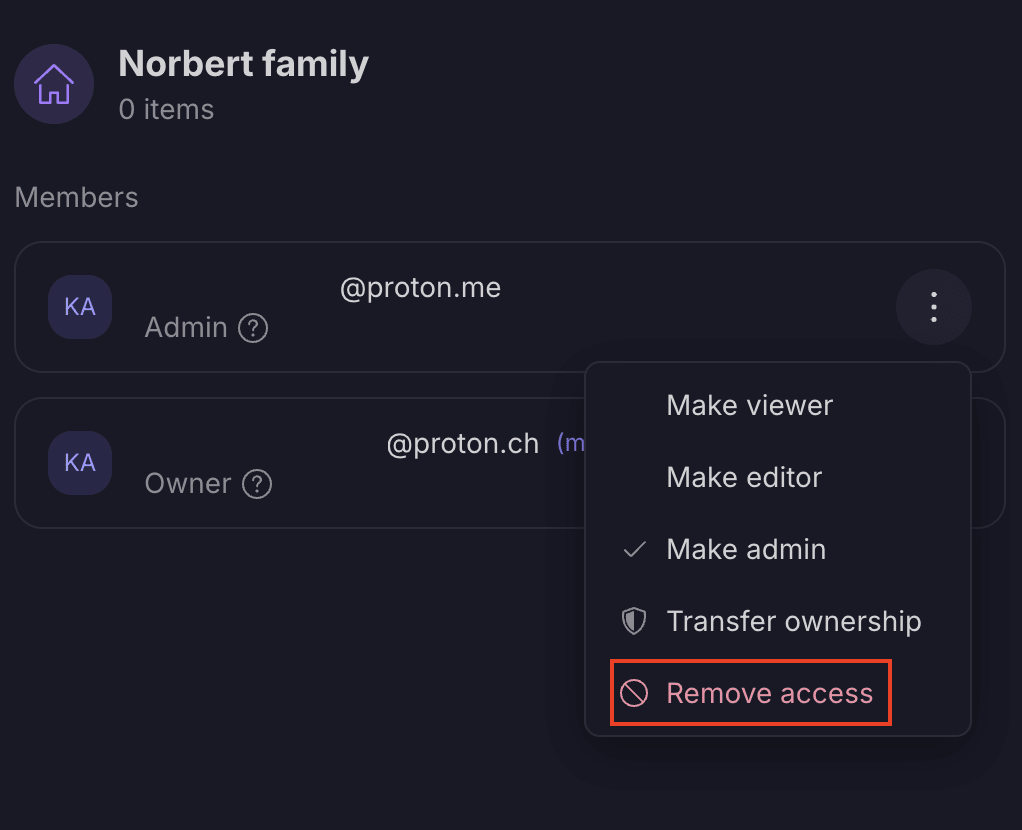
- Пользователь больше не сможет получить доступ к этому хранилищу.