La última versión de Proton Pass incluye algunas actualizaciones que nuestra comunidad ha estado esperando.
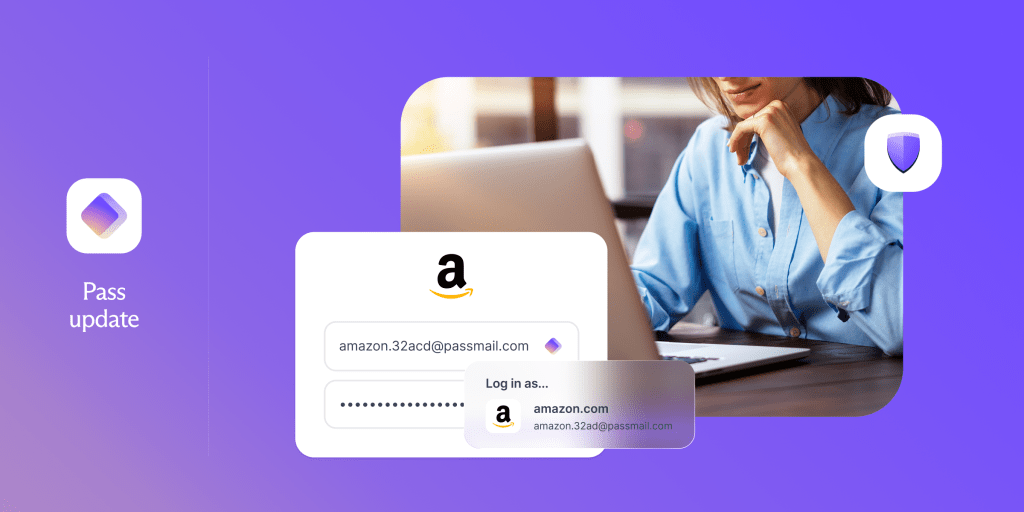
Mejorar el relleno automático ha sido una de las principales peticiones de la comunidad para Proton Pass. Te hemos escuchado y hemos trabajado duro para ofrecer una mejora significativa: la nueva versión resuelve el 80 % de los problemas de relleno automático que nos reportaron los usuarios.
También hemos mejorado el relleno automático de 2FA. En el ámbito empresarial, hemos hecho que sea más fácil desplegar Proton Pass en toda una organización.
A continuación, te explicamos cómo funciona cada actualización y qué puedes esperar.
Inicios de sesión más rápidos y sencillos con el relleno automático mejorado
Ahora Proton Pass rellena automáticamente en sitios donde antes no podía, incluidos sitios web de compras, redes sociales, foros y sitios web bancarios.
Esta mejora se debe a una actualización en la forma en que Proton Pass detecta los formularios en el sitio web que visitas. Algunos sitios web no colocan los formularios de inicio de sesión directamente en la página, sino que los cargan dentro de un marco independiente conocido como iframe. Ahora el relleno automático puede detectar esos marcos con precisión, por lo que Proton Pass puede rellenar automáticamente más formularios de los que encuentres.
Seguiremos mejorando el relleno automático en los próximos meses, lo que incluye la coincidencia de URL, el soporte para el relleno automático nativo en Mac y la incorporación de más idiomas compatibles.
Un relleno automático de 2FA más robusto
La autenticación de dos factores (2FA) es una de las mejores formas de proteger tus cuentas online, por lo que puedes crear y almacenar códigos de 2FA dentro de Proton Pass.
Cuando inicias sesión en una cuenta, normalmente verás un aviso para rellenar automáticamente tu código de 2FA. Sin embargo, en algunos casos el aviso no aparece, lo que te obliga a cambiar de aplicación para copiar y pegar el código manualmente.
Ahora puedes optar por copiar automáticamente tus códigos de 2FA en el portapapeles, de modo que incluso si no se solicita el relleno automático de 2FA, el código estará listo para pegarse.
Con esta mejora, no tendrás que cambiar de aplicación para buscar el código que necesitas. La 2FA ya no te ralentizará y el inicio de sesión seguirá siendo sencillo y seguro.
Despliega Proton Pass con facilidad
El instalador de Proton Pass para Windows ahora ha pasado de .exe a .msix, que funciona de forma nativa con Microsoft Intune. .msix ofrece a los usuarios una instalación más limpia y segura: está en un entorno aislado, es fácil de desinstalar por completo y ofrece actualizaciones delta automáticas.
Esto significa que los administradores pueden desplegar y mantener Proton Pass en todos los dispositivos de la empresa de forma centralizada, en lugar de máquina por máquina. También es una experiencia más sencilla para los usuarios individuales, ya que ofrece una instalación más predecible y contenida que .exe.
Si eres un administrador de TI, realizar cambios en tu infraestructura de TI a menudo puede requerir mucho tiempo y esfuerzo. Con este cambio, desplegar y administrar un nuevo gestor de contraseñas es ahora más rápido, requiere menos esfuerzo y es más fiable, en lugar de ser una tarea manual que debes repetir en cada máquina.
Descubre cómo desplegar Proton Pass con Microsoft Intune.
Más mejoras en esta versión
- Buscar actualizaciones en la aplicación de escritorio: un nuevo botón en Ajustes en macOS y Windows facilita la comprobación de si estás en la última versión.
- Animaciones de cristal líquido: la aplicación para iOS ahora utiliza el último lenguaje de diseño de Apple, con una experiencia visual más refinada y moderna
- Generador de nombres de usuario: ahora puedes generar nombres de usuario en iOS, además de contraseñas y alias de correo electrónico.
Tus comentarios son importantes
Tus comentarios nos han ayudado a realizar estos cambios y queremos saber qué más necesitas de Proton Pass. Cuéntanos qué te gustaría ver en Reddit(ventana nueva), UserVoice(ventana nueva) y X(ventana nueva).
Gracias por formar parte de nuestra comunidad y apoyarnos mientras creamos este gestor de contraseñas que prioriza la privacidad.