Incydenty związane z cyberbezpieczeństwem stanowią ogromne ryzyko dla małych i średnich firm, a 1 na 4 małe firmy pada ofiarą hakerów pomimo środków cyberbezpieczeństwa, zgodnie z Raportem o bezpieczeństwie MŚP z 2026 r. przygotowanym przez Proton. Szkody wynikające z naruszenia bezpieczeństwa nie ograniczają się do utraty danych i strat finansowych: koszty prawne i IT, wpływ na zaufanie klientów, zakłócenia operacyjne oraz czas poświęcony na odzyskiwanie sprawności to tylko niektóre z problemów małych i średnich firm dotkniętych cyberatakami. Pojedynczy incydent może wpłynąć na wszystkie obszary firmy i zakłócić jej ciągłość.
W tak delikatnym i ryzykownym scenariuszu, każda mała firma musi wdrożyć konkretne środki, aby uniknąć słabych punktów i narażenia na cyberprzestępców, a także konkretne ramy reagowania na incydenty, dostosowane do realiów firmy.
Ten przewodnik pomoże małym i średnim firmom zidentyfikować narażenie na cyberzagrożenia i opracować kompleksowy plan reagowania w przypadku wystąpienia cyberataku.
Co oznacza podatność w środowiskach małych i średnich firm?
Jakie są najczęstsze luki w zabezpieczeniach małych i średnich firm?
Jak zbudować ramy reagowania na incydenty w małej lub średniej firmie
Znaczenie jasności stanowisk: kto za co odpowiada?
Jakie typowe błędy mogą zwiększyć ryzyko?
Jakie są cechy małej lub średniej firmy o niskiej podatności na zagrożenia?
Lista kontrolna: działania do podjęcia podczas incydentu
Jak ograniczyć słabe punkty przed kolejnym incydentem
Co możesz dziś zrobić, aby poprawić swoje bezpieczeństwo?
Co oznacza podatność na zagrożenia w środowiskach małych i średnich firm?
Według naszego Raportu cyberbezpieczeństwa MŚP z 2026 r. 39% małych i średnich firm twierdzi, że w pewnym momencie doświadczyło incydentu cybernetycznego z powodu błędu ludzkiego, co podkreśla, że problemy behawioralne napędzają podatność na zagrożenia. Narzędzia i technologie bezpieczeństwa nadal znajdują się w centrum bezpieczeństwa biznesowego, ale zachowanie również ma znaczenie.
Brak przygotowania, codzienne nawyki i drobne niedopatrzenia, takie jak niezabezpieczone udostępnianie danych logowania lub pomijanie rutynowych operacji, to potencjalne przyczyny włamania lub innego incydentu związanego z cyberbezpieczeństwem.
Solidna strategia zapobiegania naruszeniom ochrony danych wymaga zakazania powszechnych praktyk wysokiego ryzyka, takich jak:
- Członkowie zespołu używający tego samego loginu w wielu witrynach.
- Konta pozostające aktywne nawet po odejściu pracownika (więcej szczegółów znajdziesz w naszych listach kontrolnych offboardingu).
- Udostępnianie poufnych informacji w arkuszach kalkulacyjnych, na czatach, w dokumentach w postaci zwykłego tekstu i w innych niezabezpieczonych kanałach.
- Pracownicy postępujący zgodnie z nieaktualnymi instrukcjami bezpieczeństwa.
Słabość zabezpieczeń to nie tylko hakerzy omijający zapory sieciowe. Częściej polega to na braku przygotowania, nieefektywnej komunikacji lub zbyt wolnym reagowaniu, gdy uderzy coś nieoczekiwanego.
Jakie są najczęstsze luki w zabezpieczeniach małych i średnich firm?
Istnieje kilka rodzajów słabych punktów, które można zaobserwować w firmach ze wszystkich branż:
Słabe praktyki w zakresie bezpieczeństwa danych logowania
Wielokrotne używanie łatwych do odgadnięcia haseł, udostępnianie ich na czacie lub zapisywanie w niezabezpieczonych notatkach lub arkuszach kalkulacyjnych to złe nawyki, które stwarzają ogromne ryzyko. Hasła są często pierwszą (i ostatnią) linią obrony krytycznych kont, ale złe praktyki pozostawiają drzwi szeroko otwarte dla intruzów.
Brak zasady najmniejszych uprawnień i dostępu opartego na stanowisku
Wiele małych i średnich firm ma trudności z ustanowieniem silnej i opartej na stanowiskach zasady dostępu, uwzględniającej podejście najmniejszych uprawnień, aby uniknąć nadawania niepotrzebnych pozwoleń. Dostęp i dane logowania muszą być ograniczone do obecnych pracowników i przyznawane zgodnie z wymaganiami ich stanowisk.
Brak planu reagowania na incydenty
Wiele zespołów zakłada, że poradzą sobie z incydentem, jeśli i kiedy on wystąpi. Kiedy jednak wybucha kryzys, panuje zamieszanie i nikt nie wie, kto za co odpowiada. Zwykły arkusz kontaktowy i plan reagowania na incydenty mogą stanowić różnicę między szybkim odzyskaniem sprawności a dniami przerw w działaniu.
Słaba świadomość pracowników w zakresie bezpieczeństwa
Atakujący wiedzą, że najczęstszym słabym ogniwem nie jest technologia, lecz ludzie. Phishing, fałszywe faktury i „pilne” wiadomości od kierownictwa żerują na rozkojarzonych lub nieprzeszkolonych pracownikach. Niezbędne jest przeprowadzanie regularnych szkoleń z zakresu bezpieczeństwa dla wszystkich członków zespołu, a nie tylko jednorazowe wydarzenie wdrożeniowe.
Shadow IT i niezatwierdzone narzędzia w chmurze
Przy tak wielu nowych platformach SaaS, pracownikom łatwo jest zarejestrować się w narzędziach bez zatwierdzenia. Ponieważ te systemy shadow IT nie są zarządzane ani monitorowane, krytyczne dane często lądują rozproszone w narażonych na ataki lokalizacjach poza centralną siecią firmową. Kiedy te słabe punkty się nakładają, ich wpływ się mnoży.
Wzór jest prosty: jeden wyciek hasła + słaba komunikacja + brak planu = kłopoty, które szybko się rozprzestrzeniają.
Przewodnik Proton dotyczący bezpieczeństwa dla rozwijających się firm rozwija te ważne motywy o praktyczne listy kontrolne i dodatkowe materiały do czytania.
Jak zbudować ramy reagowania na incydenty w małej lub średniej firmie
Jasny plan, pokazujący kto co robi, w jakiej kolejności i przy użyciu jakich zasobów, jest kluczowy w reagowaniu na incydent cyberbezpieczeństwa. Oto kroki, których potrzebujesz, aby zbudować kompleksowe i precyzyjne ramy.
1. Przygotowanie i gotowość na wypadek zagrożeń bezpieczeństwa
Początkowo małe i średnie firmy potrzebują minimalnego poziomu struktury, aby zapobiegać incydentom i być przygotowanym na wypadek konieczności wdrożenia planu reagowania.
Zacznij od podstaw:
- Utrzymuj aktualny wykaz systemów, urządzeń i narzędzi SaaS.
- Zdefiniuj, kto jest właścicielem każdego systemu i kto ma dostęp administratora.
- Upewnij się, że kopie zapasowe są zautomatyzowane, przetestowane i bezpiecznie przechowywane.
- Włącz zapisywanie logów w systemach krytycznych (logowania, dostęp do plików, działania administratora).
- Scentralizuj dane logowania, używając biznesowego menadżera haseł.
- Udokumentuj listę kontrolną reagowania na incydenty i kluczowe kontakty.
Przygotowanie obejmuje również przeprowadzanie z zespołem prostych scenariuszy „co jeśli”. Nawet nieformalne ćwiczenia symulacyjne pomagają zidentyfikować nieścisłości przed prawdziwym kryzysem.
2. Wczesne wykrywanie i raportowanie
Nie możesz zareagować na coś, czego nie widzisz. Następnie zachęcaj do kultury, w której pracownicy bez wahania zgłaszają wszystko, co nietypowe.
Do częstych sygnałów cybernetycznych luk w zabezpieczeniach należą:
- Nietypowe próby logowania (nieznane lokalizacje lub urządzenia).
- Nagłe prośby o zresetowanie hasła.
- Nieoczekiwane spowolnienia lub wyłączenia systemu.
- Alerty z narzędzi bezpieczeństwa lub platform w chmurze.
- Pracownicy zgłaszający podejrzane wiadomości e-mail lub wiadomości.
Zautomatyzowane wykrywanie i silna świadomość pracowników to klucz do wczesnego zauważenia możliwego naruszenia cyberbezpieczeństwa.
3. Początkowe powstrzymywanie i kontrola uszkodzeń
Gdy zagrożenie zostanie wykryte, musisz działać natychmiast.
Twoim pierwszym celem jest zatrzymanie rozprzestrzeniania się:
- Odizoluj zainfekowane urządzenia od sieci.
- Wyłącz lub zamroź zagrożone konta.
- Unieważnij aktywne sesje w narzędziach w chmurze.
- Zablokuj podejrzane adresy IP, jeśli to możliwe.
Jeśli podejrzewa się oprogramowanie ransomware lub aktywną kradzież danych, wyłączenie zainfekowanych systemów może zapobiec dalszemu rozprzestrzenianiu się. Opóźnienia na tym etapie mogą zmienić mały problem w incydent obejmujący całą firmę.
4. Komunikacja wewnętrzna i przypisywanie stanowisk
Zamieszanie niszczy zaufanie podczas kryzysu. Jasna komunikacja zapewnia skoordynowane i skuteczne działanie.
Szybko poinformuj wszystkich, którzy muszą wiedzieć o incydencie:
- Administratorzy IT (wewnętrzni lub zewnętrzni).
- Liderzy zespołów i menedżerowie.
- Osoby decyzyjne wyższego szczebla.
Przydziel jasne stanowiska:
- Kto będzie aktualizował wiedzę personelu i kierownictwa na temat postępów?
- Kto zajmuje się komunikacją zewnętrzną (klienci, dostawcy, organy regulacyjne)?
- Kto dokumentuje każdy podjęty krok?
Upewnij się, że nikt nie jest trzymany w niewiedzy. Stanowiska często pokrywają się w wielu małych i średnich firmach, ale przejrzystość pomaga wszystkim podążać w tym samym kierunku, do tego samego celu.
5. Zablokuj dane logowania i dostęp do systemu
Zagrożone dane logowania to jeden z najczęstszych punktów wejścia dla atakujących, a zabezpieczenie dostępu ma kluczowe znaczenie dla odzyskania kontroli.
Dla większej szansy na zachowanie danych logowania i dostępu do systemu:
- Zmień wszystkie hasła i dane logowania powiązane z zainfekowanymi systemami oraz wymuś uwierzytelnianie dwustopniowe (2FA).
- Usuń lub zawieś wszelkie podejrzane konta i sprawdź aktywne konta należące do byłych pracowników.
- Jeśli używasz biznesowego menadżera haseł, centralnie unieważnij i zresetuj wszystkie udostępnione dane logowania.
6. Dochodzenie i analiza przyczyn źródłowych
Dochodzenie jest kluczowe dla odpowiedniego raportowania incydentów i budowy silniejszej kultury cyberbezpieczeństwa.
Kluczowe działania to:
- Utworzenie osi czasu incydentu (co i kiedy się wydarzyło).
- Przejrzenie logów systemowych, historii logowania i raportów dostępu.
- Zidentyfikowanie początkowego punktu wejścia (próba wyłudzenia informacji, skradzione dane logowania, podatne na ataki oprogramowanie, nieautoryzowany dostęp do plików, działanie złośliwego oprogramowania(nowe okno), korzystanie z nieaktywnych lub oryginalnych kont).
- W razie potrzeby przeprowadzenie rozmów z poszkodowanymi pracownikami.
7. Odzyskiwanie i wznawianie operacji
Gdy zagrożenie zostanie opanowane i uzyskasz wgląd w to, jak się zaczęło, uwaga skupia się na przywróceniu normalnych operacji:
- Przywróć systemy i dane z czystych kopii zapasowych.
- Ponownie włączaj usługi stopniowo, priorytetyzując krytyczne operacje.
- Uważnie monitoruj systemy pod kątem wszelkich powtarzających się podejrzanych działań.
Komunikacja i transparentność pomagają odbudować zaufanie i zmniejszyć niepewność. Następnie:
- Poinformuj pracowników o bezpiecznym korzystaniu z systemu po incydencie.
- Powiadom klientów lub partnerów zgodnie z wymogami lokalnego organu regulacyjnego ds. danych.
- Przestrzegaj wszelkich prawnych lub regulacyjnych obowiązków sprawozdawczych.
8. Przegląd po incydencie i ciągłe doskonalenie
Aby zapobiec ponownemu wystąpieniu tego samego błędu po odzyskiwaniu, Twoje kolejne kroki to:
- Zidentyfikuj, co zadziałało, a co zawiodło.
- Odpowiednio zaktualizuj swój plan reagowania na incydenty.
- Uzupełnij luki w narzędziach, procesach lub szkoleniach.
- Zaplanuj dodatkowe sesje budujące świadomość bezpieczeństwa.
Ta analiza pomaga przekształcić reaktywne gaszenie pożarów w długoterminową odporność.
9. Klasyfikacja i rejestrowanie incydentów
Każdy incydent to okazja do nauki, więc prowadzenie bieżącej listy obserwacji dotyczących wszelkich incydentów ułatwia planowanie na przyszłość.
Aby zachować pełne rejestry, uwzględnij następujące informacje:
- Data i rodzaj incydentu.
- Dotknięte systemy.
- Przyczyna źródłowa.
- Podjęte działania.
- Poziom wpływu.
Klasyfikacja próby ataku według jej wagi jest również kluczowym czynnikiem dla priorytetyzacji reakcji i alokacji zasobów.
Klarowna klasyfikacja, napisana prostym językiem, będzie odpowiednia. Na przykład:
- Krytyczny: Może powstrzymać operacje lub szybko ujawnić poufne informacje.
- Wysoki: Może umożliwić dostęp z zewnątrz do ważnych danych lub systemów.
- Średni: Może posłużyć jako punkt wyjścia dla dalszych ataków lub wywołać zamieszanie.
- Niski: Mało prawdopodobne, aby samodzielnie wywołał poważny wpływ, ale warto go naprawić.
Możesz również jako odniesienia użyć gotowych systemów oceny punktowej, takich jak ramy oceny wagi luk w zabezpieczeniach NIST (NIST CVSS(nowe okno)).
Znaczenie podziału ról: kto za co odpowiada?
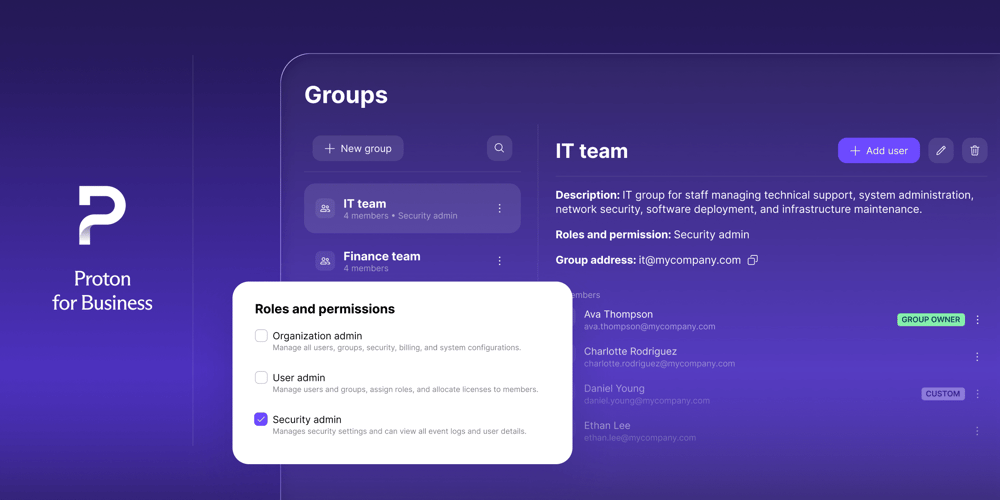
Małe i średnie firmy rzadko mają dedykowany zespół ds. bezpieczeństwa. Nie oznacza to jednak, że nikt nie odpowiada za te zadania, a przypisanie ról jest niezbędne, aby zwiększyć pewność i przyspieszyć reakcję.
W rzeczywistości jasne przypisanie obowiązków jest jednym z najszybszych sposobów na poprawę czasu reakcji i zmniejszenie zamieszania podczas incydentu. W planie reagowania na incydenty musisz określić sześć kluczowych ról.
Koordynator ds. incydentów
Jako główny kontakt, koordynator ds. incydentów jest odpowiedzialny za organizację i prawidłowy przebieg reakcji.
Typowe zadania obejmują:
- Ogłaszanie, kiedy incydent jest oficjalnie obsługiwany.
- Uruchamianie planu reagowania i powiadamianie kluczowych interesariuszy.
- Priorytetyzowanie działań i dbanie o dotrzymanie terminów.
- Służenie jako pomost między zespołami technicznymi i nietechnicznymi.
Osoba reagująca technicznie
Ten członek zespołu będzie odpowiedzialny za zbadanie i powstrzymanie incydentu z perspektywy systemowej.
Jego główne zadania to:
- Izolowanie objętych incydentem urządzeń lub kont.
- Resetowanie haseł i wymuszanie kontroli dostępu.
- Przeglądanie logów i identyfikacja źródła problemu.
- Współpraca w razie potrzeby z zewnętrznymi dostawcami usług IT lub bezpieczeństwa.
Osoba odpowiedzialna za komunikację
Ta rola obejmuje zarządzanie tym, jak informacje są udostępniane wewnętrznie i zewnętrznie.
Osoba odpowiedzialna za komunikację zajmuje się:
- Informowaniem pracowników o tym, co się stało, oraz o działaniach, które należy podjąć.
- Przygotowywaniem wiadomości dla klientów, partnerów lub dostawców.
- Obsługą wrażliwej komunikacji w celu uniknięcia paniki lub dezinformacji.
- Wsparcie w zapewnieniu zgodności z wymogami dotyczącymi powiadomień, gdy ma to zastosowanie.
Lider ds. dokumentacji
Lider ds. dokumentacji dba o to, aby każdy krok związany z incydentem był odpowiednio udokumentowany.
Jego kluczowe zadania to:
- Prowadzenie osi czasu wydarzeń i podjętych działań.
- Zbieranie dowodów, takich jak logi, zrzuty ekranu lub ślady z wiadomości.
- Dokumentowanie decyzji i ich uzasadnienia.
- Przygotowywanie raportów do przeglądu wewnętrznego, celów prawnych lub ubezpieczeniowych.
Jasno określone stanowiska zmniejszają nakładanie się obowiązków i wahanie. Zapobiegają również zrzucaniu winy na innych w stresujących sytuacjach.
Jakie typowe błędy mogą zwiększyć ryzyko?
Niektóre błędy, takie jak zbyt długie czekanie lub niedocenianie wagi zagrożenia, prawdopodobnie zwiększą szkody wynikające z incydentu bezpieczeństwa.
Dlatego upewnij się, że unikasz następujących typowych błędów:
- Opóźnianie izolacji: wątpienie w siebie po pierwszym sygnale ostrzegawczym marnuje cenny czas reakcji.
- Brak natychmiastowej zmiany danych logowania: atakujący często przebywają na kontach, na których doszło do naruszeń, czekając na szansę powrotu.
- Ignorowanie komunikacji: pracownicy pozostawieni w niewiedzy będą podejmować niezależne decyzje, mnożąc ryzyko.
- Niezapisywanie działań: brak dokumentacji utrudnia roszczenia ubezpieczeniowe, powiadomienia regulacyjne i uczenie się na incydentach.
- Niedocenianie siły reputacji: nawet drobne naruszenia, jeśli zostaną źle obsłużone, nadszarpują zaufanie klientów
W przypadku incydentu związanego z cyberbezpieczeństwem szybkość, przejrzystość i pokora to kluczowe czynniki, które mogą mieć ogromny wpływ na rezultaty.
Jakie są cechy małej lub średniej firmy o niskiej podatności na ataki?
Posiadanie silnych zabezpieczeń nie wymaga dużego zespołu ani dedykowanego działu IT. Firmy odnoszące sukcesy traktują słabe punkty jak każdy inny proces biznesowy, poświęcając im regularną uwagę i prowadząc szczerą rozmowę:
- Jasno określony właściciel ds. bezpieczeństwa, nawet jeśli nie jest to praca na pełen etat.
- Krok po kroku opracowane plany reagowania, regularnie sprawdzane.
- Dobrze określone prawa dostępu, zaktualizowane przy każdej zmianie stanowiska
- Bezpieczeństwo wplecione w plany biznesowe, a nie tylko IT.
- Regularne audyty, aby utrzymać plan reagowania w gotowości.
- Przejrzystość w kwestii błędów, budująca długoterminowe zaufanie.
Przede wszystkim firmy o niskim stopniu narażenia pielęgnują kulturę, w której nikt nie jest karany za zgłaszanie błędów ani kwestionowanie nawyków. Bezpieczeństwo psychologiczne jest w tych środowiskach równie ważne jak bezpieczeństwo techniczne.
Lista kontrolna: działania do podjęcia podczas incydentu
Oto lista zadań, które możesz dostosować, aby stworzyć listę kontrolną dla własnej organizacji:
- Potwierdź incydent: zapisz, co wzbudziło Twoje podejrzenia.
- Odizoluj zainfekowane urządzenia/konta lub te, na których doszło do naruszeń.
- Natychmiast zmień wszystkie istotne hasła.
- Poinformuj kluczowych pracowników i przydziel odpowiedzialność za dokumentację.
- Zidentyfikuj systemy objęte naruszeniami i w razie potrzeby wyłącz lub rozłącz je.
- Zacznij cykl komunikacji wewnętrznej, aby zaktualizować informacje o zakończonych działaniach i kolejnych krokach.
- W razie potrzeby skontaktuj się z prawnikami, działem IT lub zewnętrznymi doradcami.
- Zbierz logi błędów, ślady z wiadomości oraz inne dowody.
- Rozpocznij przywracanie utraconych lub zaszyfrowanych danych dopiero po oczyszczeniu systemów.
- Powiadom klientów lub władze dopiero po zrozumieniu, co się stało.
- Omów sytuację, zaktualizuj swój plan i zaplanuj nowe szkolenie uświadamiające.
Przydziel te zadania w swojej dokumentacji bezpieczeństwa i powracaj do nich po każdym incydencie lub teście, aby poprawić swoją odporność i zapewnić ciągłość działania firmy.
Jak zredukować słabe punkty przed kolejnym incydentem
Na szczęście nie potrzebujesz gigantycznego budżetu ani formalnego biura ds. bezpieczeństwa, aby przygotować się na katastrofę. Najlepsza obrona to w większości zdrowy rozsądek, dokumentacja i regularne działania następcze.
Przyjrzyjmy się najważniejszym zasadom, które zapobiegną incydentom w każdej firmie.
Silne zasady dotyczące danych logowania
Twoja organizacja powinna wymagać unikalnych, trudnych do odgadnięcia haseł i uwierzytelniania dwustopniowego dla każdego konta. Użyj biznesowego menadżera haseł, aby uniknąć przyklejanych karteczek lub udostępniania przez wiadomości.
Zasada najmniejszych uprawnień i dostęp oparty na stanowiskach
Regularnie sprawdzaj uprawnienia każdego członka zespołu w Twojej organizacji. Czy każdy, kto ma dostęp do rozliczeń, list klientów lub pulpitów w chmurze, faktycznie potrzebuje codziennego dostępu? Ogranicz prawa do tego, co jest wymagane do wykonania pracy.
Regularne szkolenia pracowników
To nie musi trwać godzinami. Nawet 20-minutowa kwartalna sesja na temat tego, jak rozpoznawać podejrzane wiadomości, unikać dziwnych wyskakujących okien czy przeprowadzać resetowanie haseł, może radykalnie zmniejszyć liczbę incydentów.
Okresowe przeglądy ryzyka
Regularnie zatrzymuj się na chwilę i skanuj swój biznes w poszukiwaniu luk, tak jak zrobiłby to atakujący. Sprawdź zagubione laptopy, konta w chmurze, byłych pracowników i zapomniane platformy SaaS. Szczere przyznanie się do błędów to najlepsza inwestycja, jaką możesz poczynić we własną odporność.
Lista kontrolna reagowania na incydenty
Ta lista kontrolna nie musi być od razu bardzo obszerna. Zacznij od jednostronicowego podsumowania, w tym do kogo zadzwonić, co zrobić w pierwszej kolejności i gdzie będą przechowywane zapisy. Udoskonalaj ją co sześć miesięcy lub po wystąpieniu incydentu.
Co możesz dziś zrobić, aby poprawić swoje bezpieczeństwo?
Czasem trudno określić, od czego zacząć wdrażanie własnych środków cyberbezpieczeństwa. Oto praktyczne, natychmiastowe działania, które możesz podjąć w tym tygodniu:
- Wydrukuj lub oznacz zakładką własną listę kontrolną reagowania na incydenty oraz szablon raportowania incydentów cyberbezpieczeństwa.
- Sprawdź, kto posiada dane logowania administratora i zaktualizuj je, korzystając ze scentralizowanego narzędzia, jakim jest menadżer haseł, na przykład Proton Pass for Business.
- Zaplanuj spotkanie zespołu, aby wyjaśnić stanowiska w trakcie cyfrowego kryzysu.
- Wyślij krótki przewodnik „jak rozpoznać próbę wyłudzenia informacji” do całego swojego zespołu.
- Zaktualizuj listę dostępu i zamknij nieaktywne konta użytkowników lub narzędzia SaaS.
- Przeczytaj najnowsze badania z kategorii narzędzi dla przedsiębiorstw, aby uzyskać wskazówki na temat przydatnych dodatków bezpieczeństwa.
- Zobowiąż się do przeglądu swoich zasad i procesów po każdym wydarzeniu, niezależnie od tego, czy jest to coś dużego czy małego.
Dla tych, którzy szukają praktycznych szablonów, materiałów szkoleniowych lub technologii, która faktycznie wzmacnia zespoły, zamiast przytłaczać je swoją złożonością, polecamy skorzystać z Praktycznego przewodnika bezpieczeństwa dla rozwijających się firm od Proton. Przewodnik ten uwzględnia wiele omówionych tu najlepszych praktyk i zapewnia kompletne informacje, listy kontrolne oraz instrukcje kluczowych kroków.
Często zadawane pytania dotyczące luk w cyberbezpieczeństwie
Czym jest luka w cyberbezpieczeństwie?
Luka w cyberbezpieczeństwie to jakakolwiek wada, brak lub przeoczenie, które pozwala atakującym uzyskać nieautoryzowany dostęp do systemów, danych lub infrastruktury. Te braki mogą występować w technologii (np. oprogramowanie bez aktualizacji), procesach (np. przyznawanie nadmiernych uprawnień) lub zachowaniu ludzkim (np. uleganie wiadomościom email typu phishing). W przypadku MŚP słabości te często nakładają się na wszystkie trzy kategorie, dlatego przegląd i aktualizowanie słabych punktów to nieustająca praca.
W jaki sposób MŚP mogą wykrywać luki w zabezpieczeniach?
MŚP mogą wykryć słabe punkty, przeprowadzając regularne oceny cyberbezpieczeństwa, weryfikując uprawnienia, skanując urządzenia pod kątem przestarzałego oprogramowania i sprawdzając, czy nie ma nieużywanych kont lub niedozwolonych narzędzi. Śledzenie alertów z zapór sieciowych lub usług logowania, zachęcanie pracowników do zgłaszania nietypowych działań oraz przeprowadzanie symulacji prób wyłudzenia informacji to kolejne praktyczne kroki. Okresowe symulacje, podczas których zespół omawia hipotetyczne naruszenia, często ujawniają, gdzie procesy wymagają udoskonaleń. Odniesienia takie jak NIST CVSS(nowe okno) i wytyczne z Przewodnika bezpieczeństwa dla rozwijających się firm od Proton pomagają w weryfikacji pomysłów według zaplanowanej ścieżki.
Jakie kroki pomagają ograniczyć luki w cyberbezpieczeństwie?
Główne kroki obejmują korzystanie z narzędzia takiego jak menadżer haseł, wymuszanie unikalnych danych do logowania, weryfikację i minimalizowanie uprawnień, stworzenie listy kontrolnej do obsługi incydentów oraz regularne szkolenie pracowników z podstaw bezpieczeństwa. Nie zapominaj o prostych działaniach, takich jak dbanie o to, by oprogramowanie było zaktualizowane, wylogowywanie się z nieużywanych urządzeń oraz usuwanie wszelkich uśpionych kont w chmurze lub systemach SaaS. Uczyń bezpieczeństwo stałym punktem spotkań kierownictwa i rejestruj wnioski z wszelkich incydentów jako część ciągłego doskonalenia.
Dlaczego planowanie reagowania na incydenty jest ważne?
Planowanie reagowania na incydenty nadaje strukturę, przejrzystość i szybkość podczas kryzysu, ograniczając tym samym chaos i przerwy w działalności firmy. Dzięki uzgodnionemu planowi, każdy zna swoje stanowisko, główne kontakty i kroki potrzebne do odzyskania sprawności. Nawet podstawowe planowanie pozwala zminimalizować wpływ jakichkolwiek naruszeń na klientów, finanse i reputację firmy. National Cybersecurity Alliance(nowe okno) i US Small Business Administration (SBA)(nowe okno) zachęcają małe firmy do rozwijania, dokumentowania i testowania własnych ram reagowania na sytuacje kryzysowe.
Jak zbudować elastyczne i odporne ramy bezpieczeństwa?
Odporne ramy bezpieczeństwa opierają się na przypisywaniu jasnych stanowisk, dokumentowaniu każdego procesu, wymuszaniu ścisłego zarządzania firmowymi hasłami i organizowaniu regularnych szkoleń z zakresu bezpieczeństwa dla każdego członka zespołu. Testuj swój plan reagowania poprzez próbne ćwiczenia i udoskonalaj go zawsze, gdy w Twojej firmie zajdą zmiany. Zintegruj swoje procedury reagowania na incydenty z ciągłością działania firmy, aby wszyscy wiedzieli, co robić.