
วิธีแชร์เอกสารใน Proton Docs
- เวลาอ่าน
- 0 นาที
- หมวดหมู่
- การใช้งาน Proton Drive
เมื่อใช้งาน Proton Docs สามารถแชร์เอกสารและเชิญผู้ร่วมทำงานได้หลายวิธี
แชร์เอกสารจากแอปเว็บ Proton Drive
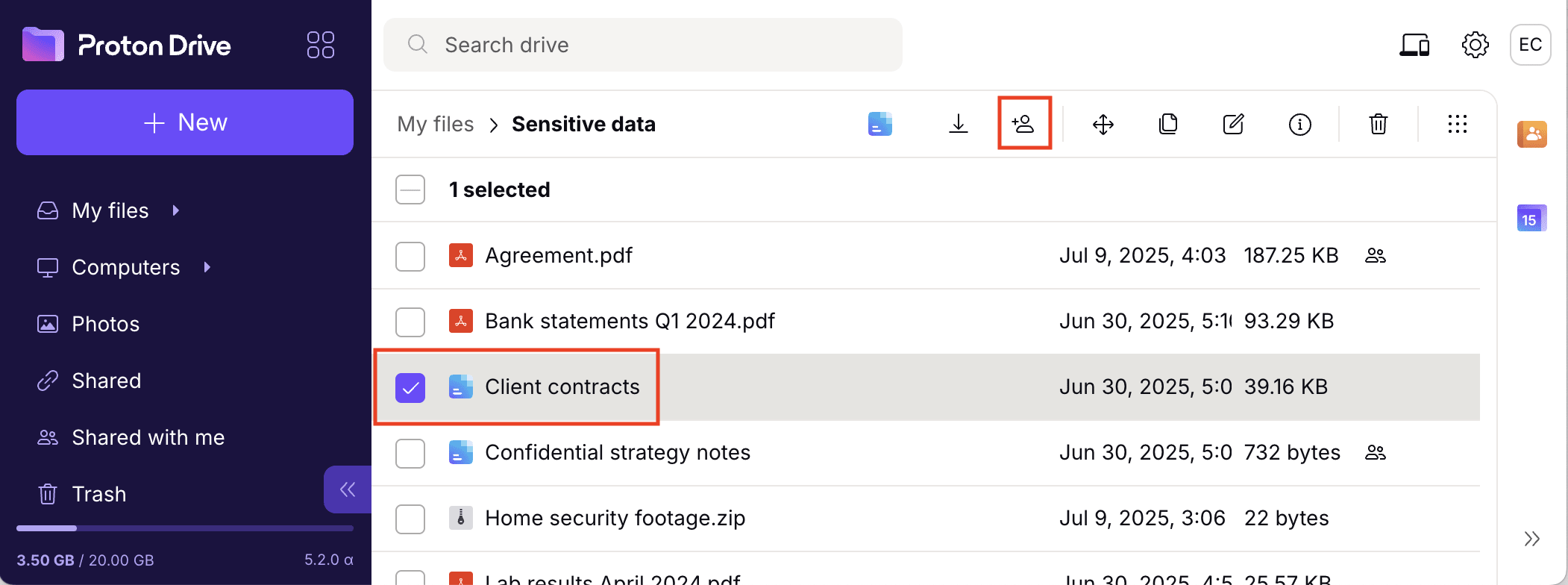
- ไปยัง Proton Drive(หน้าต่างใหม่) และเข้าสู่ระบบ
- เลือกเอกสารที่สร้างด้วย Proton Docs แล้วคลิก แชร์
แชร์เอกสารจากแอปมือถือ Proton Drive
- แตะไอคอนจุดสามจุดแนวตั้ง ⋮ ถัดจากเอกสาร หรือเปิดเอกสารแล้วแตะไอคอนจุดสามจุดแนวตั้ง ⋮ ที่มุมขวาบน

- เลือก แชร์

แชร์เอกสารจาก Proton Docs
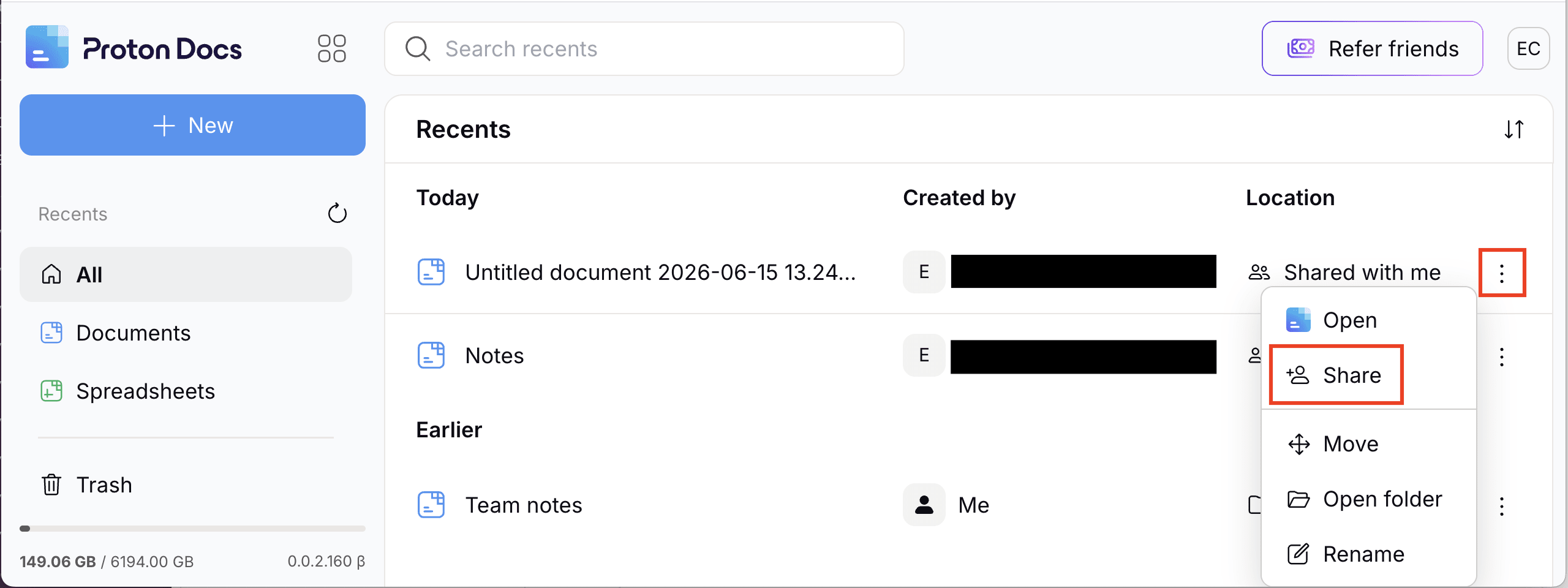
- เข้าสู่ระบบที่ docs.proton.me(หน้าต่างใหม่)
- คลิกไอคอนจุดสามจุดแนวตั้ง ⋮ หรือคลิกขวาที่เอกสารแล้วเลือก แชร์
แชร์เอกสารจากเครื่องมือแก้ไขเอกสาร
- คลิกปุ่ม แชร์ ที่มุมขวาบน
