Quick answer: Go to myactivity.google.com(新視窗) → Delete → All time. It takes less than a minute; full removal from Google’s servers takes about two months.

Your Google search history records what you think about when you believe no one is watching. You type questions into a search bar that you wouldn’t ask a doctor, a partner, or a colleague. Over months, those queries add up to a detailed profile of your health, money, relationships, politics, religious beliefs, and fears.

Google is worse because it saves your searches to your account next to your email, YouTube history, and location, and it makes most of its money turning that combined picture into targeted ads. With the introduction of AI in Google Search, people type full questions instead of keywords, and the average AI Mode search is now three times longer(新視窗) than a traditional one. A longer question reveals more context, such as your age and symptoms, in one entry.

Once Google holds that information, you no longer control who uses it or how. It shapes the ads and results you see, targeting you based on your worries, weaknesses, and interests. It can be handed to police or exposed in a breach. And because Google can keep it for months or years, a search you made once can be used against you long after you’ve forgotten it.

You can’t undo what Google already knows about you, but you can reduce how much of it stays tied to your account. When you delete your search history, Google removes it from your account on all devices you’re signed in to and says it may no longer use it to personalize ads and results. Full deletion from Google’s systems takes about two months, and backups can last up to six months. Setting your history to auto-delete limits what builds up from now on. Here’s how to do both.

How to delete Google search history on web

  1. Go to myaccount.google.com(新視窗) and sign in.
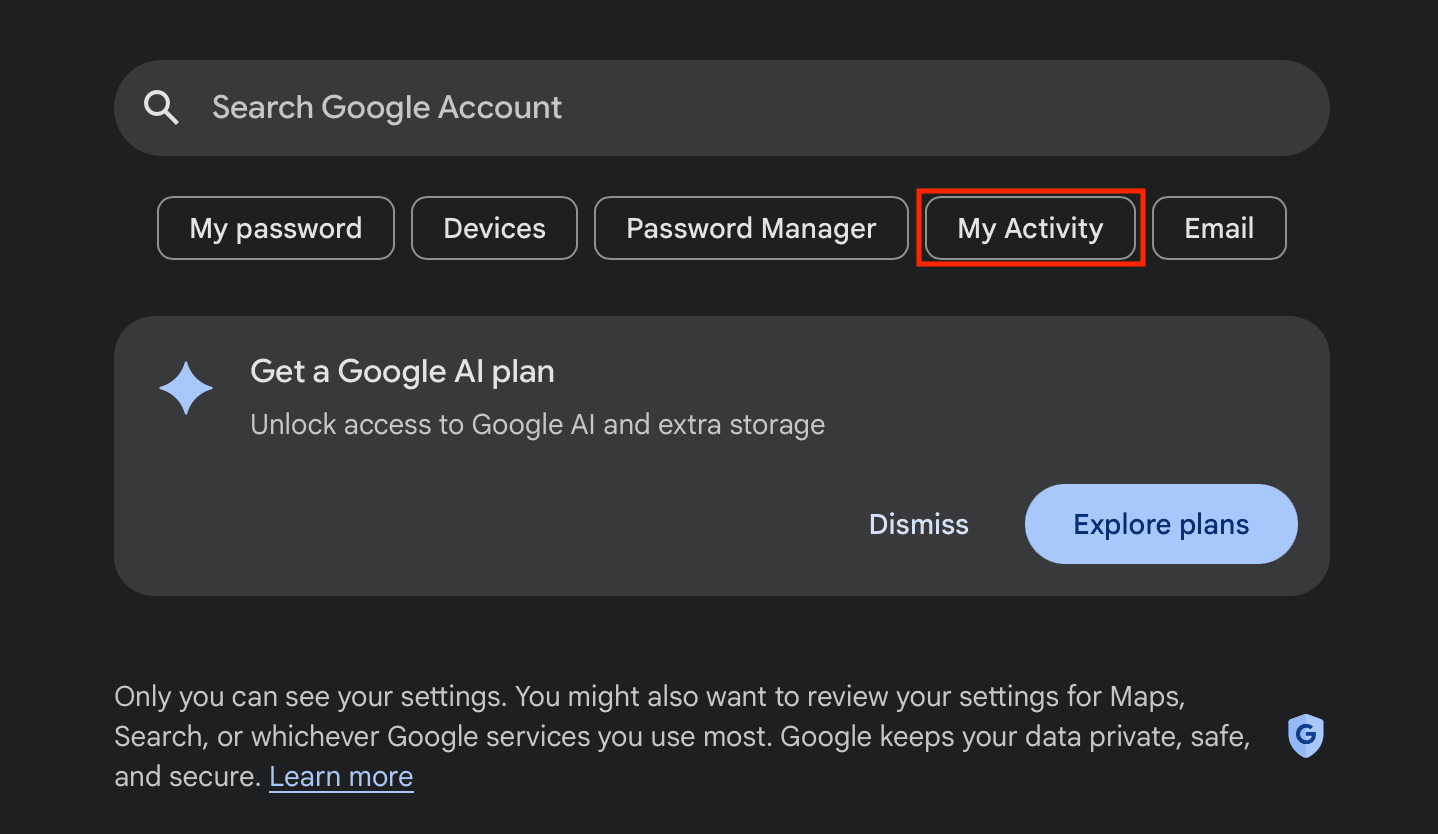
  2. Click My activity.
Google My Activity
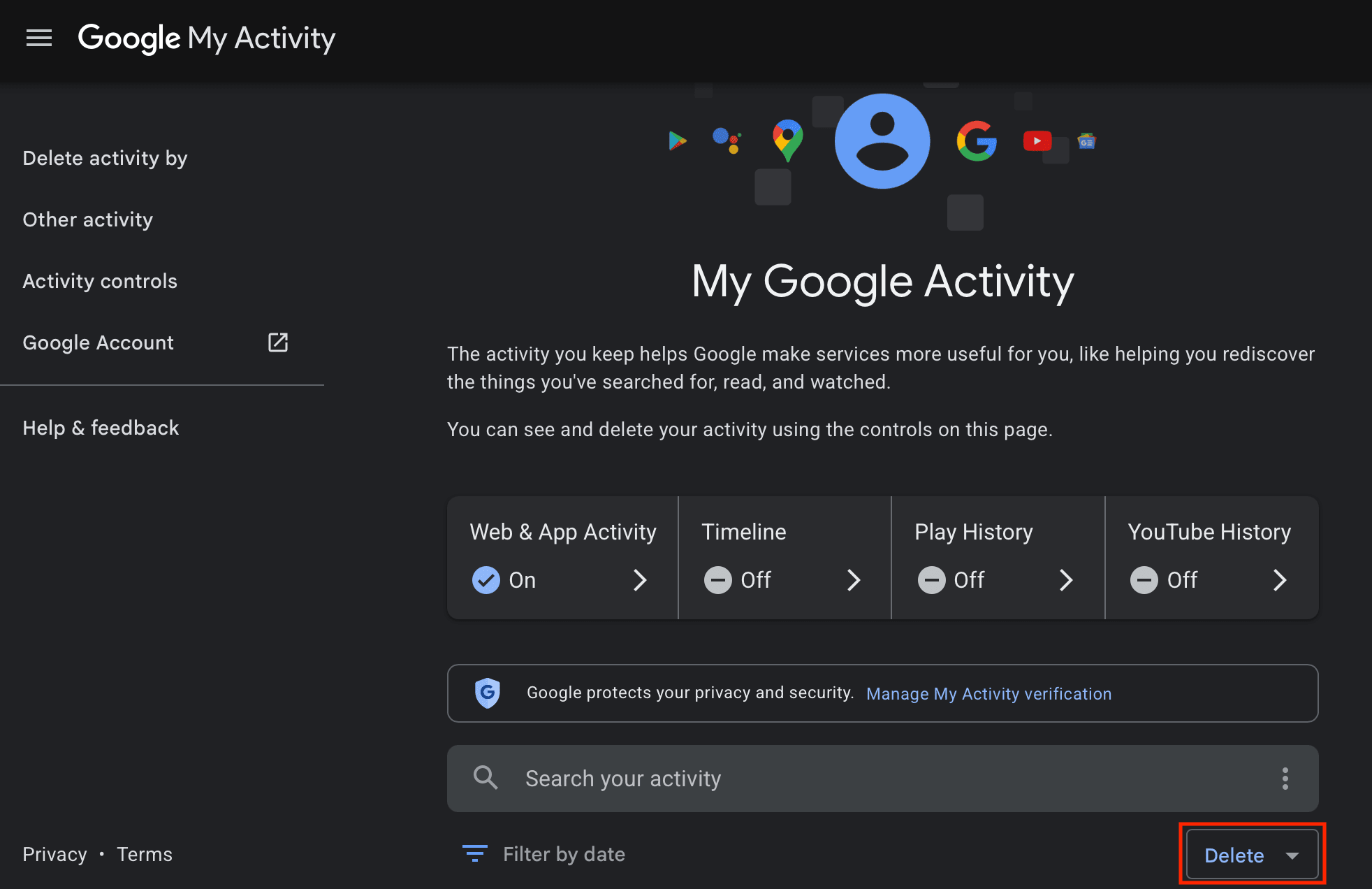
  1. Under the Search for your activity bar, click Delete.
Google My Activity delete
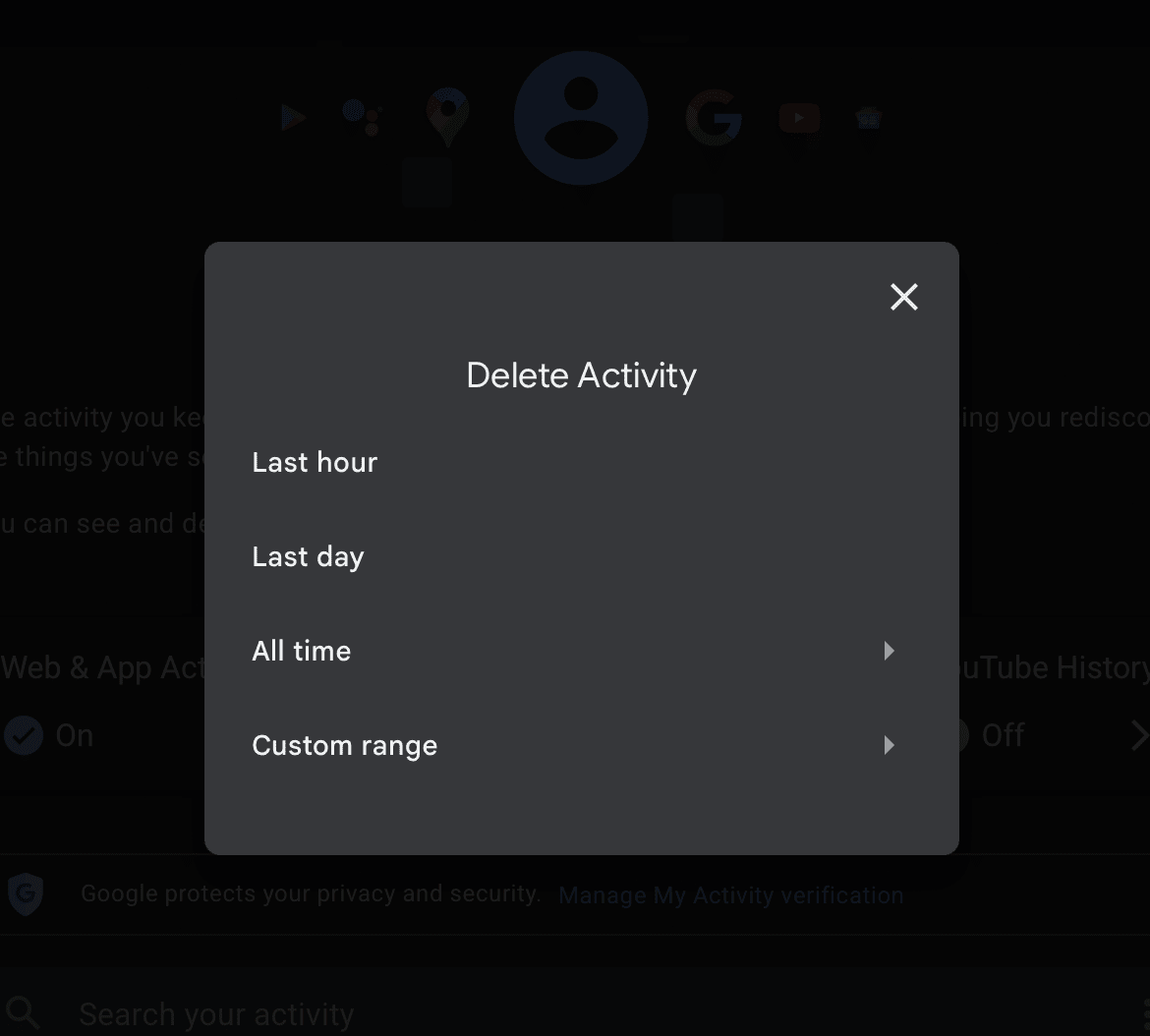
  1. A Delete activity window will appear. Select whether you’d like to delete your search history from the Last hour, Last day, All time, or enter a Custom range.
Google delete activity

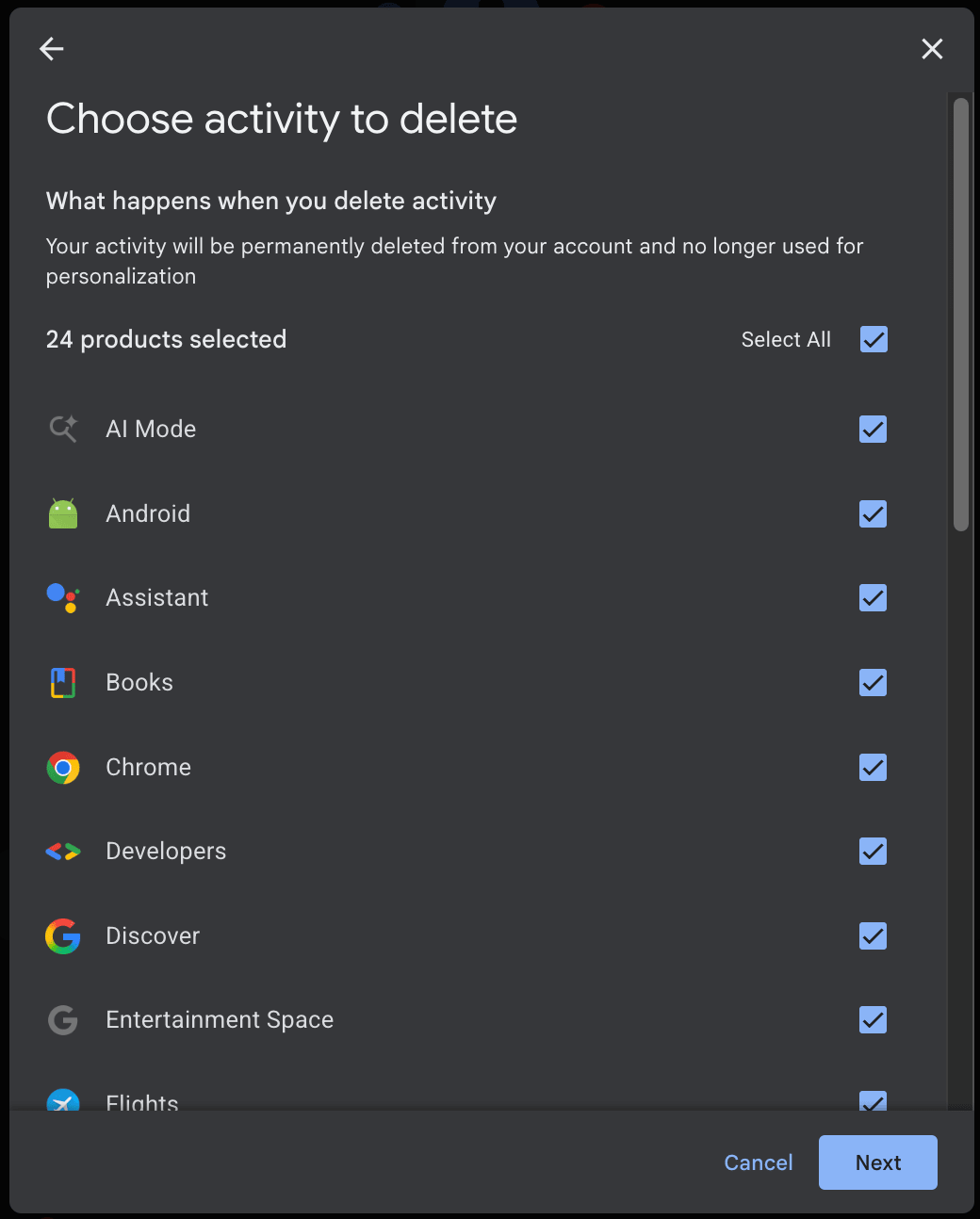
When selecting All time, you can choose the type of activity to delete, such as AI Mode, Chrome, Android, or Image Search. By default, everything is selected.

Google Web & App Activity choose
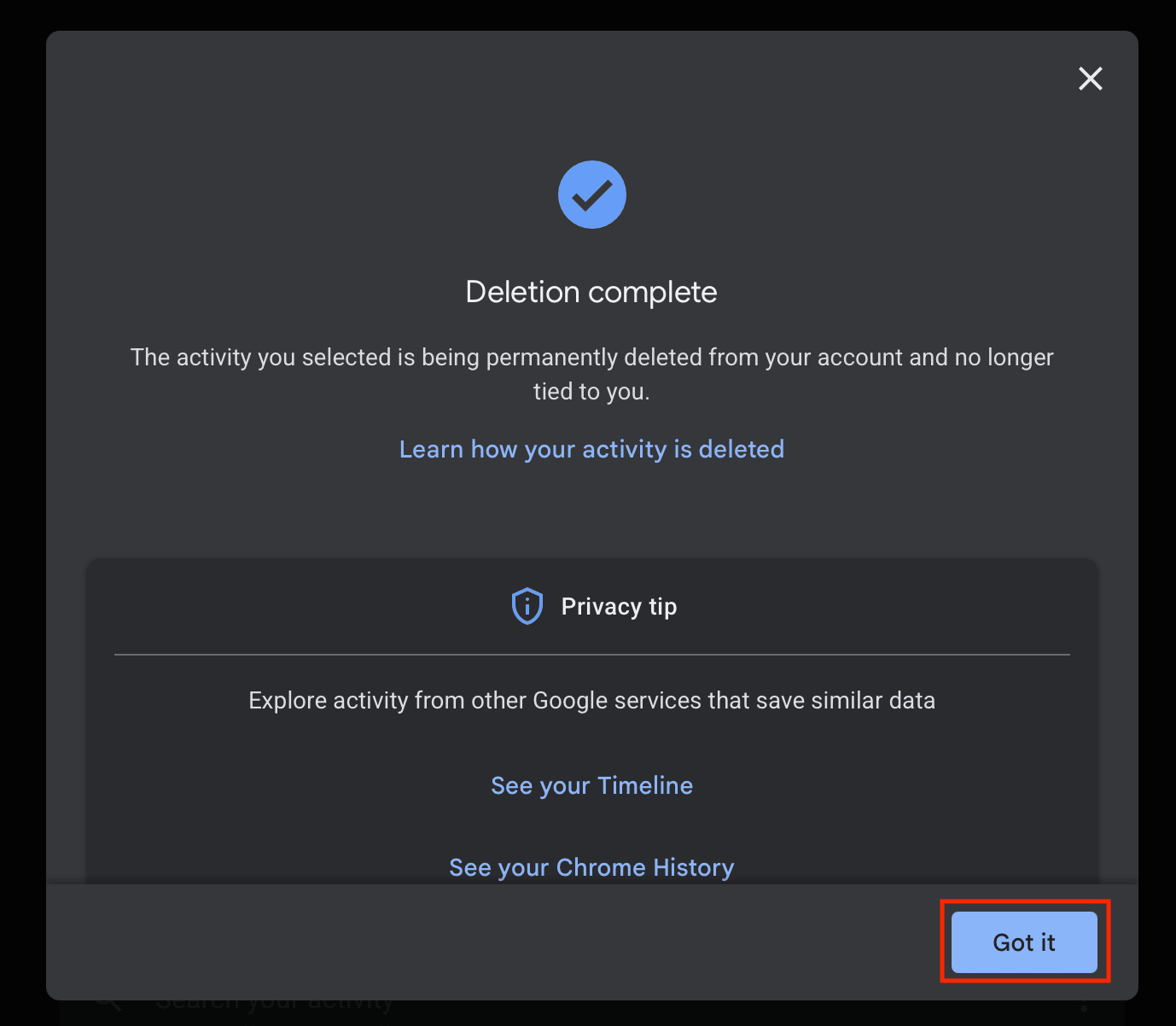
  1. A pop-up window will open notifying you that your search history has been deleted. Click Got it to exit.
Google deletion complete

How to automatically delete Google search history on web

You can modify your settings to automatically delete your Google search history using the web app. Here’s how:

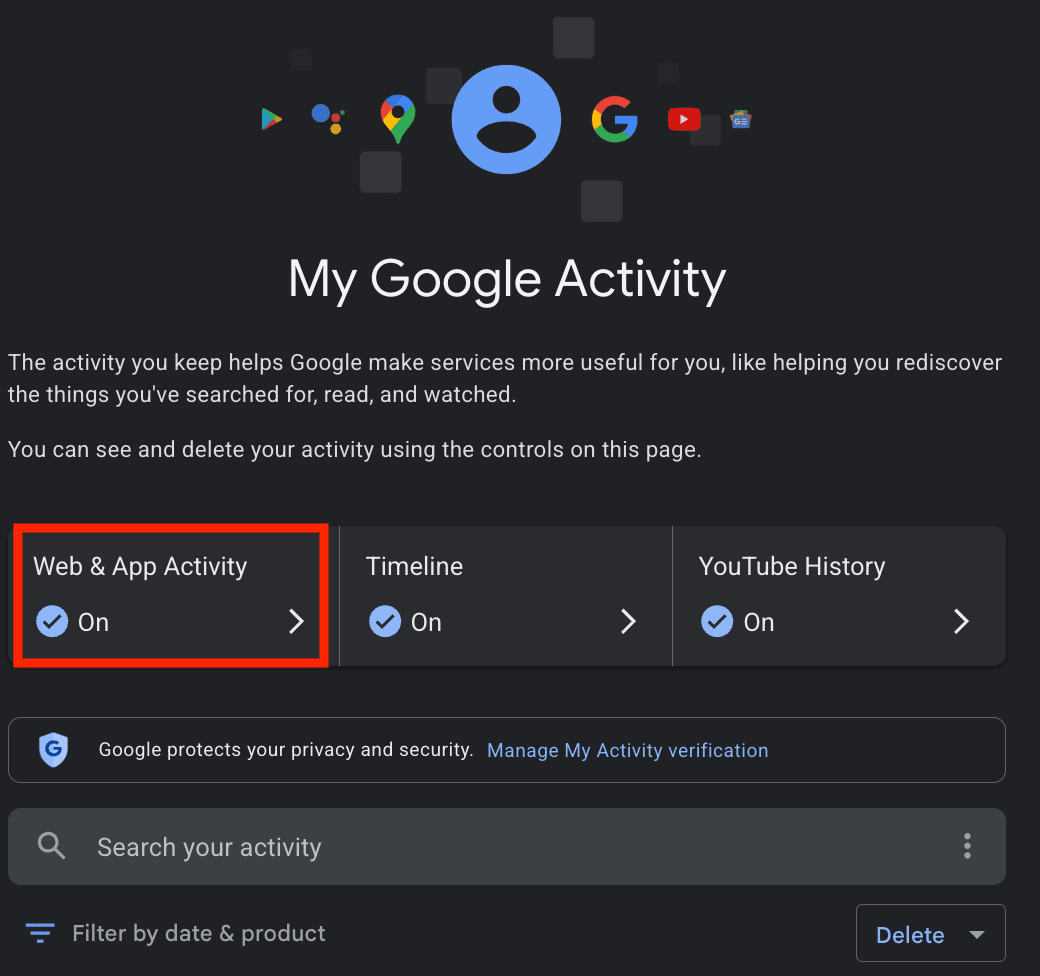
  1. Return to myaccount.google.com(新視窗) and click My activity.
Google My Activity
  1. Select Web & App Activity.
Google Web & App Activity
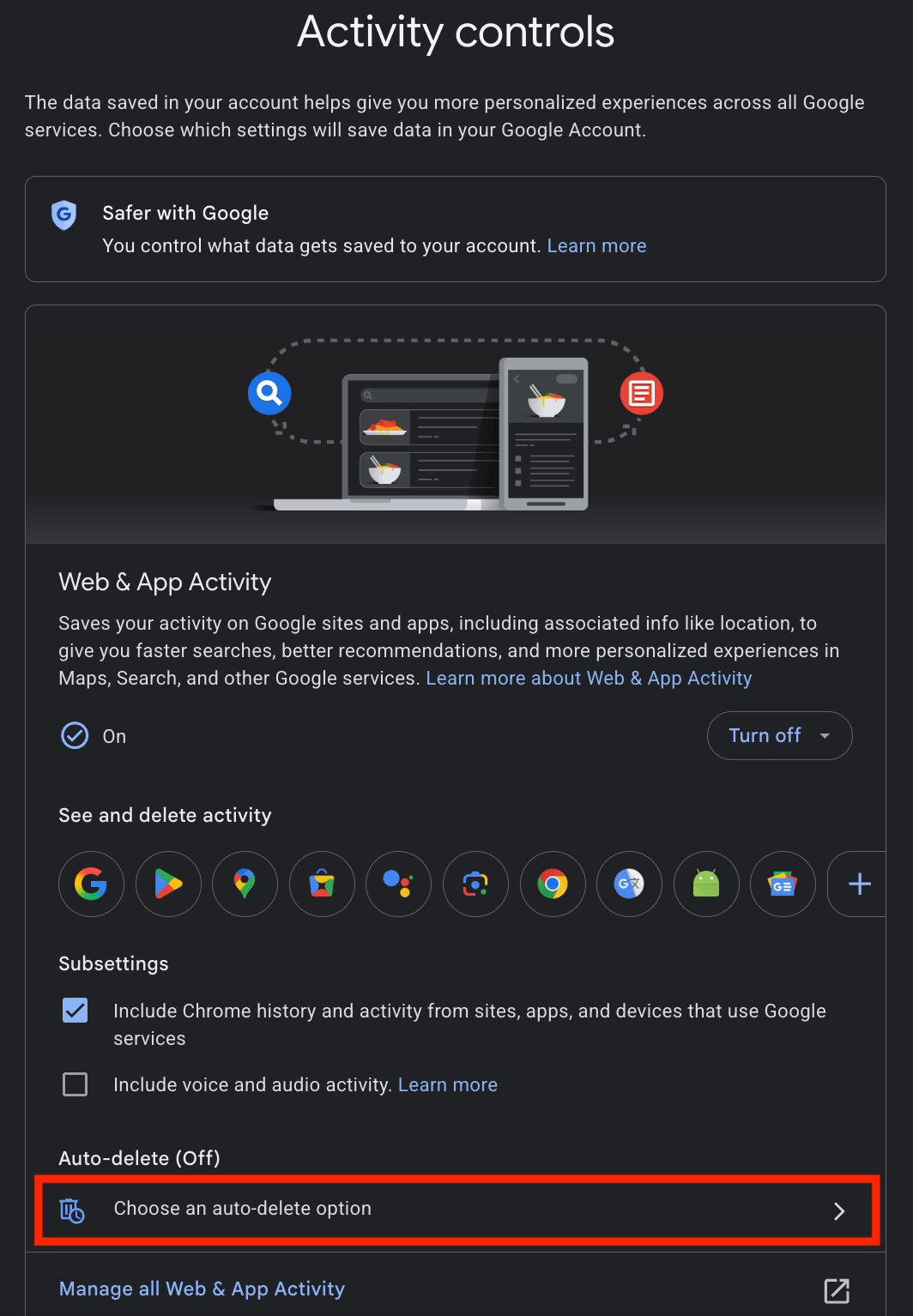
  1. Under Auto-delete, click Choose an auto-delete option.
Google Web & App Activity auto-delete
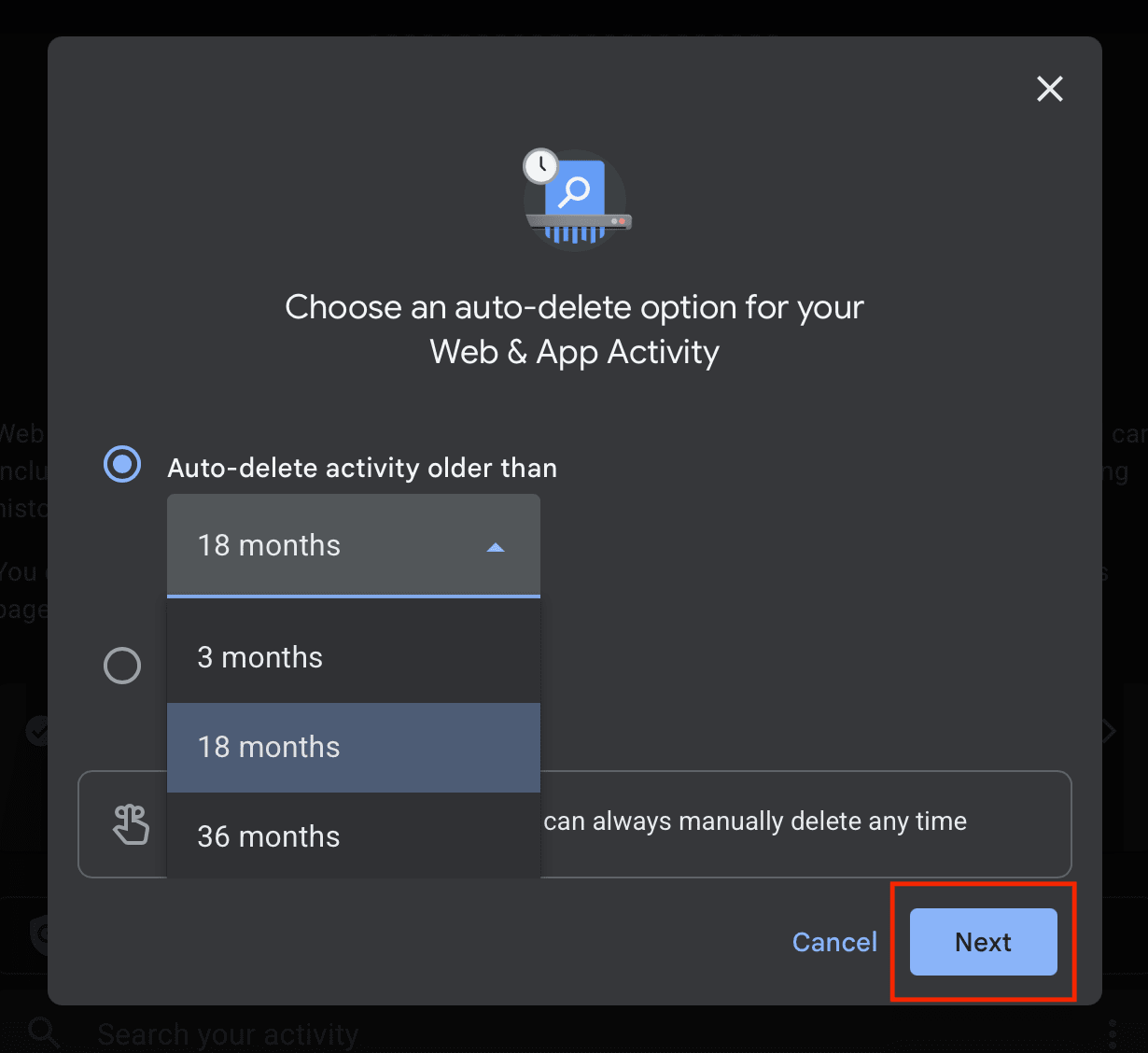
  1. Select Auto-delete activity older than and choose between 3 months, 18 months, or 36 months. To better protect your privacy, choose the shortest period (3 months). Click Next and follow the remaining steps.

How to delete Google search history on mobile (iPhone and Android)

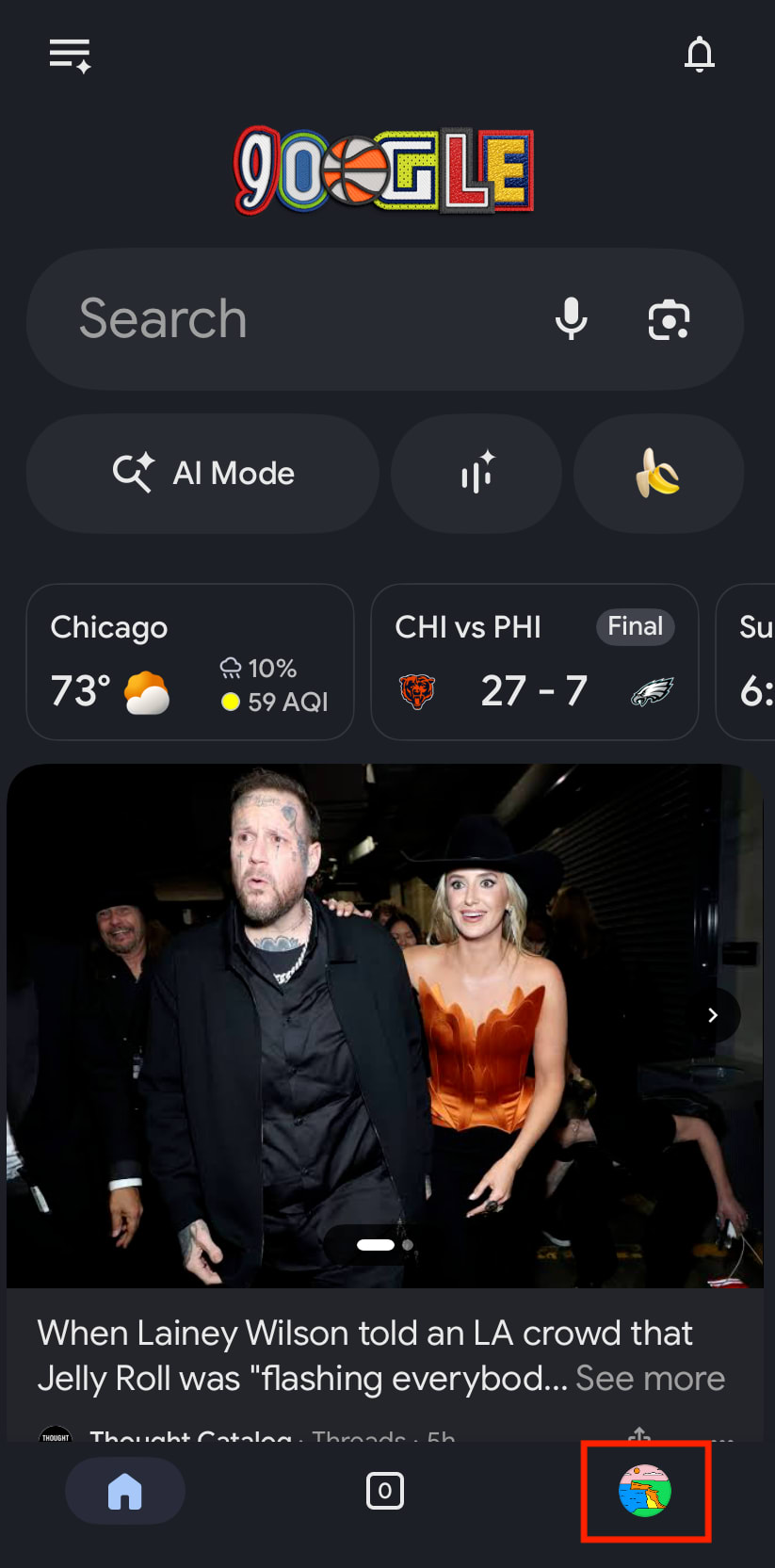
  1. Open the Google app on your iPhone or Android.
  2. Tap your Google account button.
Google mobile account button
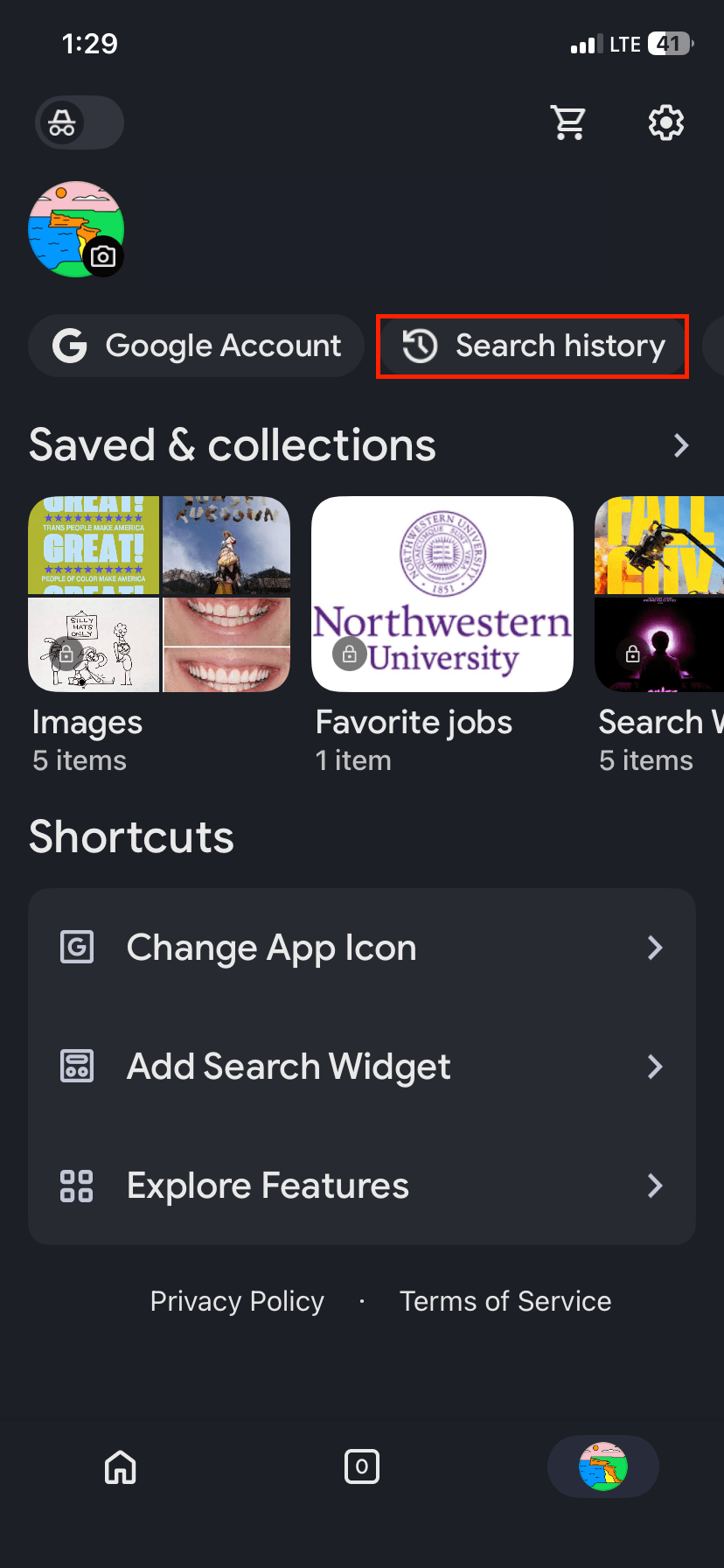
  1. Select Search history.
Google mobile search history
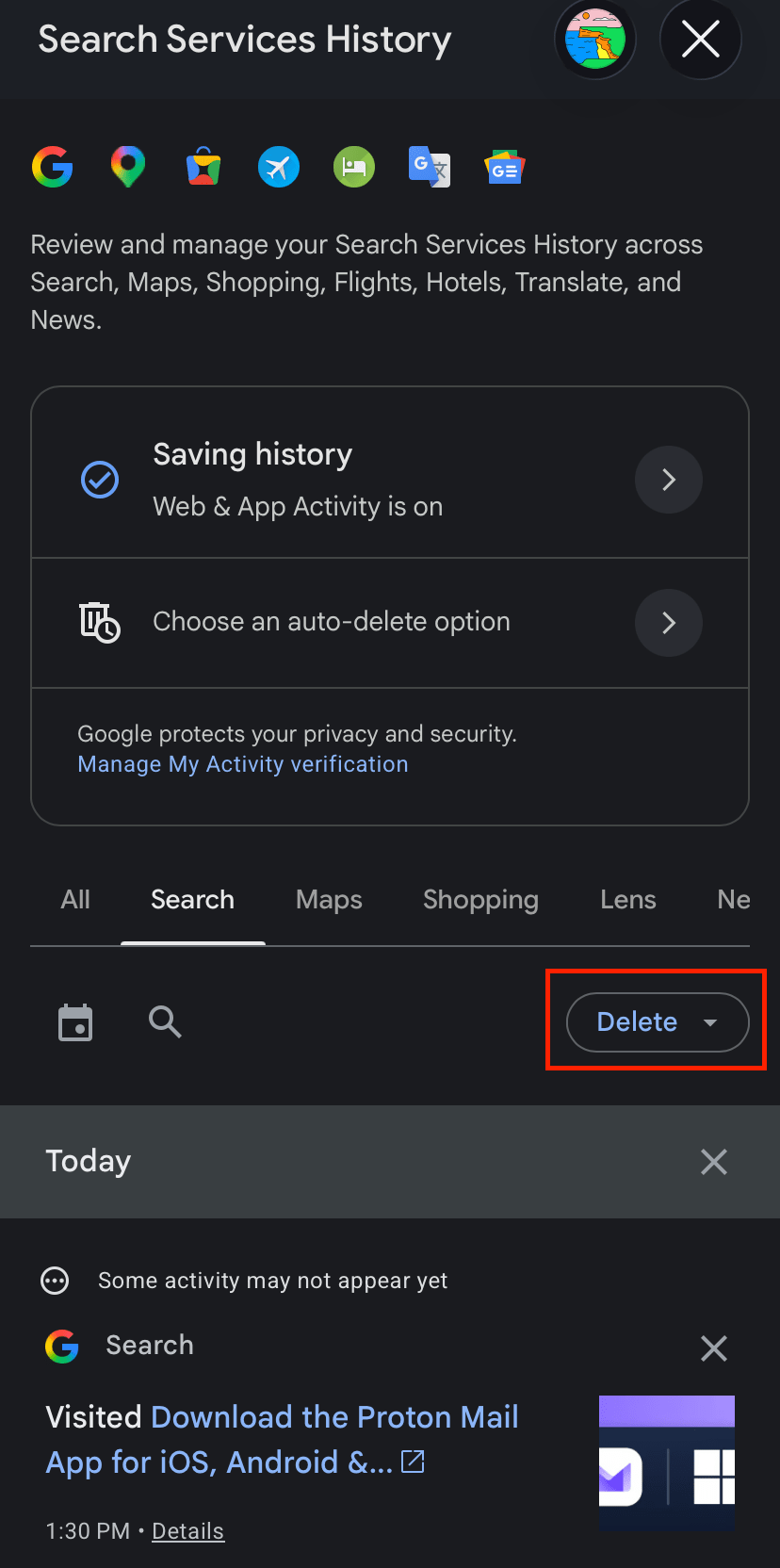
  1. Tap Delete.
Google mobile delete search history
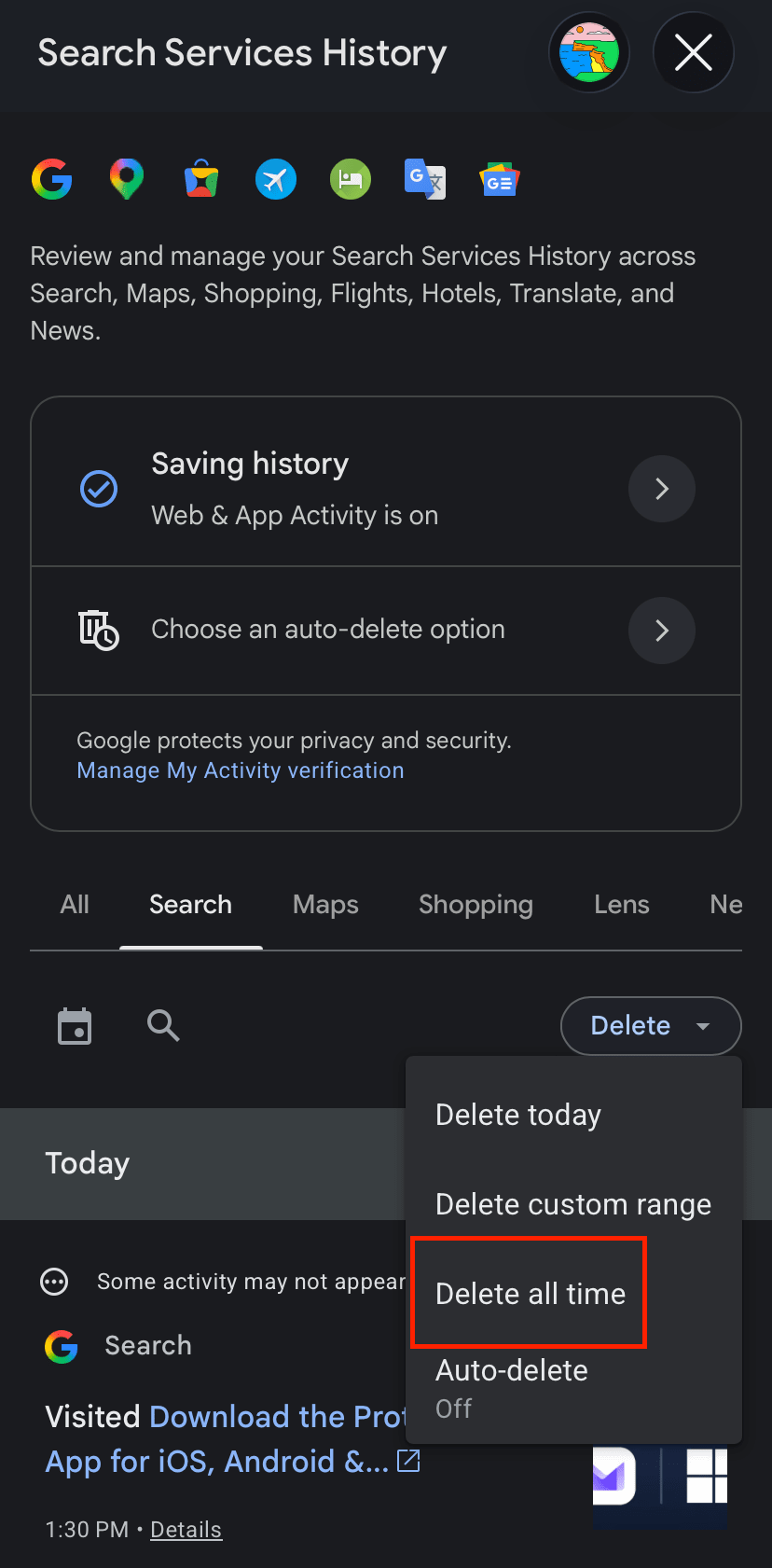
  1. Choose between Delete today, Delete custom range, Delete all time, and Auto-delete.
Google mobile search history delete all time

What Google does with your search history

Google is the largest search engine, and by default it ties your searches to everything else it knows about you. That combination makes Google search history more dangerous than search history in general.

It’s linked to your identity. If you’re signed in to Gmail, YouTube, Android, or Chrome, your searches are saved under your Google account in the Web & App Activity setting. It records the words you typed, your language, device type, and location based on your device’s general area and your IP address, along with ads you clicked and purchases you made on advertisers’ websites. If two extra boxes are ticked, Google also keeps your Chrome browsing history and voice recordings. Activity can be saved even when you’re offline.

Google can keep your search history for months or longer. Depending on your settings, Google can automatically delete your activity after 3, 18, or 36 months, or keep it until you delete it yourself. Even three months of searches can reveal changes in your health, finances, relationships, interests, and beliefs. And some data may be retained much longer for reasons such as security, fraud prevention, legal requirements, or financial record-keeping.

Police can get it, sometimes without a warrant. In a reverse keyword warrant, investigators ask Google to name everyone who searched a particular term. For example, in Commonwealth v. Kurtz(新視窗), police used one to find everyone who searched a victim’s name and address in the week before an assault. The results led them to the defendant’s IP address(新視窗). Pennsylvania’s Supreme Court then ruled that people have no reasonable expectation of privacy in ordinary Google searches. In practice, anyone who searches the wrong term at the wrong time can end up on a suspect list.

Google profits from collecting it. Google’s parent company, Alphabet, generates more than 70% of its revenue from advertising, and targeted ads pay more. To determine what user data is worth to Google, we analyzed over 54,000 profiles using 2025 ad auction data and estimated that the average American generates about $1,605 a year in advertising value. What you search for helps set that price: A profile making high-value corporate searches was worth an estimated $17,929, while one making low-value searches was worth $31. That gives Google a reason to collect as much as it can and combine it across its products. Privacy settings help, but they work against Google’s business model, so they’re opt-in and buried in menus.

How to protect your Google search history

You can’t control what Google does with the data it already holds, but you can limit what it collects from now on.

  • Search while signed out of Google, or use a search engine that doesn’t log queries. Explore European search engines focused on privacy.
  • Use a VPN(新視窗) so your searches aren’t tied to your home IP address. In Kurtz, the court specifically said its reasoning did not cover VPNs or private browsing tools.
  • Turn off Gemini in Gmail and Android. It can draw on your search history, emails, and other Google data, which links separate pieces of information about you in one place.
  • Limit Google AI in Search by hiding AI Overviews and turning off  the Save Media setting, which lets Google use your uploads to train its AI.
  • Switch to a browser that blocks trackers by default, such as Firefox or Brave. Google tracks you through ads and analytics scripts on other websites, not only through Search. Find European web browsers for private navigation.
  • Disable Google location history to limit what the company knows about where you’ve been.

Searches are only one part of what Google collects. Find more ways to lock down your Google privacy settings.

Leave Gmail to keep your searches out of your inbox

As long as you’re signed in to Gmail, your searches are filed next to everything in your inbox. A search for a symptom sits next to the email confirming your doctor’s appointment, and a search for a lawyer sits next to the message that explains why. Leaving Gmail is one of the most important steps in deGoogling your life.

If you’re looking for a private email service that doesn’t scan your inbox, profile you, or use your data for AI training, Proton Mail is a privacy-first alternative to Gmail. Proton Mail protects your messages with end-to-end and zero-access encryption, so we can’t read your emails. We’re funded by subscriptions, not ads.

You don’t have to move overnight. With Easy Switch, you can import your conversation history, contacts, and calendar, auto-forward new emails, and send messages or reply from your Gmail address without leaving Proton. Use both until you’re comfortable with Proton Mail, then close Gmail when you’re ready.