
Cómo usar Deshacer el envío
- Lectura
- 2 minutos
- Categoría
- Redactar y enviar correos electrónicos
Si desea recuperar un correo electrónico después de hacer clic en Enviar, puede usar la función Deshacer el envío en la aplicación web de Proton Mail(nueva ventana) y en la aplicación móvil (iPhone, iPad, Android).
La función Deshacer el envío está activada por defecto y retrasa automáticamente el envío de su correo electrónico después de hacer clic en Enviar mediante un temporizador de 10 segundos. Durante este tiempo, puede hacer clic en Deshacer para devolver el mensaje a su carpeta de Borradores para que pueda editarlo o eliminarlo.
Puede desactivar Deshacer el envío o cambiar la duración del temporizador. Cualquier cambio que realice en estos ajustes se sincronizará en todos sus dispositivos.
Aplicación web
Para desactivar Deshacer el envío o cambiar la duración del temporizador:
- Inicie sesión en su cuenta de Proton Mail en mail.proton.me(nueva ventana) y haga clic en Ajustes → Todos los ajustes → Mensajes y redacción → Escribir → Deshacer el envío.
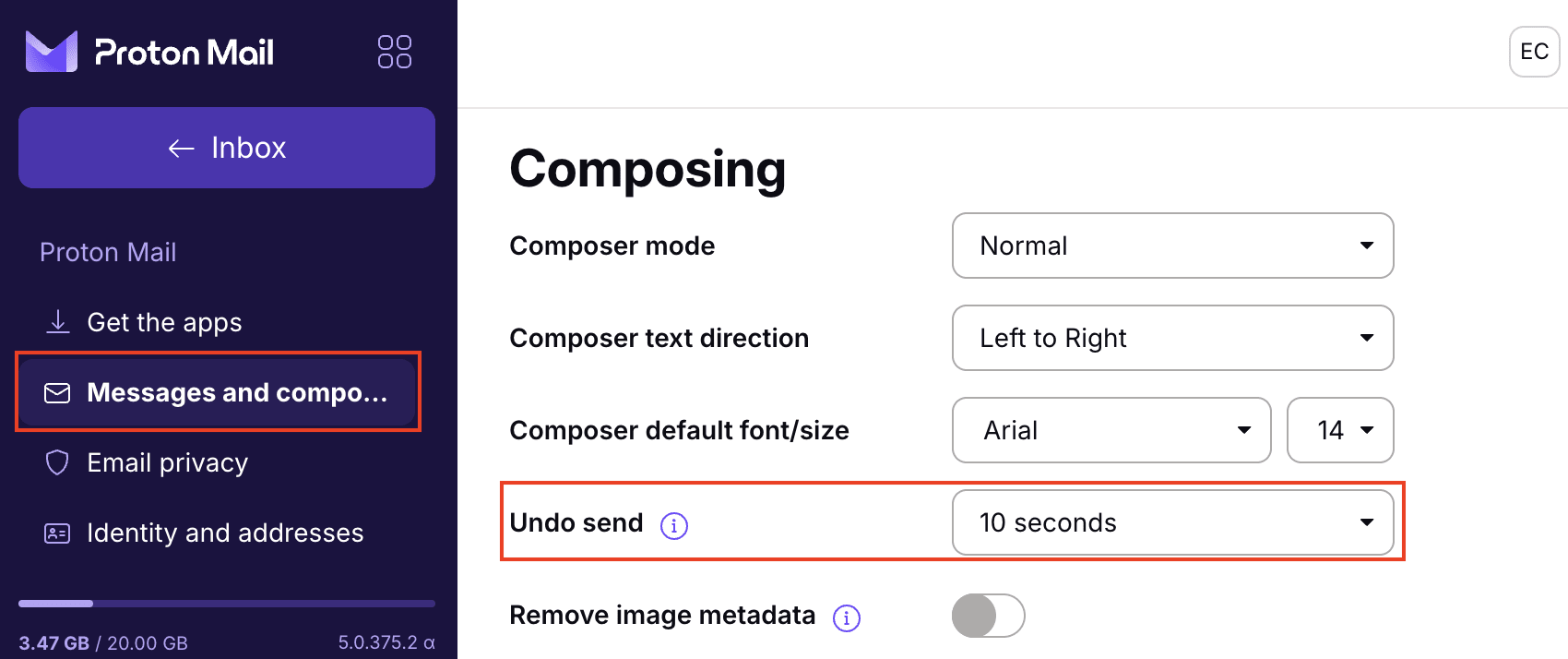
- Seleccione la duración de temporizador que prefiera en el menú desplegable Deshacer el envío, entre 0 y 20 segundos. Establecer el temporizador en 0 segundos desactiva la función.
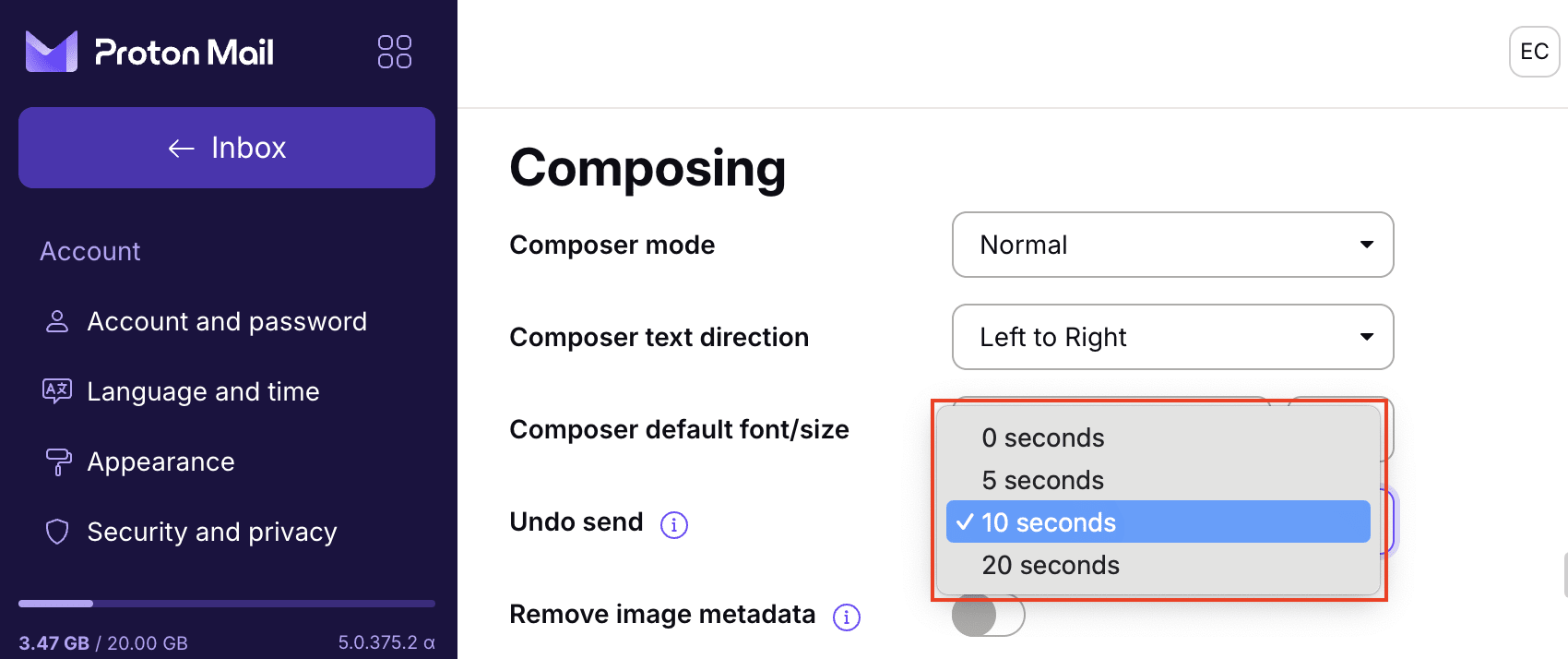
Con la función Deshacer el envío activada, una vez que haya terminado de escribir su correo electrónico y presione el botón Enviar, la ventana de redacción de Proton Mail se cerrará y aparecerá un banner en la parte superior de su pantalla que dice: Mensaje enviado. Deshacer.
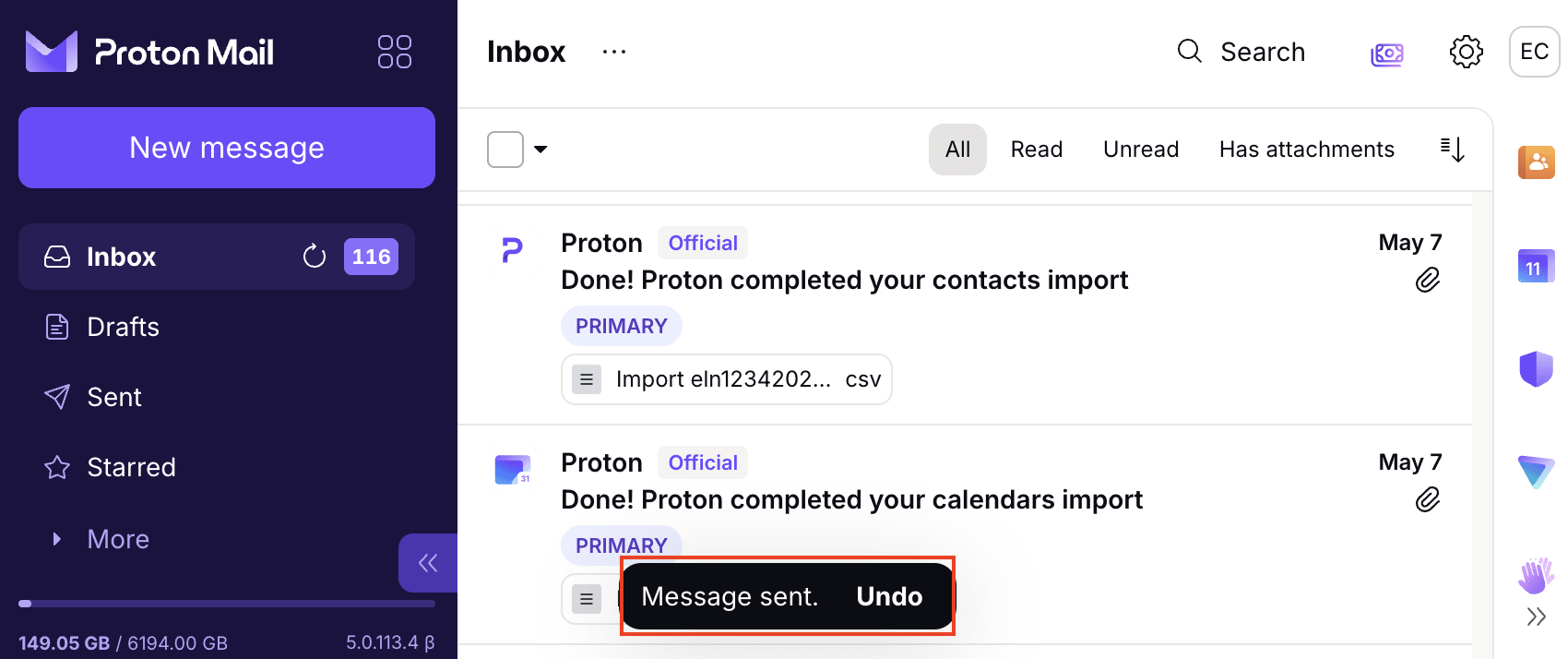
Este banner se muestra durante la cantidad de segundos establecida (10 segundos por defecto). Si desea recuperar su mensaje durante este tiempo, haga clic en Deshacer. Su mensaje se volverá a abrir en la ventana de redacción para que pueda editarlo o eliminarlo.
Aplicación móvil
Para desactivar Deshacer el envío o cambiar la duración del temporizador en la aplicación para iOS o Android:
1. Abra la aplicación Proton Mail y vaya a Ajustes → Preferencias de buzón → Deshacer el envío.
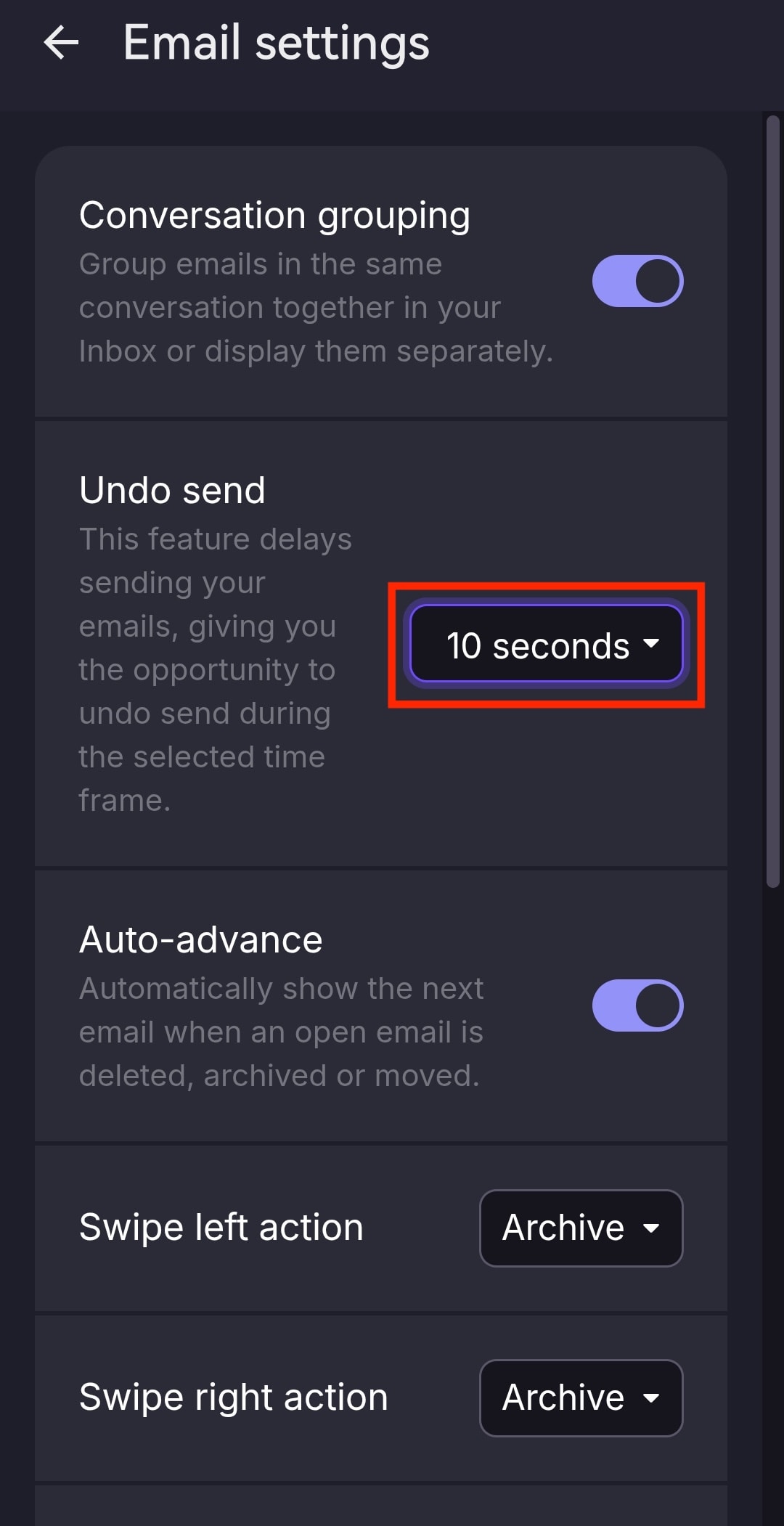
- Seleccione la duración de temporizador que prefiera, entre 0 y 20 segundos. Establecer el temporizador en 0 segundos desactiva la función.
Con la función Deshacer el envío activada, cuando presione el botón Enviar, aparecerá un banner que dice Mensaje enviado. Deshacer en la parte inferior de su pantalla durante la cantidad de segundos establecida (10 segundos por defecto).
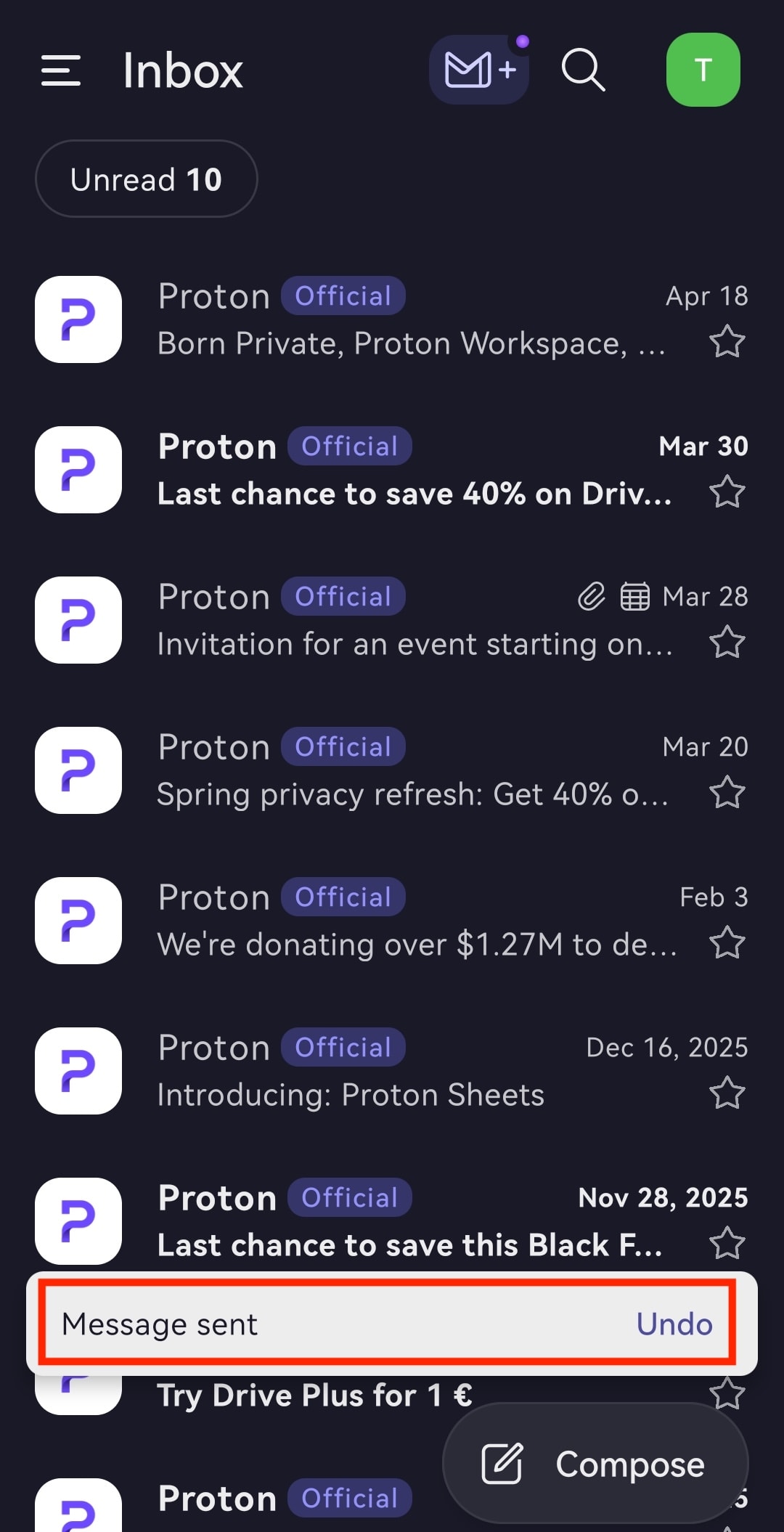
Para recuperar su mensaje durante este tiempo, haga clic en Deshacer. Su mensaje se devolverá a la carpeta Borradores, donde podrá editarlo o eliminarlo.