
Hoe u de Proton Drive-integratie in Lumo gebruikt
- Lezen
- 2 min
- Categorie
- Lumo AI
Lumo kan bestanden die u uploadt begrijpen, waardoor u de gedeelde bestanden kunt samenvatten of bespreken.
Proton Drive is geïntegreerd in Lumo, zodat u eenvoudig uw opgeslagen bestanden kunt toevoegen aan of verwijderen uit het werkgeheugen van Lumo voor elke chat, bekend als de kennisbank.
Waarom een kennisbank gebruiken? In lange gesprekken kan Lumo informatie “vergeten” die u eerder in het gesprek hebt gedeeld. Met de kennisbank kunt u informatie opgeven die Lumo moet onthouden.
- Proton Drive-bestanden toevoegen aan een chat
- Proton Drive-bestanden toevoegen aan Projecten
- Veelgestelde vragen
Proton Drive-bestanden toevoegen aan een chat
- Open de Lumo web-app(nieuw venster) of de mobiele app voor Android(nieuw venster) of iOS(nieuw venster).
- Log in op uw Proton Account als u dat nog niet hebt gedaan.
- Start een chat met Lumo.
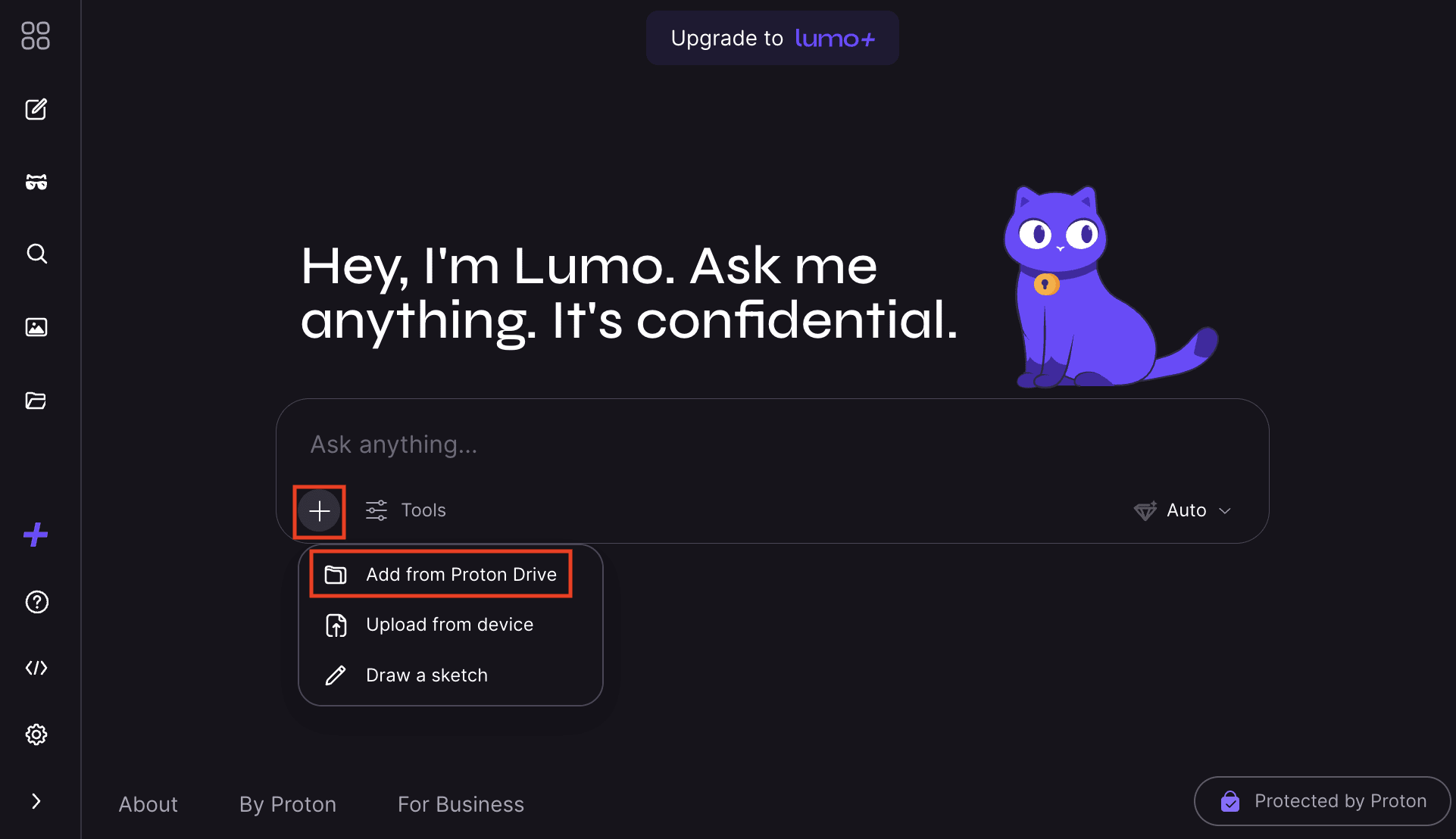
- Klik op + en selecteer Toevoegen vanuit Proton Drive.
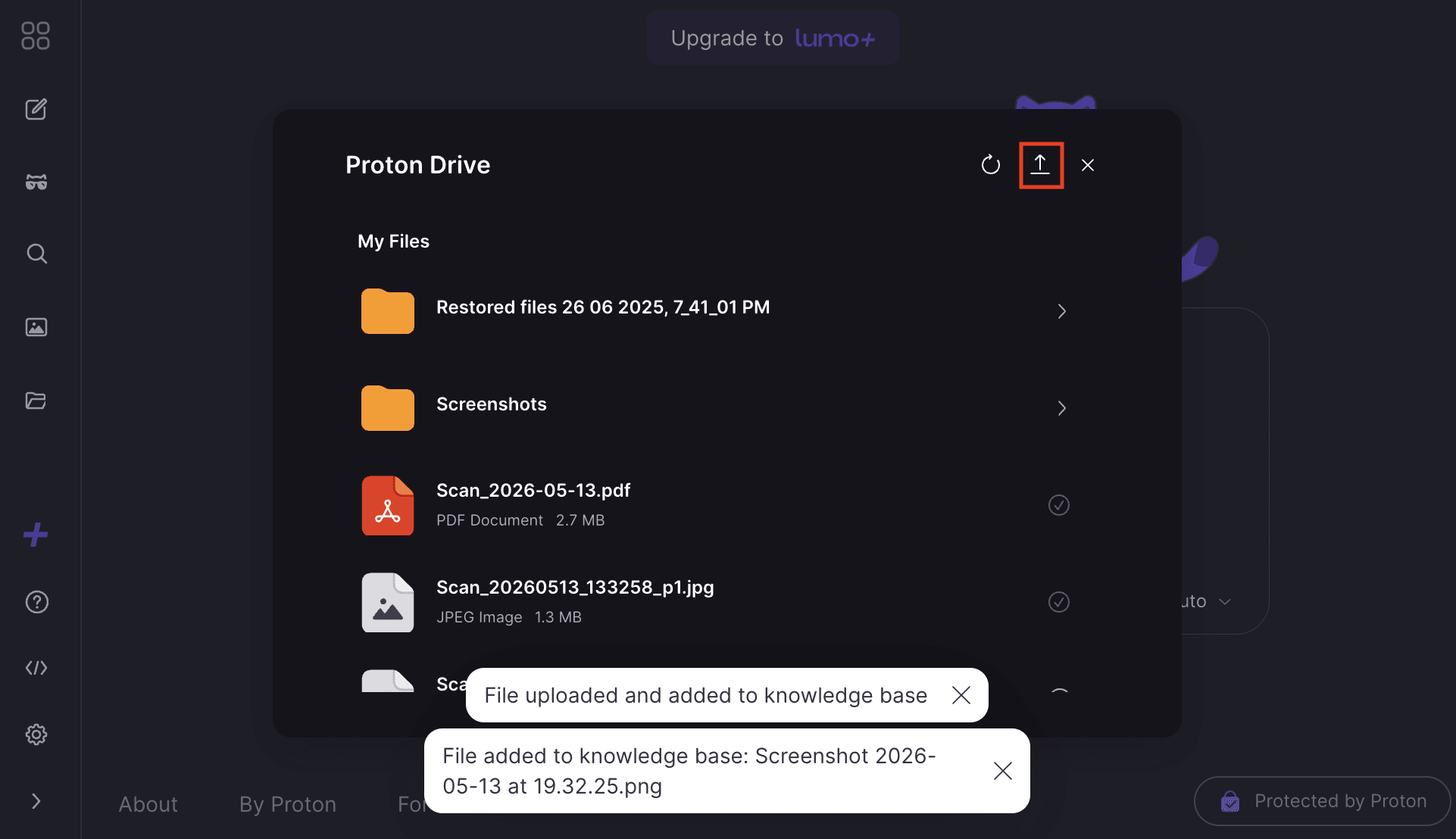
- Alle ondersteunde Proton Drive-bestanden worden geladen. Klik op ⊕ naast elk bestand dat u wilt toevoegen aan de kennisbank.

- Om bestanden vanaf uw lokale apparaat naar Proton Drive te uploaden, klikt u op ⬆ en selecteert u één of meer bestanden. Deze worden automatisch toegevoegd aan de kennisbank.
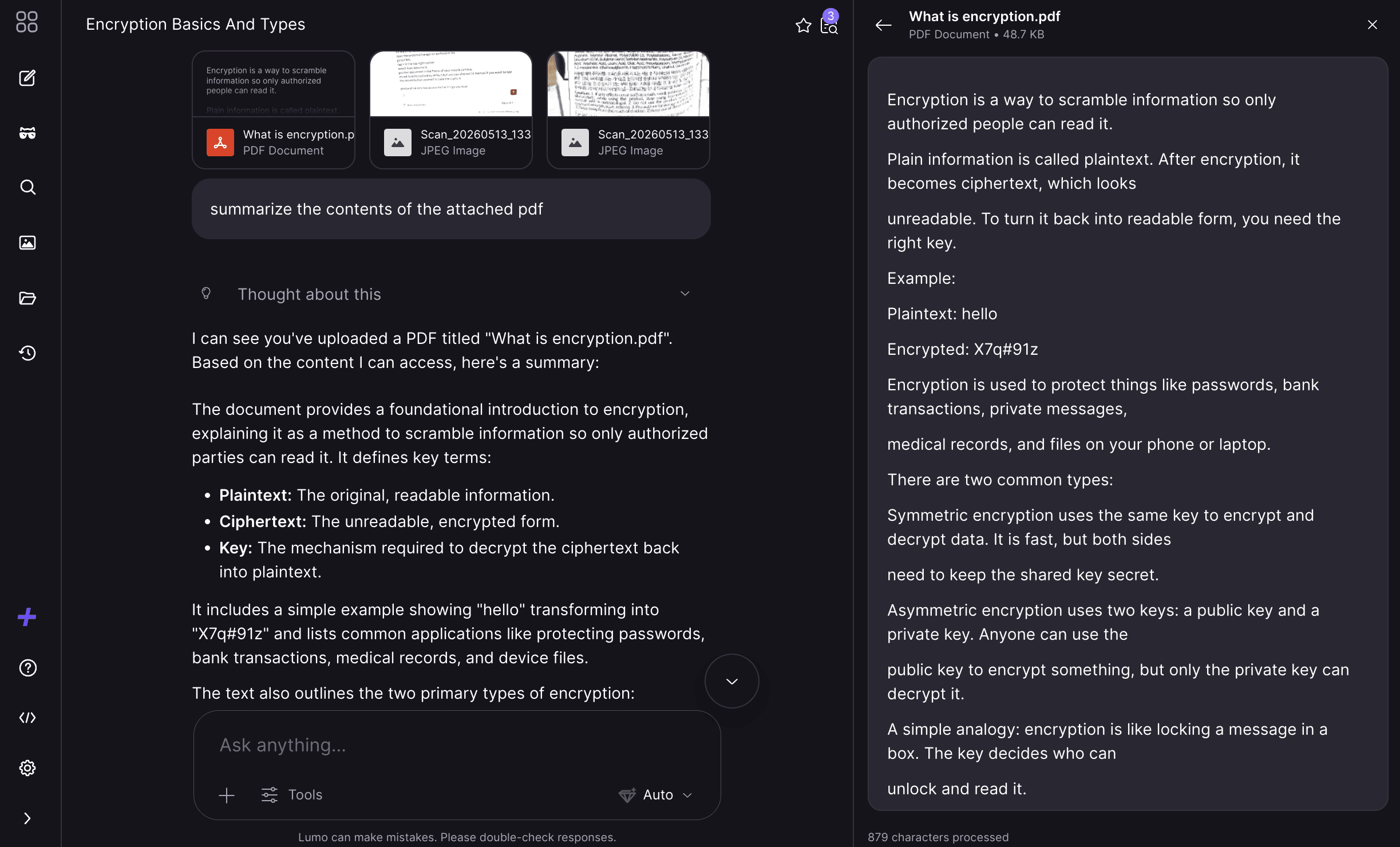
Wanneer u een gesprek voert met Lumo, kunt u vragen om te verwijzen naar informatie uit de bestanden in de kennisbank.
Proton Drive-bestanden toevoegen aan Projecten
U kunt ook Proton Drive-bestanden toevoegen aan Projecten en belangrijke context beschikbaar houden voor gerelateerde chats. Dit is handig wanneer u aan een langere taak werkt, een onderwerp onderzoekt of informatie beheert waarnaar Lumo consistent moet kunnen verwijzen binnen dat project.
Veelgestelde vragen
Het gebruik van de kennisbank is een manier om aan te passen wat Lumo ziet bij het genereren van een verzoek. In langere chats kunt u veel bestanden uploaden, waarvan sommige irrelevant worden naarmate u verder komt in het gesprek. Met de kennisbank-functie kunt u bepalen welke informatie Lumo moet onthouden.
Lumo werkt voorlopig met documenten, spreadsheets, code en PDF’s. Binnenkort zal het andere bestandstypen kunnen analyseren, waaronder Proton Docs en afbeeldingen.
U kunt bestanden toevoegen aan of verwijderen uit de kennisbank, afhankelijk van wat relevant is voor uw discussie. Dit helpt Lumo sneller te werken en gefocust te blijven. Als u meer ruimte nodig hebt dan het Free plan biedt, upgrade dan naar Lumo Plus.
Nee. Lumo ziet alleen bestanden die u indient in een query en verwijdert deze onmiddellijk na het verwerken van een antwoord.