
So überprüfst du den Verschlüsselungsstatus anhand von Schloss-Symbolen
- Lesen
- 4 Min.
- Kategorien
- E-Mails erhalten und lesen
- E-Mails verfassen und senden
Alle Nachrichten in Proton Mail sind mit einem Schloss-Symbol gekennzeichnet, das dir ihren Verschlüsselungsstatus anzeigt. In diesem Artikel erklären wir, was sie bedeuten.
Ein Schloss-Symbol wird neben jeder E-Mail in deinem Posteingang und in benutzerdefinierten Ordnern angezeigt.
Der Verschlüsselungsstatus von gesendeten und empfangenen E-Mails zeigt dir, wie die Nachricht beim Senden verschlüsselt wurde, und kann nicht geändert werden.

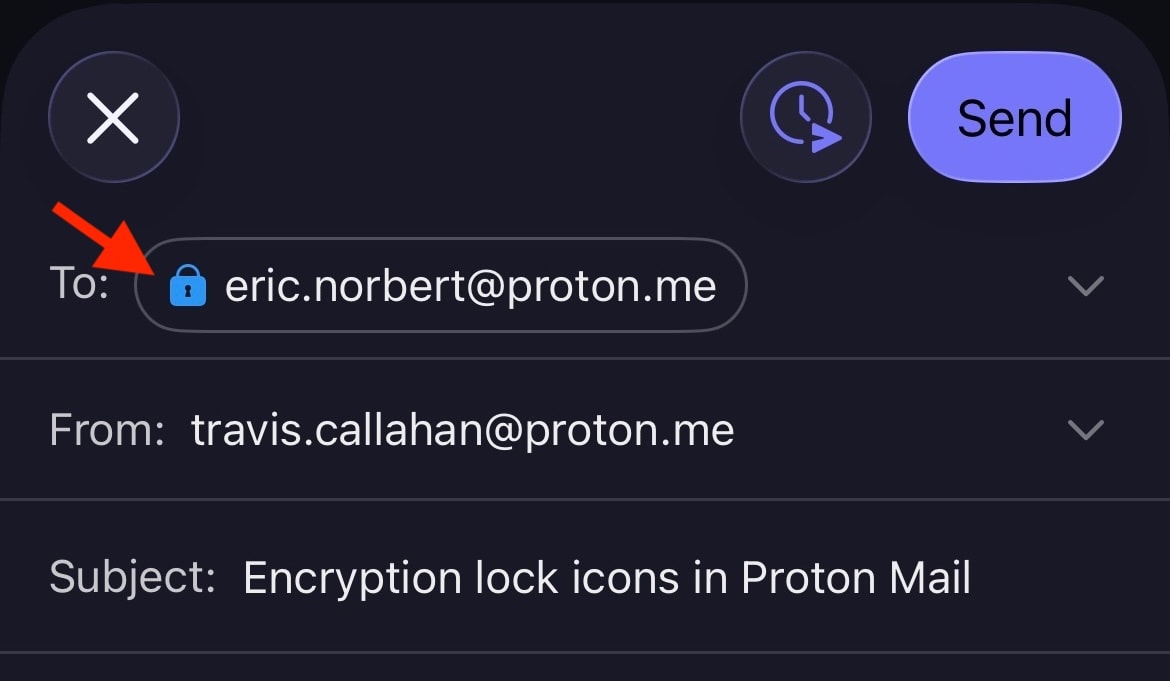
Schloss-Symbole werden auch im Verfassen-Fenster angezeigt und können sich ändern, je nachdem, wie die E-Mail gesendet wird. Wenn du zum Beispiel E-Mails außerhalb von Proton mit einem Passwort schützt, ändert sich das Schloss von Schwarz (oder Grün (offen), wenn eine PGP-Signatur angehängt ist) zu Blau.

Das Verschlüsselungsschloss-Symbol wird auch in den mobilen Apps von Proton Mail für Android und iOS angezeigt.
Bedeutung der Schloss-Symbole
Der wichtigste Indikator für den Verschlüsselungsstatus einer Nachricht ist die Farbe des Schloss-Symbols. Zusätzliche Informationen liefert ein kleines Symbol im Inneren des Schlosses. Bitte beachte, dass die Verschlüsselung nur für Nachrichteninhalte und Anhänge gilt. E-Mail-Kopfzeilen und Metadaten werden nicht verschlüsselt, damit Proton Mail mit PGP interoperabel sein kann.
Schwarzes Schloss
Ein schwarzes Schloss bedeutet, dass eine Nachricht mit Zero-Access-Verschlüsselung gespeichert ist. Das bedeutet, dass außer dir niemand diese E-Mail in deinem Postfach lesen kann. Nicht einmal Proton Mail kann diese Nachricht entschlüsseln. Eine Kopie dieser E-Mail kann jedoch unsicher auf dem Mailserver des Absenders oder Empfängers gespeichert sein.
 (neues Fenster) (neues Fenster) | Standard — The email is safely stored on Proton Mail’s servers using zero-access encryption. We never have access to your message contents. |
Blaues Schloss
Du siehst ein blaues Schloss bei E-Mails, die zwischen E-Mail-Adressen von Proton Mail gesendet werden. Diese Nachrichten werden mit Zero-Access-Verschlüsselung gespeichert, verfügen aber außerdem über eine automatische Ende-zu-Ende-Verschlüsselung (E2EE) für eine zusätzliche Sicherheitsstufe.
Das bedeutet, dass die Nachrichten vom Absender auf seinem Gerät verschlüsselt wurden und nur vom vorgesehenen Empfänger auf seinem Gerät entschlüsselt werden können. Niemand sonst, auch nicht Proton Mail, kann auf E2EE-Nachrichten zugreifen.
 | Standard — End-to-end encrypted message |
 | Checkmark — End-to-end encrypted message with verified recipient/sender. This lock is used for the contacts for whom you enabled the optional Address Verification feature. Address verification and end-to-end encryption allow for a much higher level of security than just E2EE alone. |
 | Warning — This lock can appear if you enabled the optional Address Verification feature. It means the message could not be verified using the sender’s trusted key. Contact the sender to confirm the authenticity of the message. It can also mean that the contact’s key or signature is insecure. In this case, please ask them to update their key or software. |
Hier sind einige Beispiele für Gründe, aus denen eine Warnung angezeigt werden kann:
- Die Verwendung eines unsicheren Schlüssels (zum Beispiel ein RSA-1024-Schlüssel oder ein mit SHA1 authentifizierter Schlüssel)
- Der Absender hat seinen Schlüssel geändert und die E-Mail mit einem neuen Schlüssel signiert, dem du noch nicht vertraust
- Du hast dein Passwort zurückgesetzt und die Kontaktsignatur (die den vertrauenswürdigen Schlüssel enthält) konnte nicht verifiziert werden
Grünes Schloss (geschlossen)
Proton Mail ist mit PGP kompatibel, sodass du E2EE-E-Mails mit Personen senden und empfangen kannst, die Proton Mail nicht nutzen. Nachrichten an Personen, die PGP korrekt eingerichtet haben, werden Ende-zu-Ende-verschlüsselt und zeigen ein geschlossenes grünes Schloss. Dies gilt auch für Personen, die WKD-Schlüssel verwenden.
 | Standard – PGP end-to-end encrypted message |
 | Pencil — PGP end-to-end encrypted and signed message. A PGP signature guarantees that the sender is genuine and that the message hasn’t been tampered with. |
 | Checkmark — PGP end-to-end encrypted message with verified recipient/sender. This is the most secure way to email someone who doesn’t use Proton Mail. |
 |
Warning — PGP end-to-end encrypted message, but the sender’s email or key couldn’t be verified. If you see this warning, you may wish to contact the sender to confirm the authenticity of the message. It can also mean that the contact’s key or signature is insecure. In this case, please ask them to update their key or software. |
Grünes Schloss (offen)
Ein offenes grünes Schloss zeigt an, dass eine Nachricht nicht mit PGP Ende-zu-Ende-verschlüsselt, sondern digital mit einer PGP-Signatur signiert wurde. Diese E-Mails werden, wie alle E-Mails, mithilfe von Zero-Access-Verschlüsselung auf unseren Servern gespeichert.
 | Pencil — PGP-signed message. A PGP signature guarantees that the sender is genuine and that the message hasn’t been tampered with. |
 | Checkmark — PGP-signed message from a verified sender |
 | Warning — PGP-signed message, but the message could not be verified using the sender’s trusted key. If you see this warning, you may wish to contact the sender to confirm the authenticity of the message. It can also mean that the contact’s key or signature is insecure. In this case, please ask them to update their key or software. |