
Cómo usar el editor y las herramientas de formato de correo electrónico
- Lectura
- 3 min
- Categorías
- Configuración de Proton Mail
- Redacta y envía correos electrónicos
Cuando haces clic en Nuevo mensaje en la página de inicio de Proton Mail , aparecerá una ventana del editor en la esquina inferior derecha de tu navegador.
Aquí es donde escribes nuevos mensajes de correo electrónico.
En este artículo, te mostramos cómo configurar el editor y cómo utilizar sus herramientas de formato de texto. Más información sobre cómo enviar mensajes en Proton Mail
- Tamaño de la ventana
- Formato de texto (fuente, tamaño de texto)
- Modo de derecha a izquierda
- Modo de texto plano
Tamaño de la ventana
Por defecto, el editor se abre en una ventana pequeña. Esto te permite desplazarte por tu bandeja de entrada mientras redactas tu mensaje.
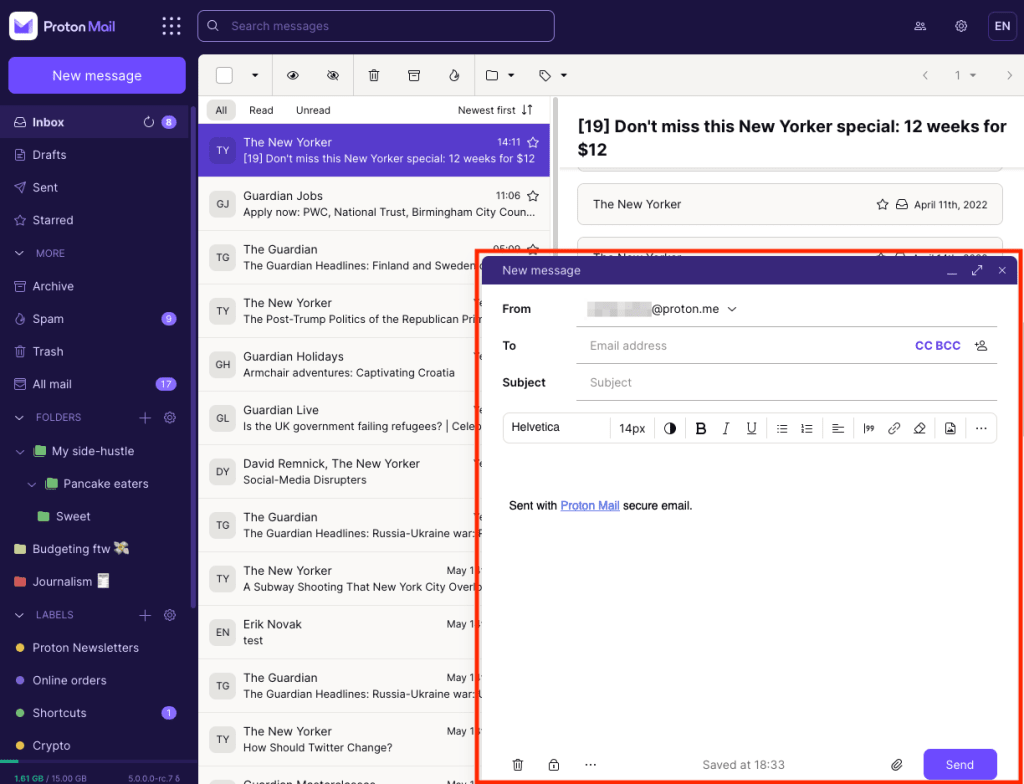
Cambiar el tamaño de la ventana
Para maximizar la ventana del editor, haz clic en el icono de las dos flechas en la esquina superior derecha del editor, o utiliza el atajo Ctrl+Shift+M.
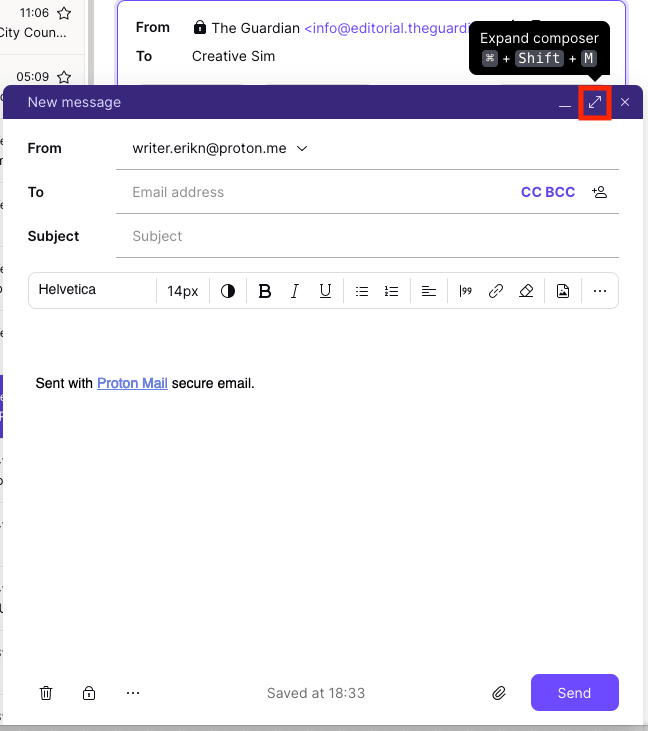
Para volver a la ventana normal, haz clic de nuevo en el icono de las dos flechas, o utiliza el mismo atajo de teclado (Ctrl+Shift+M).

Cambiar el tamaño de ventana por defecto
- Abre tus ajustes de cuenta (Configuración → Todos los ajustes).
- Selecciona Mensajes y redacción desde la barra lateral (bajo Proton Mail).
- Desplázate hasta Disposición y haz clic en Editor.
- Selecciona Normal para la ventana más pequeña, o Maximizado para la ventana de tamaño completo.

Formato de texto
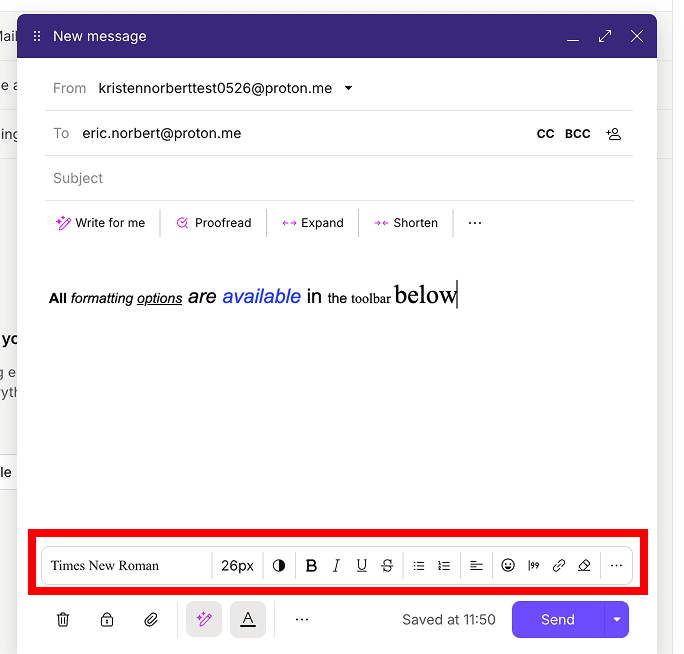
La barra de herramientas de formato se encuentra en la parte inferior del editor. Aquí puedes:
- Cambiar la fuente, el tamaño del texto y el color
- Aplicar negrita, cursiva, subrayado y tachado
- Añadir listas con viñetas, listas numeradas, citas y más
Establecer la fuente y el tamaño de texto por defecto
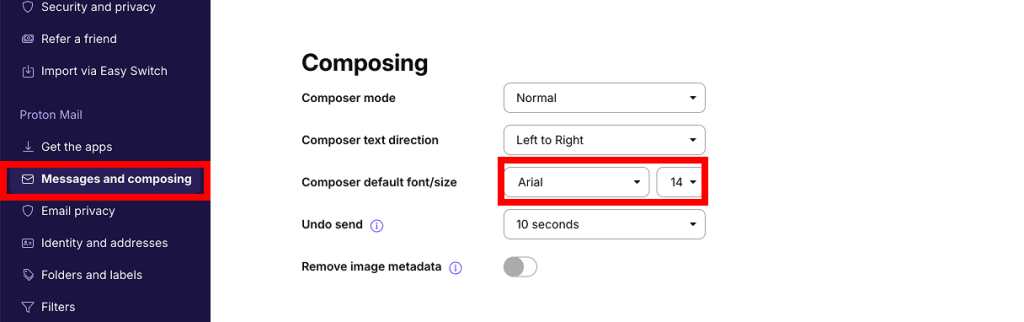
- Abre tus ajustes de cuenta (Configuración → Todos los ajustes).
- Selecciona Mensajes y redacción desde la barra lateral (bajo Proton Mail).
- Desplázate hasta Redacción y ajusta la Fuente y tamaño predeterminados del editor según tu preferencia.
Modo de derecha a izquierda
Si quieres escribir un correo electrónico en un idioma de derecha a izquierda, puedes activar esta opción en el editor.
1. Abre el editor de correo electrónico. Haz clic en el botón de tres puntos (…) en la barra de herramientas de formato y marca Derecha a Izquierda.

- Para escribir en modo de derecha a izquierda, debes tener instalado y activado un idioma que utilice este sentido de escritura en tu sistema operativo.
- El modo de derecha a izquierda no es compatible con el modo de texto plano.
Establecer el modo de derecha a izquierda por defecto
- Abre tus ajustes de cuenta (Configuración → Todos los ajustes).
- Selecciona Mensajes y redacción desde la barra lateral (bajo Proton Mail).
- Desplázate hasta Redacción. Establece la Dirección del texto del editor en Derecha a Izquierda.

Modo de texto plano
También puedes escribir en modo de texto plano, lo cual elimina todas las opciones de formato del editor.
Activar el modo de texto plano
1. Abre el editor de correo electrónico. Haz clic en el botón de tres puntos (…) en la barra de herramientas inferior.
2. Marca Texto plano.
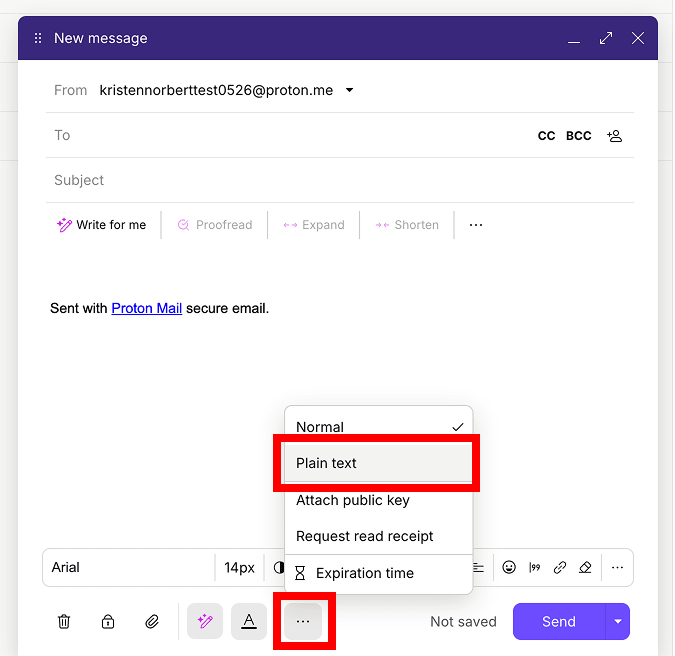
Para desactivar el modo de texto plano, haz clic en el botón de los tres puntos (…) de nuevo y selecciona Texto enriquecido.
Establecer el modo de texto plano por defecto
- Abre tus ajustes de cuenta (Configuración → Todos los ajustes).
- Selecciona Mensajes y redacción desde la barra lateral (bajo Proton Mail).
- Desplázate hasta Redacción. Establece el Modo de redacción en Texto plano.
