
如何使用锁图标查看加密当前状态
- 阅读
- 2 分钟
- 类别
- 撰写和发送电子邮件
- 接收和阅读电子邮件
Proton Mail 中的全部消息都带有指示其加密当前状态的锁图标。本文将解释这些图标的含义。
收件箱和自定义文件夹中的每封电子邮件旁边都会显示锁图标。
已发送和已接收电子邮件的加密当前状态会显示消息发送时的加密方式,且无法更改。

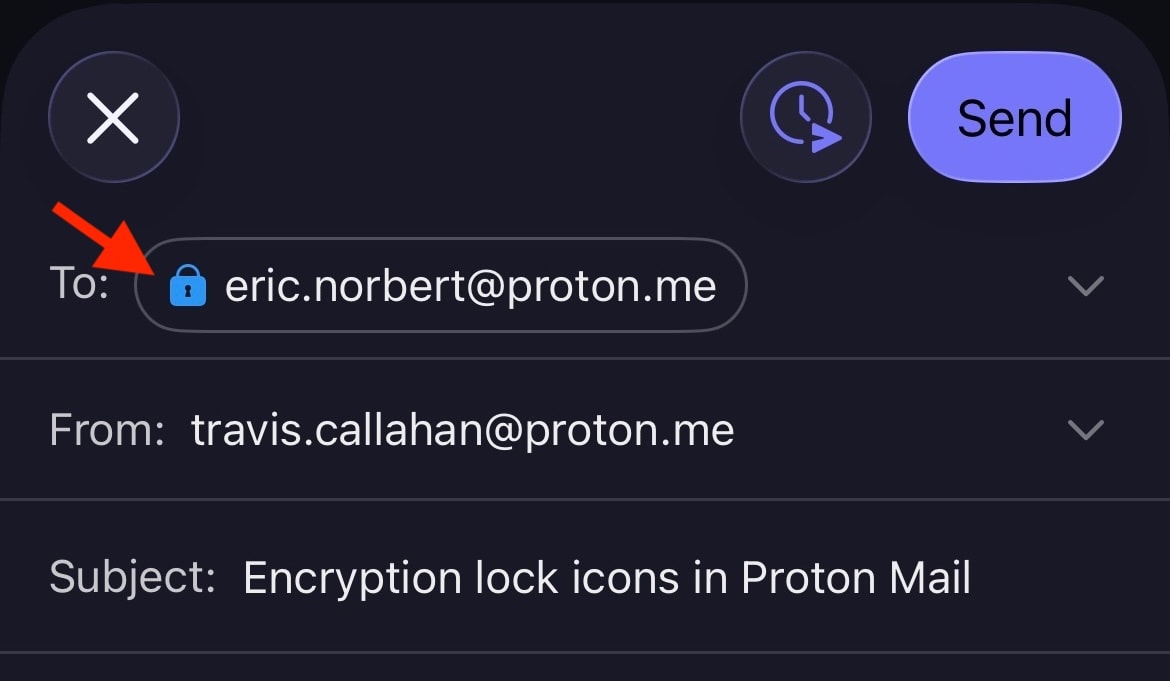
编写器窗口中也会显示锁图标,并且可能会随电子邮件的发送方式而变化。例如,如果您对发送到 Proton 之外的电子邮件进行密码保护,锁图标将从黑色(如果附加了 PGP 签名,则为 绿色(打开))更改为蓝色。

Proton Mail 的 Android 和 iOS 移动应用中也会显示加密锁图标。
锁图标的含义
消息加密当前状态的主要指示标志是锁图标的颜色。锁内的小符号可提供额外信息。请注意,加密仅适用于消息内容和附件。消息标题和元数据未加密,以便 Proton Mail 可以与 PGP 互操作。
黑色锁
黑色锁表示消息以零访问加密方式存储。这意味着除您之外,任何人都无法在您的邮箱中阅读这封电子邮件。即使是 Proton Mail 也无法解密此消息。不过,这封电子邮件的副本可能会以不安全的方式存储在发件人或收件人的电子邮件服务器上。
 (新窗口) (新窗口) | Standard — The email is safely stored on Proton Mail’s servers using zero-access encryption. We never have access to your message contents. |
蓝色锁
在 Proton Mail 电子邮件地址之间发送的电子邮件上,您会看到蓝色 锁。这些消息以零访问加密方式存储,同时还具有自动端到端加密(E2EE)功能,可提供额外一层安全保护。
这意味着消息已由发件人在其设备上加密,且只能由目标收件人在其设备上解密。包括 Proton Mail 在内,任何其他人都无法访问 E2EE 消息。
 | Standard — End-to-end encrypted message |
 | Checkmark — End-to-end encrypted message with verified recipient/sender. This lock is used for the contacts for whom you enabled the optional Address Verification feature. Address verification and end-to-end encryption allow for a much higher level of security than just E2EE alone. |
 | Warning — This lock can appear if you enabled the optional Address Verification feature. It means the message could not be verified using the sender’s trusted key. Contact the sender to confirm the authenticity of the message. It can also mean that the contact’s key or signature is insecure. In this case, please ask them to update their key or software. |
以下是一些可能导致显示警告的情况示例:
- 使用不安全的密钥(例如,RSA-1024 密钥或使用 SHA1 验证身份的密钥)
- 发件人更改了其密钥,并使用您尚未信任的新密钥对电子邮件进行了签名
- 您重置了密码,导致联系人签名(包含已信任的密钥)无法通过验证
绿色锁(闭合)
Proton Mail 可与 PGP 互操作,让您能够与不使用 Proton Mail 的人发送和接收 E2EE 电子邮件。发送给已正确设置 PGP 的人的消息将进行端到端加密,并显示闭合的绿色 锁。这包括使用 WKD 密钥的人。
 | Standard – PGP end-to-end encrypted message |
 | Pencil — PGP end-to-end encrypted and signed message. A PGP signature guarantees that the sender is genuine and that the message hasn’t been tampered with. |
 | Checkmark — PGP end-to-end encrypted message with verified recipient/sender. This is the most secure way to email someone who doesn’t use Proton Mail. |
 |
Warning — PGP end-to-end encrypted message, but the sender’s email or key couldn’t be verified. If you see this warning, you may wish to contact the sender to confirm the authenticity of the message. It can also mean that the contact’s key or signature is insecure. In this case, please ask them to update their key or software. |
绿色锁(打开)
打开的绿色 锁表示消息未使用 PGP 进行端到端加密,但已使用 PGP 签名进行数字签名。与全部电子邮件一样,这些电子邮件以零访问加密方式存储在我们的服务器上。
 | Pencil — PGP-signed message. A PGP signature guarantees that the sender is genuine and that the message hasn’t been tampered with. |
 | Checkmark — PGP-signed message from a verified sender |
 | Warning — PGP-signed message, but the message could not be verified using the sender’s trusted key. If you see this warning, you may wish to contact the sender to confirm the authenticity of the message. It can also mean that the contact’s key or signature is insecure. In this case, please ask them to update their key or software. |