
Comment ajouter un lien Proton Meet à un événement Proton Calendar
- Lecture
- 2 minutes
- Catégories
- Gérer les événements
- Paramètres de Proton Calendar
- Proton Calendar
Proton Meet est une application de visioconférence privée qui vous permet de créer des salons de réunion sécurisés, d’héberger et de rejoindre des appels vidéo, et de discuter par chat avec les participants. Vous pouvez facilement planifier un appel Proton Meet directement depuis Proton Calendar en générant un lien de réunion chiffré de bout en bout — ce qui signifie que seuls vous et vos participants pouvez accéder au contenu de la réunion, et que même Proton ne peut ni le lire ni l’écouter.
Contrairement aux applications de visioconférence tierces comme Zoom, aucune inscription ni configuration supplémentaire n’est requise. Tout est associé en toute sécurité à votre compte Proton, ce qui rend la planification plus rapide, plus simple et plus sûre.
- Ajouter un lien Proton Meet à un événement
- Ajouter automatiquement des liens Proton Meet aux événements
Ajouter un lien Proton Meet à un événement
- Rendez-vous sur calendar.proton.me(nouvelle fenêtre).
- Sélectionnez Nouvel événement.

- Cliquez sur Ajouter une conférence Proton Meet. Cela ajoute automatiquement un lien sécurisé et chiffré de bout en bout à votre invitation. Vous pouvez également cliquer sur Plus d’informations pour copier le lien de la réunion et le partager directement.
- Saisissez les autres informations de l’événement et cliquez sur Enregistrer.
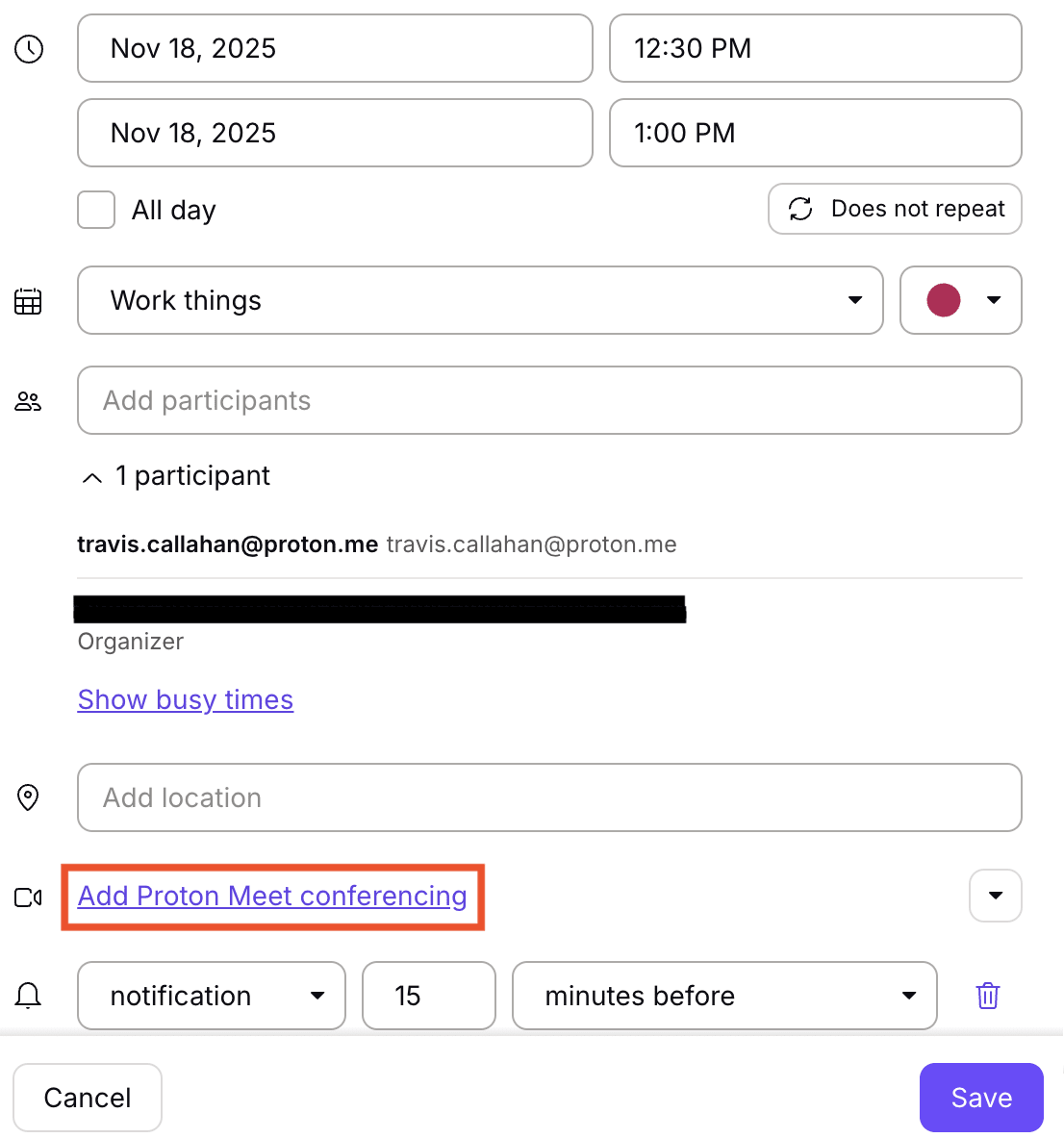
Votre réunion sera synchronisée sur toutes vos applications Proton Calendar.
Les participants pourront rejoindre la réunion depuis une invitation Proton Calendar en cliquant sur Rejoindre avec Proton Meet.
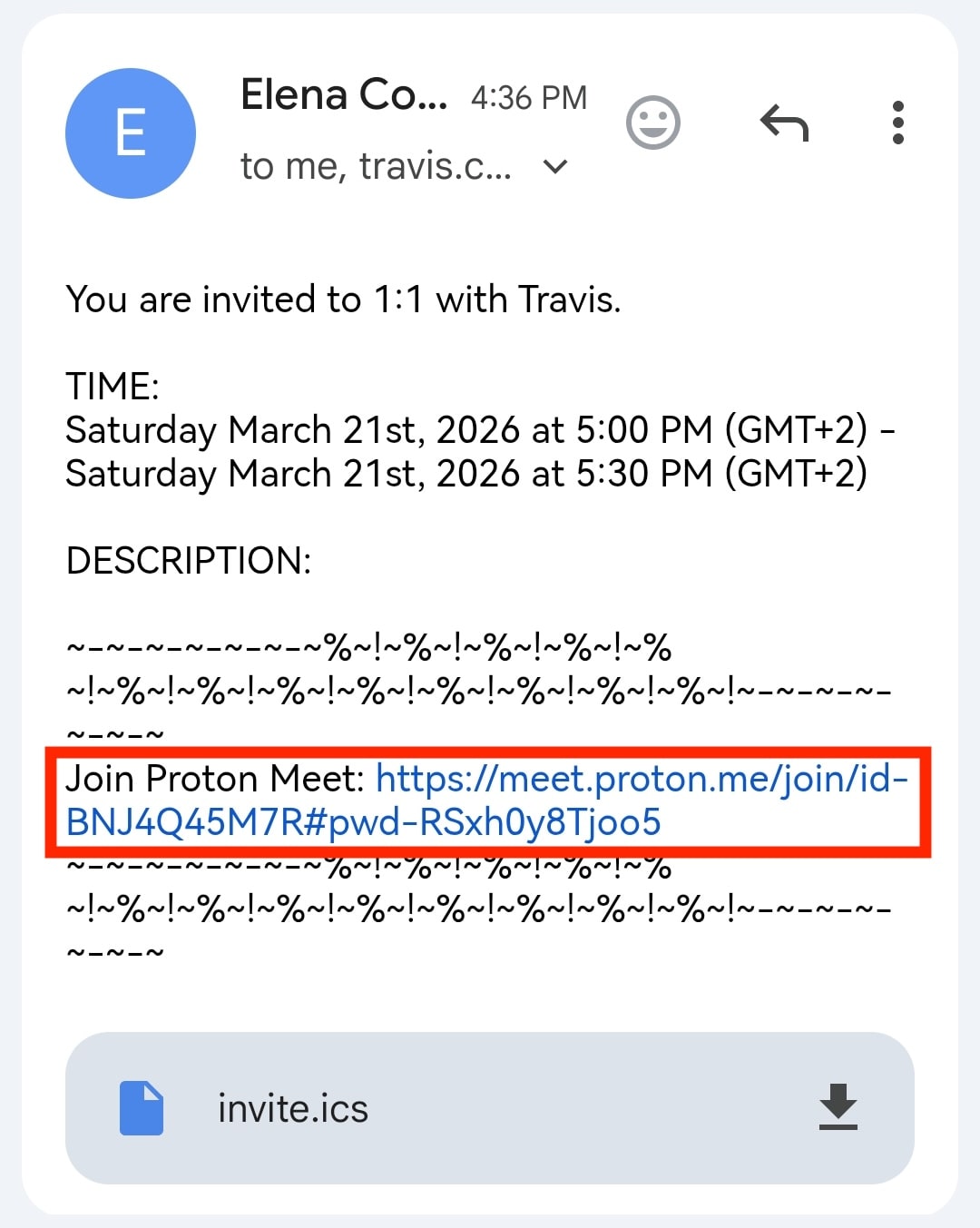
Il est également possible de rejoindre des appels Proton Meet sans compte Proton si les invitations par e-mail ont été envoyées à des adresses e-mail non-Proton.

Ajouter automatiquement des liens Proton Meet aux événements
Vous pouvez également configurer Proton Calendar pour qu’il ajoute automatiquement un lien Proton Meet aux événements qui incluent au moins un invité.
- Rendez-vous sur calendar.proton.me(nouvelle fenêtre).
- Ouvrez les Paramètres → Tous les paramètres.
- Dans la section Calendrier, sélectionnez Général.
- Dans Invitations, activez Ajouter automatiquement les liens Meet.
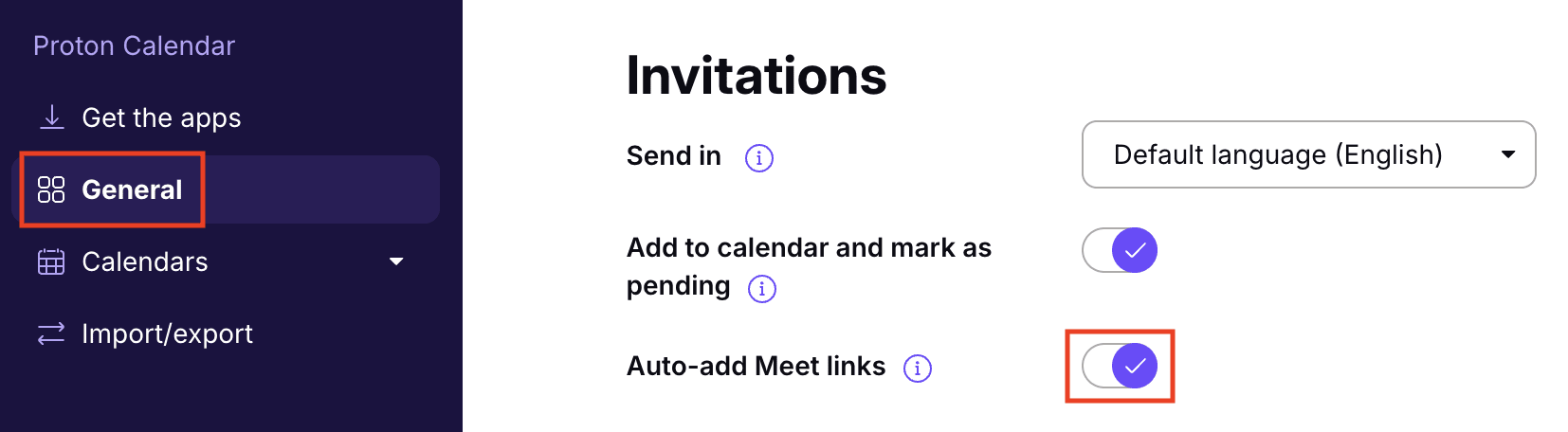
Lorsque ce paramètre est activé, Proton Calendar ajoutera automatiquement un lien Proton Meet à tout nouvel événement qui compte au moins un invité.
Vous découvrez Proton Calendar ? Consultez notre guide pour les nouveaux utilisateurs du calendrier.
Si vous découvrez notre application de visioconférence, consultez notre guide pour bien débuter avec Proton Meet.