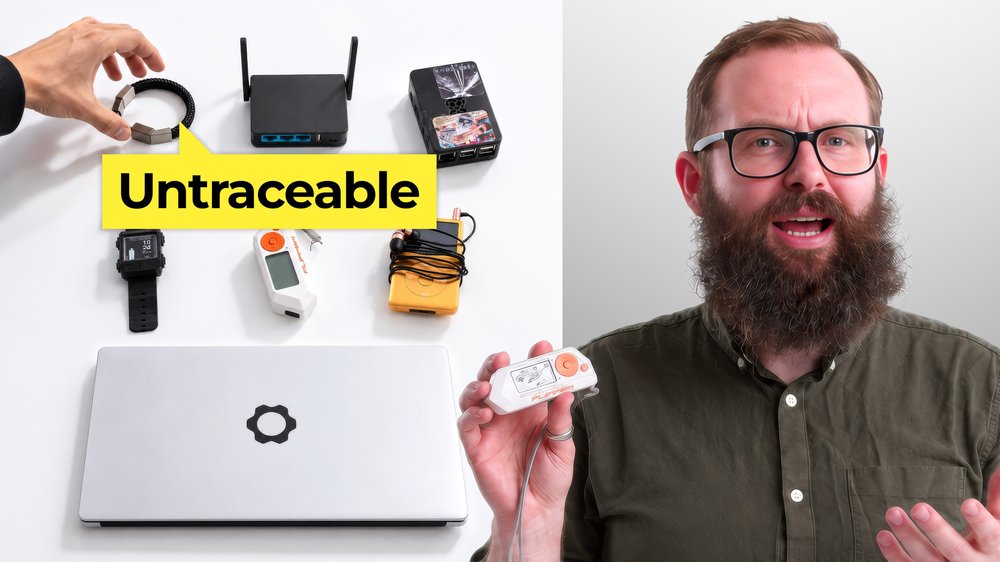
A hacker does not always need sophisticated malware or a complicated exploit. Sometimes the hardware is the trick.
An ordinary looking USB cable can hide electronics. An HDMI device can capture what is on a screen. A small box can imitate a Wi-Fi network, while another can pretend to be a keyboard and send commands faster than a person could.
These tools have legitimate uses in security testing and research. They also show why cybersecurity is not only about passwords and software. Physical access, wireless networks, and the devices we connect to our computers can create opportunities for an attacker.
Here are some of the tools that illustrate those risks, along with practical ways to reduce your exposure.
O.MG cables can hide a second purpose
An O.MG Cable looks like an ordinary USB cable. Hidden inside, however, is hardware that gives it capabilities a normal cable does not have.
A modified cable can target a computer while the person using it thinks they have connected a normal accessory. However, a tiny Wi-Fi chip in the plug can receive a signal and activate the cable, after which it can present itself as a keyboard and send commands.
The hardware can also record what a person types and sends that information back to a bad actor over Wi-Fi. That could include passwords, messages, or other sensitive information. Security researchers have documented similar attacks(new window) using seemingly ordinary USB charging cables.
The risk is easy to overlook because the cable looks familiar. You may borrow one at an airport, office, or hotel without thinking twice. A USB data blocker can allow power through for charging while blocking data transfer.
Fake Wi-Fi networks can look completely real
The WiFi Pineapple is designed for wireless network auditing, but it also demonstrates a problem with public Wi-Fi(new window): a network name does not prove that the network is trustworthy.
Imagine staying at a hotel called Proton Hotel and connecting to a network innocuously named “PROTON HOTEL GUEST WIFI.” The name looks convincing, so you connect. However, it could very well be that an attacker has created the network and designed it to resemble a legitimate one.
If your connection passes through infrastructure controlled by this attacker, they may be able to place themselves between you and the real network and attempt to observe or manipulate traffic that is not otherwise protected.
Treat unfamiliar networks with caution and use additional protection when connecting to them. A VPN(new window) can help protect your traffic when the network itself cannot be trusted.
Hardware keyloggers record what you type
A hardware keylogger(new window) can sit between a keyboard and a computer, recording keystrokes without requiring software to be installed.
The keyboard can continue working normally, which makes the device easy to overlook. If someone types a password, message, email, payment information, or anything else through the keyboard, a keylogger may be able to capture it.
These devices are small enough to look like ordinary computer hardware. If you found one attached to the back of a computer, you might assume it was installed by IT.
Check what is physically connected to your computer from time to time. An unfamiliar adapter or device deserves a closer look.
Flipper Zero can test many wireless systems
Flipper Zero is a portable multi-tool that can work with several types of wireless technology(new window). Depending on the system, it can read, store, clone, or emulate signals used by RFID and NFC devices, infrared remotes, sub-GHz radios, and some Bluetooth devices. That makes it useful for security research. It also highlights how much older wireless technology can reveal.
Whether an attack works depends on the target. Newer car key fobs and access systems may use encryption and rolling codes designed to prevent replay or cloning. Older or poorly protected systems can be more exposed.
Replace outdated hardware where practical, especially when newer versions offer stronger security. Turning off Bluetooth when you are not using it can also reduce unnecessary wireless exposure.
A USB Rubber Ducky can type for an attacker
The USB Rubber Ducky looks like a normal USB drive, but a computer can recognize it as a keyboard. That lets it send a programmed sequence of keystrokes at high speed. To clarify, while a hardware keylogger records what you type, a Rubber Ducky can do the typing itself.
A device treated as a keyboard may be able to open a command window and execute actions with the privileges available to the logged-in user. Depending on the computer and payload, that could include downloading malicious software(new window) or accessing information stored on the machine. (new window)
The attack can happen quickly, so an unknown USB device should never be treated as a free storage drive. If you find a mystery USB stick, leave it alone.
HDMI capture devices can watch your screen
A Screen Crab is designed to sit between a device and its display over HDMI. The display can continue working normally while a capture device records what is being shown. A computer might display emails, documents, financial information, or passwords. A meeting room could show confidential presentations or internal documents.
Check the connections behind your computer, monitor, and shared AV equipment. An unfamiliar HDMI adapter deserves attention. In higher-security environments, physical port locks and tamper seals can make unauthorized devices harder to insert unnoticed.
RFID tools can target older access systems
Many offices, hotels, and other buildings use RFID or NFC cards and key fobs for access. RFID readers and writers can examine certain cards and tags and, with older or weaker systems, may potentially copy information needed to imitate them.
That does not mean every access badge can simply be copied. RFID covers many technologies, and newer systems can include protections designed to prevent this type of attack.
An RFID-blocking sleeve or wallet can prevent a compatible card from being read while stored. It also helps to avoid leaving an access badge unattended or visible when it is not being used.
The Bash Bunny can impersonate USB devices
The Bash Bunny can be configured to present itself to a computer as different types of USB hardware(new window).
A computer has to determine what a connected device actually is. You may think you have plugged in a flash drive, keyboard, or cable, but the computer identifies the device based on what it reports itself to be. That is the weakness these devices can exploit. A configured Bash Bunny can behave differently depending on the target and intended task.
The simplest defense remains one of the most effective: do not connect unfamiliar USB devices to your computer. A device that looks harmless can behave very differently from what its appearance suggests.
The simplest security advice still matters
The tools in this list vary widely. Some are designed for security testing, while others can be used in attacks. What they have in common is that they take advantage of trust in a cable, USB device, Wi-Fi network, badge, or connection that looks ordinary.
You cannot eliminate every physical or wireless risk. You can, however, make it harder for an attacker to take advantage of the things your devices are designed to trust.
Sometimes that starts with a simple question: Do you actually know what you just plugged in?