
Change your Proton password
- Reading
- 2 mins
- Categories
- Passwords
- Manage account
You can change your password in your account settings, as long as you know your current password.
| Lost your password? Learn how to reset your password |
How to change your password
- Sign in to account.proton.me and select a Proton service.
- Select Settings (⚙️) → All settings.

- Select Account and password from the left sidebar, then click on the pencil button, as shown on the screenshot.

- Enter your current password and click Authenticate.

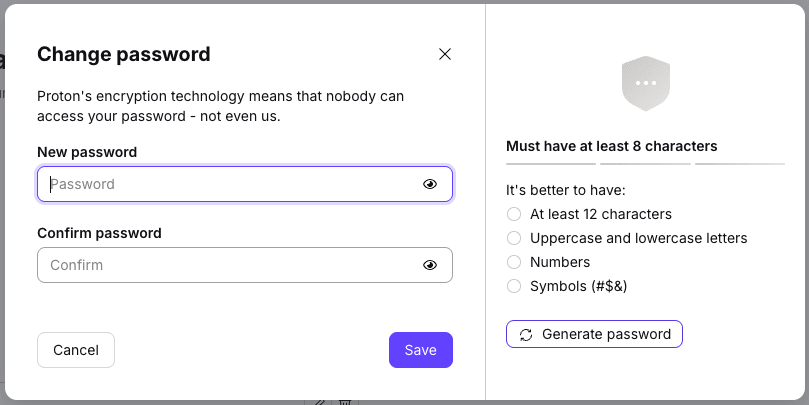
- Enter your new password in the New password and Confirm password fields. Alternatively, click Generate password to have Proton create a secure password for you.
Tips:
- Your password must be at least 8 characters long. For better security, use at least 12 characters with a mix of uppercase letters, lowercase letters, numbers, and symbols.
- Type your password rather than pasting it to avoid copy/paste errors.
- Click the eye (view password) icon to check your password is correct before saving it.
- Consider setting a memorable passphrase using our online passphrase generator or our free secure password manager.
6. Click Save to update your password.

Your password has been changed.