Proton Passでの共有は、設計上柔軟です。単一のアイテムを共有する必要がある場合でも、保管庫全体を共有する必要がある場合でも、あるいは一時的または永続的なアクセスを許可する必要がある場合でも、Proton Passアカウントから安全に行うためのオプションが用意されています。本日、チームの共有をより詳細に制御し、コラボレーションを向上させるために、ビジネスプランにグループを導入します。
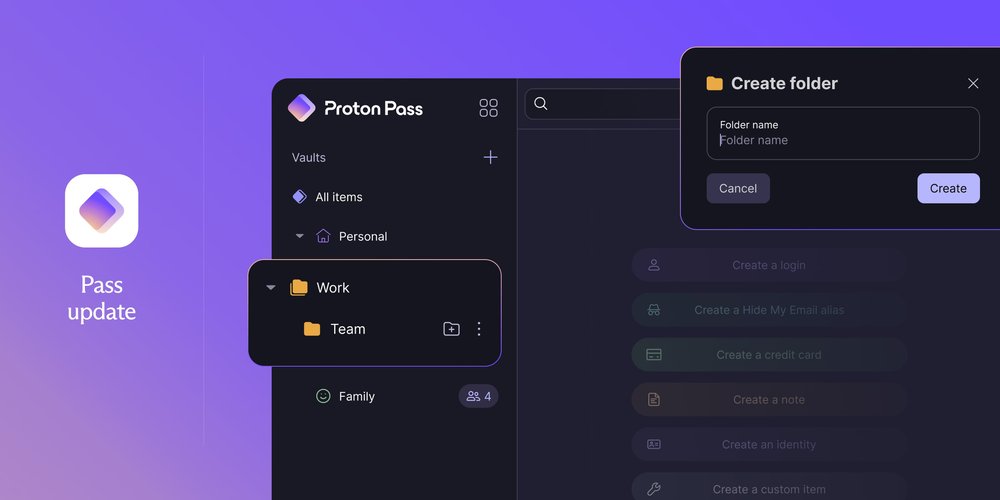
ほとんどの複数ユーザー向けProton Passプランの管理者は、チーム、部署、プロジェクトなど、カテゴリーごとにチームメンバーを整理するグループを作成できます。グループを作成したら、それらのグループを特定の保管庫やアイテムに割り当てることで、認証情報へのアクセスを制御できます。アイテムや保管庫を個別に共有する代わりに、グループ単位でアクセスが管理されるため、必要に応じて規模の拡大や縮小が容易になります。
グループは、Pass ProfessionalおよびVPNとPass Professionalのバンドルでご利用いただけます。
グループでできること
グループを使用すると、大規模なアクセス管理やアイテム・保管庫の共有が容易になります。ユーザーごとに1人ずつアクセス権を付与したり失効させたりする代わりに、グループを作成し、メンバーを追加して、すべてのメンバーに一度に権限を割り当てることができます。
管理者として、以下のことが可能です。
- チーム、部署、プロジェクト、または役割に基づいてユーザーをグループに整理することで、ビジネス内の構造を構築します。
- 個別に共有する代わりに、グループ単位で保管庫やアイテムへのアクセスを割り当てることで、時間を節約します。
- グループメンバーシップを通じてアクセスを一元管理することで、手作業を削減します。
- グループへのユーザーの追加や削除を行うことで、オンボーディングとオフボーディングを合理化します。
組織内で、チームメンバーは以下のことが可能です。
- アイテムを作成し、グループと直接共有することで、コラボレーションを容易にします。
- 複数のグループに所属し、割り当てられたすべてのグループから(アイテムや保管庫への)アクセス権を継承することで、仕事を完遂するために必要なツールやシステムへのアクセス権を追い求める時間を無駄にしません。
- 使用しているデバイスやプラットフォームに関係なく、所属するグループと共有されている最新のパスワードやデータに常にアクセスできます。
不要なアクセスをなくす
チームメンバーが必要なものだけにアクセスできるようにすることで、ビジネス内の機密データの保護が容易になります。
これは「最小権限の原則」として知られており、ゼロトラストセキュリティの中核的な原則の1つです。ゼロトラストとは、システムが誰のユーザー情報やアクセス権も決して想定せず、アクセスが試行されるたびに検証を行うというサイバーセキュリティの枠組みです。
財務記録や顧客の詳細情報などの機密データに関しては、アクセス権はアクセスが必要な人に厳密に制限される必要があります。そうしないと、内部脅威が増大します。2024年には、83%の企業(新しいウィンドウ)が、自社の従業員によって引き起こされた偶発的または悪意のあるデータ侵害を報告しています。アクセス権が必要な人に厳密に制限されるように注意を払い、元従業員のレガシーアカウントを定期的に削除していない場合、貴重なビジネスデータはリスクにさらされます。
グループを使用すると、ネットワーク内の誰が何にアクセスできるかを簡単に定義できます。ユーザー単位でアクセスを管理している場合、最小権限の原則に従って運用することは難しく、エラーが発生しやすくなります。しかし、グループ単位で運用することで、組織内のアクセス権をより明確に把握できるようになり、適切に構造化されたアクセス権をより簡単かつ迅速に適用できるようになります。
オンボーディングとオフボーディングを簡素化
新しいチームメンバーの導入は、機器の割り当てから、役割に必要なツールやシステムへのアクセスの確保まで、時間がかかり、エラーが発生しやすくなります。初日から適切なアクセス権が指定されていれば、チームメンバーはより早く仕事に取り掛かることができます。メンバーをグループに追加することは、ネットワーク内での役割と権限を設定するための最も効率的で信頼性の高い方法です。
グループはオフボーディングもより簡単かつ安全にします。元従業員や請負業者の古いアカウントはアタックサーフェス(攻撃対象領域)を拡大させ、閲覧を許可されなくなったアカウントへの「ゴーストアクセス」が残るリスクを高めます。
チームのパスワード共有を容易にし、仕事をスピードアップ
認証情報、Wi-Fiパスワード、支払い詳細、メモの共有は、現代の職場における日常的な必要事項です。
Proton Passの保管庫は、情報を一元化し、複数のデバイス間でチームが利用できるようにするための理想的な場所です。しかし、適切なアクセス制御がなければ、機密情報が依然として漏洩する可能性があります。
グループはこのリスクを軽減し、メンバーが常に最新バージョンの認証情報にアクセスできることを保証します。1人のユーザーがパスワードを変更すると、他のすべてのユーザーに対してリアルタイムで更新されます。
単発的および一時的な共有には引き続きセキュアリンクを利用できますが、グループアクセス権限により、許可されていない共有が防止され、エラーが減少してネットワークが保護されます。
Proton Passの活用例を見る
Proton Passは、すべての人がパスワードを管理できるように設計されていますが、ビジネスには独自のコラボレーションのニーズと高まったリスクがあります。特に小規模ビジネスはハッカーの標的になりやすく、昨年は4社に1社がサイバー攻撃を経験しています。
スイスのIT管理会社GILAIと、フランスのマネージドオフィスプロバイダーMorningは、Proton Passに切り替えることでセキュリティとコラボレーションを有効にしました。
Proton PassがどのようにGILAIの厳格なセキュリティ基準を満たしたかを見る
Proton PassがどのようにMorningのビジネスモデルを強化しているかについて読む
グループ機能は、Proton Pass for Businessをパスワード管理、アクセス制御、およびコラボレーションのための理想的なツールにするための次なるステップです。Proton Pass for Businessの詳細については、当社の営業チームにお問い合わせください。